
How to Implement Approval Workflow for External File Sharing Using Power Automate
Learn how to control external file sharing in SharePoint with approval workflow using Power Automate in Microsoft 365.
16 min read
Microsoft has announced Microsoft 365 E7, its newest premium bundle for the AI-driven enterprise. It combines Microsoft 365 E5, Copilot, Entra Suite, and Microsoft Agent 365 into a single offering. The suite is priced at $99 per user/month and will be generally available starting May 1, 2026.
Microsoft 365 Backup has extended its support to restore individual files and folders in SharePoint and OneDrive, which is currently available in public preview. With this update, admins can easily browse, search, and recover specific files or folders directly from restore points, eliminating the need to restore an entire site or drive.
Microsoft is retiring One-Time Passcode (SPO OTP) authentication and transitioning to Entra B2B guest accounts for external users. This ensures that SharePoint and OneDrive external collaboration is governed by the same security and compliance standards as internal access. SPO OTP method will be fully retired by August 31, 2026, following rollout beginning in May 2026.
Microsoft now allows admins to enforce a default expiration period for “People in your organization” sharing links in SharePoint Online and OneDrive. By configuring maximum and recommended expiration values, admins can prevent internal links from staying active indefinitely. This update helps reduce stale access while maintaining flexible and secure collaboration.
Starting March 3, 2026, Microsoft is introducing a completely reimagined SharePoint experience in Microsoft 365, designed to make collaboration smarter, faster, and more intuitive. The new experience features a redesigned app bar categorized into three core jobs - Discover, Publish, and Build along with AI-powered tools and a neutral theme.
Microsoft Entra Kerberos provides a simpler way to set up hybrid-joined devices by reducing the need for Microsoft Entra Connect or Active Directory Federation Services. By using cloud-based authentication with Microsoft Entra ID, organizations can streamline device onboarding and simplify hybrid deployments.
Struggling to automate secure monitor manage M365?
Try AdminDroid for Free!Explore the global trends and tributes we cherish.
Learn how to control external file sharing in SharePoint with approval workflow using Power Automate in Microsoft 365.
16 min read

Discover how Sysadmins vs AI isn't a rivalry but a power-up. This SysAdmins Day 2025 blog explores how AI boosts Sysadmins to be faster.
5 min read
Ensure all users can complete multifactor authentication in Microsoft 365 to safeguard against account compromise.
5 min read
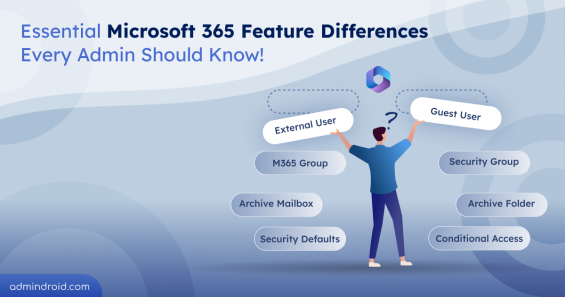
Learn the key differences between Microsoft 365 features to choose the right tools and avoid common pitfalls in security and management.
12 min read
Sysadmin Day is celebrated on the last Friday of July to honor sysadmins worldwide. AdminDroid thanks all sysadmins who resolved the CrowdStrike BSOD outage.
3 min read

Discover AdminDroid, your ultimate tool for Office 365 reporting, available on Azure Marketplace - Gain insights and manage your M365 environment efficiently.
2 min read
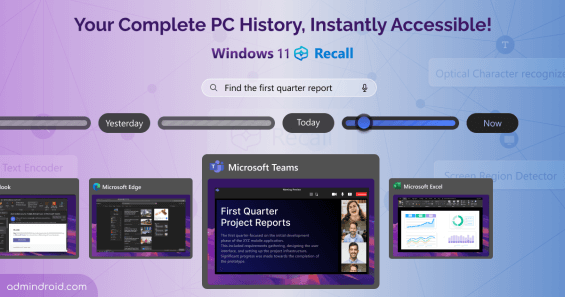
Windows 11 Recall is a feature of Copilot+PCs, which records everything you do, working in apps, browsers, live meetings and creates a photographic memory of PC
5 min read

Generate insightful reports and create stunning visualizations from your spreadsheet data. Transform your data into visual insights with GPT-4o!
3 min read
Elevate your network security with easy-to-create self-signed certificates using PowerShell. Learn how to do it with our comprehensive guide.
5 min read

Chat GPT, a Natural Language Processing(NLP) developed by Open AI, acts as personal assistant for sysadmins gave answers on how to fix the blue screen of death.
5 min read
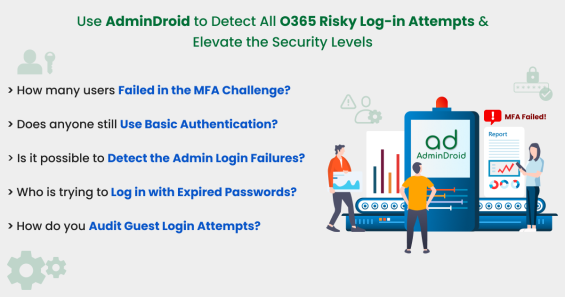
AdminDroid provides reports on all Office 365 risky log-in attempts in your organization like expired log-in attempts, MFA failures & basic auth login failures.
10 min read
Not a superhero dressed in capes, but still, Sysadmins save us from serious issues.- Let's appreciate the work of Sysadmins on this last Friday of July.
3 min read