Topics
Quick M365 Updates Microsoft 365 Community Security In-built M365 Reports General Active Directory Best Practices
Wishing To Gain Better Visibility and Control Over Your Microsoft 365?
Gain Complete M365 Visibility with AdminDroid
Explore Now
Microsoft 365 News
Latest ⚡

Microsoft 365 Backup Now Restores Files and Folders in SharePoint and OneDrive

Microsoft 365 Backup has extended its support to restore individual files and folders in SharePoint and OneDrive, which is currently available in public preview. With this update, admins can easily browse, search, and recover specific files or folders directly from restore points, eliminating the need to restore an entire site or drive.

13 hours ago

Entra B2B Replaces SharePoint One-Time Passcode for External Sharing 

Microsoft is retiring One-Time Passcode (SPO OTP) authentication and transitioning to Entra B2B guest accounts for external users. This ensures that SharePoint and OneDrive external collaboration is governed by the same security and compliance standards as internal access. SPO OTP method will be fully retired by August 31, 2026, following rollout beginning in May 2026.  

3 days ago

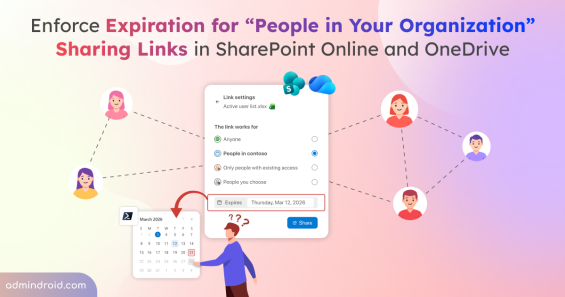
Configure Expiration Policy for People in Your Organization Sharing Links in SharePoint Online

Microsoft now allows admins to enforce a default expiration period for “People in your organization” sharing links in SharePoint Online and OneDrive. By configuring maximum and recommended expiration values, admins can prevent internal links from staying active indefinitely. This update helps reduce stale access while maintaining flexible and secure collaboration.

6 days ago

New SharePoint Experience in Microsoft 365: Smarter, Faster, AI-Ready 

Starting March 3, 2026, Microsoft is introducing a completely reimagined SharePoint experience in Microsoft 365, designed to make collaboration smarter, faster, and more intuitive. The new experience features a redesigned app bar categorized into three core jobs - Discover, Publish, and Build along with AI-powered tools and a neutral theme.

11 hours ago

Entra Hybrid-Join Devices Using Microsoft Entra Kerberos

Microsoft Entra Kerberos provides a simpler way to set up hybrid-joined devices by reducing the need for Microsoft Entra Connect or Active Directory Federation Services. By using cloud-based authentication with Microsoft Entra ID, organizations can streamline device onboarding and simplify hybrid deployments.

6 days ago

New Cloud Licensing API in Microsoft Graph for License Management in Public Preview 

Tracking Microsoft 365 licenses can be challenging for many organizations. To simplify this, Microsoft introduced the Cloud Licensing beta API in Microsoft Graph (preview), giving admins and developers granular control. Instead of just showing a flat license count, it supports batch tracking, queuing users when licenses run out, and quickly identifying assignment errors.  

20 hours ago
View All
Blog Series
Cybersecurity Month Series: 2025 Edition ( 33 posts ) New
Explore a 31-day series on reducing attack surfaces across Active Directory, Microsoft 365, hybrid environments, and endpoints.
Microsoft 365 Cybersecurity Month Series: 2024 Edition ( 33 posts )
Explore a 31-day series of Microsoft Secure Score recommendations that boosts your security.
Microsoft 365 Cybersecurity Month Series: 2023 Edition ( 33 posts )
Explore a 31-day series of advanced Microsoft 365 security strategies that foster zero-trust.
Microsoft 365 Cybersecurity Month Series: 2022 Edition ( 33 posts )
Catch up on 31 essential Microsoft 365 security configurations admins often miss!
Microsoft365DSC: The Unexplored Free Tool by Microsoft ( 6 posts )
Guides To Automate, Audit, Sync, Compare & Export M365 Settings with Microsoft365DSC.
Access Reviews in Entra ID ( 4 posts )
Guides To Automate & Validate User Access with Entra ID Access Reviews.
End-of-Support Milestones ( 8 posts )
Bookmark Our Microsoft 365 Updates Guide for the Latest Monthly Changes and Yearly Deprecations.
Lifecycle Workflows in Entra ID ( 4 posts )
Guides To Automate Your Entire User Lifecycle from Onboarding to Offboarding.
How-to Guides
AdminDroid How-to Guides
Facing challenges with Microsoft 365? Explore AdminDroid's How-to guides for best solutions and practices.
Browse All Docs
Highly Recommended
Azure AD
How to Export Azure AD Guest Users Report with Group Memberships
55+ Guides
Exchange
How to Get the User Email Statistics Report in Microsoft 365
30+ Guides
SharePoint
How to Get a SharePoint Online External Sharing Report in Microsoft 365
20+ Guides
Teams
How to Export Microsoft Teams Shared Channels Report
15+ Guides
Our M365 Suite
Entra ID Exchange Online Email SharePoint Online OneDrive Microsoft Teams Yammer Power BI Stream
Tired of Jumping Between Portals to Manage Your Microsoft 365?
Replace the complexity of multiple tools with AdminDroid.
Launch Demo
Capabilities
NEW
360° Visibility Explorer
Every access, every action, every detail - drill down, track, and analyze any user, team, or site with 360° Explorers.
NEW
Governance Portal
Critical insights combined with immediate actions - review risks and quickly remediate, all in one place.
Alerting
We grind mountains of data to alert you precisely; No false negatives, no noise, no lame alerts.
NEW
Automation
Drowning in M365 admin tasks? Automate them with intelligent agents - deploy quickly, customize easily run with approval, and safely revert in one click.
NEW
Reminders &
Follow-ups
Timely nudges for tasks you shouldn't have to remember - prompting admins and users to act on tasks that keep their M365 setup running right.
NEW
Active Directory Management
Hybrid AD? Handled. Get deep visibility, instant audits, streamlined management, and easy automation from one sleek console.
NEW
Deep Insights Suites
Expose what M365 keeps buried - the deep, critical insights every admin needs to know about their mailboxes, sites, Teams, and more.
Delegation
From CEO to Helpdesk analyst, AdminDroid is for everyone. Impress them with personalized insights based on their roles and responsibilities.
Insights
Crunching millions of records, we give you the crispy actionable metrics - With a few of them, you are the go-to M365 expert!
NEW
Actions
No more admin center hunting - manage entire M365 suite with 500+ mission critical actions, with one click revert option.
Reporting
You’ve got 3500+
pre-optimized reports in your hand, just face the never-ending report requests with a smile and a wink 😉
Auditing
We visualize you the whole picture behind every user action – Be the best in tracing incidents and activity trends 😎
Usage & Adoption
Get the most out of your Microsoft 365 investment with just one glance of our dashboards and reports.
Compliance
Compliance audit is never a daunting task - Breeze through audits with our pre-compiled reports at your fingertips!

Struggling to automate secure monitor manage M365?

Try AdminDroid for Free!

Struggling to automate secure monitor manage M365?

Try AdminDroid for Free!
Capabilities
Our M365 Suite
AdminDroid
Blog
Home
Topics
Microsoft 365 News
Latest ⚡
Blog Series
How-to Guides
Quick M365 Updates Microsoft 365 Community Security In-built M365 Reports General Active Directory Best Practices
Wishing To Gain Better Visibility and Control Over Your Microsoft 365?
Gain Complete M365 Visibility with AdminDroid
Explore Now

Microsoft 365 Backup Now Restores Files and Folders in SharePoint and OneDrive

Microsoft 365 Backup has extended its support to restore individual files and folders in SharePoint and OneDrive, which is currently available in public preview. With this update, admins can easily browse, search, and recover specific files or folders directly from restore points, eliminating the need to restore an entire site or drive.

13 hours ago

Entra B2B Replaces SharePoint One-Time Passcode for External Sharing 

Microsoft is retiring One-Time Passcode (SPO OTP) authentication and transitioning to Entra B2B guest accounts for external users. This ensures that SharePoint and OneDrive external collaboration is governed by the same security and compliance standards as internal access. SPO OTP method will be fully retired by August 31, 2026, following rollout beginning in May 2026.  

3 days ago

Configure Expiration Policy for People in Your Organization Sharing Links in SharePoint Online

Microsoft now allows admins to enforce a default expiration period for “People in your organization” sharing links in SharePoint Online and OneDrive. By configuring maximum and recommended expiration values, admins can prevent internal links from staying active indefinitely. This update helps reduce stale access while maintaining flexible and secure collaboration.

6 days ago

New SharePoint Experience in Microsoft 365: Smarter, Faster, AI-Ready 

Starting March 3, 2026, Microsoft is introducing a completely reimagined SharePoint experience in Microsoft 365, designed to make collaboration smarter, faster, and more intuitive. The new experience features a redesigned app bar categorized into three core jobs - Discover, Publish, and Build along with AI-powered tools and a neutral theme.

11 hours ago

Entra Hybrid-Join Devices Using Microsoft Entra Kerberos

Microsoft Entra Kerberos provides a simpler way to set up hybrid-joined devices by reducing the need for Microsoft Entra Connect or Active Directory Federation Services. By using cloud-based authentication with Microsoft Entra ID, organizations can streamline device onboarding and simplify hybrid deployments.

6 days ago

New Cloud Licensing API in Microsoft Graph for License Management in Public Preview 

Tracking Microsoft 365 licenses can be challenging for many organizations. To simplify this, Microsoft introduced the Cloud Licensing beta API in Microsoft Graph (preview), giving admins and developers granular control. Instead of just showing a flat license count, it supports batch tracking, queuing users when licenses run out, and quickly identifying assignment errors.  

20 hours ago
View All
Cybersecurity Month Series: 2025 Edition ( 33 posts ) New
Explore a 31-day series on reducing attack surfaces across Active Directory, Microsoft 365, hybrid environments, and endpoints.
Microsoft 365 Cybersecurity Month Series: 2024 Edition ( 33 posts )
Explore a 31-day series of Microsoft Secure Score recommendations that boosts your security.
Microsoft 365 Cybersecurity Month Series: 2023 Edition ( 33 posts )
Explore a 31-day series of advanced Microsoft 365 security strategies that foster zero-trust.
Microsoft 365 Cybersecurity Month Series: 2022 Edition ( 33 posts )
Catch up on 31 essential Microsoft 365 security configurations admins often miss!
Microsoft365DSC: The Unexplored Free Tool by Microsoft ( 6 posts )
Guides To Automate, Audit, Sync, Compare & Export M365 Settings with Microsoft365DSC.
Access Reviews in Entra ID ( 4 posts )
Guides To Automate & Validate User Access with Entra ID Access Reviews.
End-of-Support Milestones ( 8 posts )
Bookmark Our Microsoft 365 Updates Guide for the Latest Monthly Changes and Yearly Deprecations.
Lifecycle Workflows in Entra ID ( 4 posts )
Guides To Automate Your Entire User Lifecycle from Onboarding to Offboarding.
AdminDroid How-to Guides
Facing challenges with Microsoft 365? Explore AdminDroid's How-to guides for best solutions and practices.
Browse All Docs
Highly Recommended
Azure AD
How to Export Azure AD Guest Users Report with Group Memberships
55+ Guides
Exchange
How to Get the User Email Statistics Report in Microsoft 365
30+ Guides
SharePoint
How to Get a SharePoint Online External Sharing Report in Microsoft 365
20+ Guides
Teams
How to Export Microsoft Teams Shared Channels Report
15+ Guides
Entra ID Exchange Online Email SharePoint Online OneDrive Microsoft Teams Yammer Power BI Stream
Tired of Jumping Between Portals to Manage Your Microsoft 365?
Replace the complexity of multiple tools with AdminDroid.
Launch Demo
NEW
360° Visibility Explorer
Every access, every action, every detail - drill down, track, and analyze any user, team, or site with 360° Explorers.
NEW
Governance Portal
Critical insights combined with immediate actions - review risks and quickly remediate, all in one place.
Alerting
We grind mountains of data to alert you precisely; No false negatives, no noise, no lame alerts.
NEW
Automation
Drowning in M365 admin tasks? Automate them with intelligent agents - deploy quickly, customize easily run with approval, and safely revert in one click.
NEW
Reminders &
Follow-ups
Timely nudges for tasks you shouldn't have to remember - prompting admins and users to act on tasks that keep their M365 setup running right.
NEW
Active Directory Management
Hybrid AD? Handled. Get deep visibility, instant audits, streamlined management, and easy automation from one sleek console.
NEW
Deep Insights Suites
Expose what M365 keeps buried - the deep, critical insights every admin needs to know about their mailboxes, sites, Teams, and more.
Delegation
From CEO to Helpdesk analyst, AdminDroid is for everyone. Impress them with personalized insights based on their roles and responsibilities.
Insights
Crunching millions of records, we give you the crispy actionable metrics - With a few of them, you are the go-to M365 expert!
NEW
Actions
No more admin center hunting - manage entire M365 suite with 500+ mission critical actions, with one click revert option.
Reporting
You’ve got 3500+
pre-optimized reports in your hand, just face the never-ending report requests with a smile and a wink 😉
Auditing
We visualize you the whole picture behind every user action – Be the best in tracing incidents and activity trends 😎
Usage & Adoption
Get the most out of your Microsoft 365 investment with just one glance of our dashboards and reports.
Compliance
Compliance audit is never a daunting task - Breeze through audits with our pre-compiled reports at your fingertips!

Karthi

Karthi is an administrator-focused Microsoft 365 and Active Directory professional specializing in security configurations and administrative best practices. She translates layered platform settings into clear operational logic that supports production environments. Her approach makes complex administrative concepts accessible without losing technical depth, enabling IT teams to apply secure configurations confidently.

Set Expiration Time for Company Links in SharePoint Online and OneDrive
Quick M365 Updates

Configure Expiration Policy for People in Your Organization Sharing Links in SharePoint Online

Learn how to set expiration policy for 'People in your organization' sharing links in SharePoint and OneDrive to reduce internal access risks.

5 min read

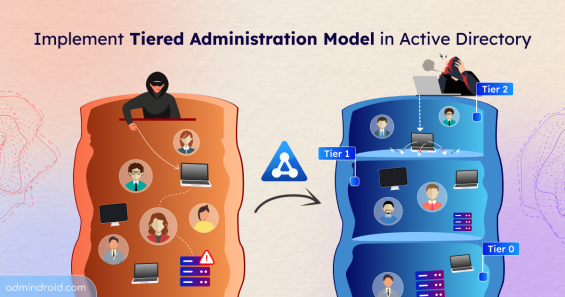
Active Directory Tiered Administration Model
Active Directory

Active Directory Tiered Administration Model

Learn how to implement the Active Directory tiered administration model to reduce credential exposure and prevent lateral movement attacks.

14 min read

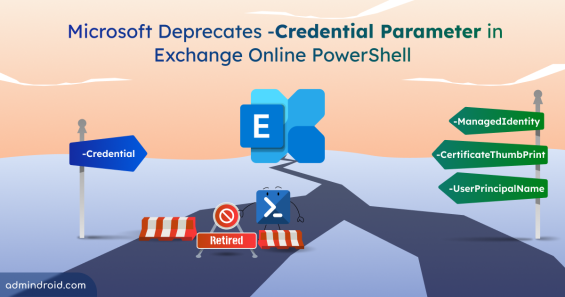
Microsoft Deprecates Credential Parameter in Exchange Online
Quick M365 Updates

Microsoft Deprecates Credential Parameter in Exchange Online PowerShell

Microsoft is deprecating the -Credential parameter in Exchange Online PowerShell. Learn why and how to migrate to modern authentication.

4 min read

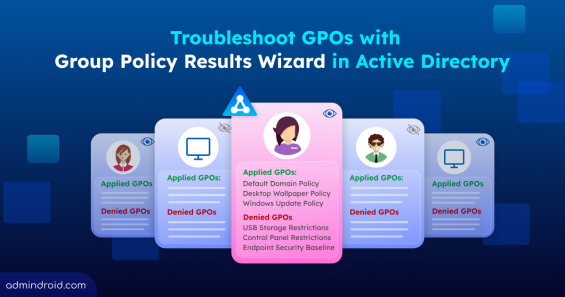
Troubleshoot Active Directory Group Policy Issues with the Group Policy Results Wizard
Active Directory

Troubleshoot Active Directory Group Policy Issues with the Group Policy Results Wizard

Learn how Group Policy Results Wizard helps troubleshoot Active Directory GPO issues by showing all applied and denied policy settings with clear troubleshooting insights.

10 min read

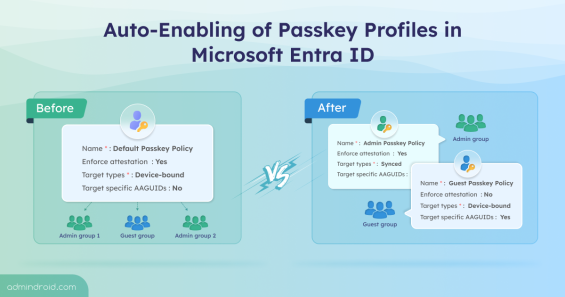
Microsoft Introduces Automatic Enablement of Passkey Profiles in Microsoft Entra ID
Quick M365 Updates

Microsoft Introduces Automatic Enablement of Passkey Profiles in Microsoft Entra ID

Learn about the automatic enablement of Passkey Profiles in Microsoft Entra ID and how this shift affects your existing FIDO2 configuration.

4 min read

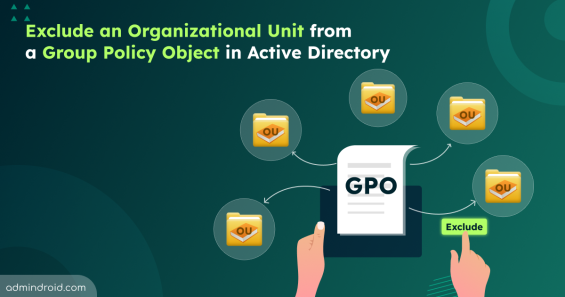
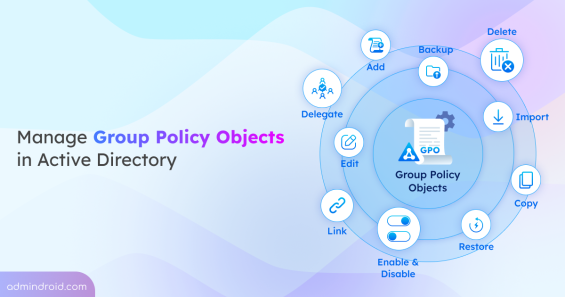
Exclude a Specific Organizational Unit from Group Policy Objects in Active Directory
Active Directory

Exclude a Specific Organizational Unit from Group Policy Objects in Active Directory

Learn all methods to exclude a OU from a GPO in Active Directory, including WMI filters, GPO permissions, item-level targeting, and more.

14 min read

Enhanced Meetings and Calls Troubleshooting in Microsoft Teams Admin Center
Quick M365 Updates

Enhanced Meetings and Calls Troubleshooting in Microsoft Teams Admin Center

Explore Microsoft’s new Teams meeting troubleshooting enhancements that make meetings & calls diagnostics faster and easier for admins.

4 min read

How to View Messages from Different Teams Accounts Without Switching
Quick M365 Updates

How to View Messages from Different Teams Accounts Without Switching

Learn how to view all unread Microsoft Teams notifications across multiple accounts without switching tenants.

4 min read

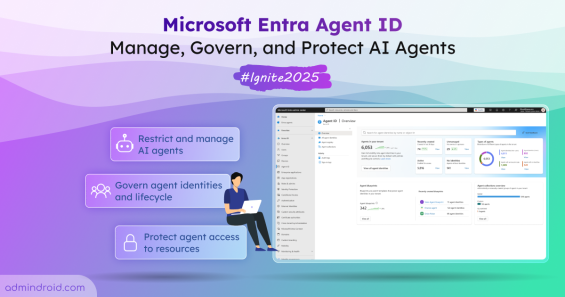
New Microsoft Entra Agent ID to Secure and Manage AI Agents
Quick M365 Updates

New Microsoft Entra Agent ID to Secure and Manage AI Agents

Microsoft Ignite 2025 announced the public preview of Entra Agent ID with new capabilities to help organizations manage and secure AI agents.

8 min read

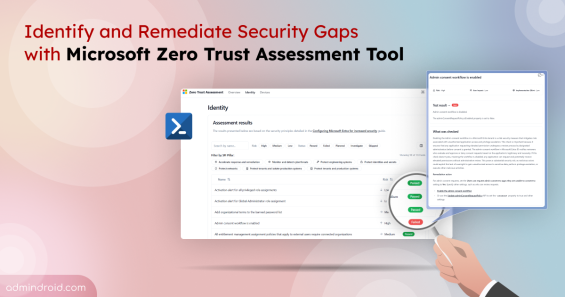
Implement Zero Trust Assessment to Strengthen Microsoft 365 Security
Quick M365 Updates

Implement Zero Trust Assessment to Strengthen Microsoft 365 Security

Learn how to install and run the Microsoft Zero Trust Assessment tool to identify security gaps and strengthen your Microsoft 365 tenant.

5 min read

active-directory-a-complete-overview
Active Directory

Active Directory – A Complete Overview

Learn the complete overview of Microsoft Active Directory — its structure, services, and objects that form the base of identity management.

10 min read

best-practices-to-secure-local-admin-accounts
Best Practices

Best Practices to Secure Local Admin Accounts

Local admin accounts can make or break security. Learn all risks and practical steps to secure local admins and protect devices from privilege abuse.

7 min read

AdminDroid
Affordable Microsoft 365 Management Solution
Get the most out of your Microsoft 365 investment with AdminDroid!
Download Live Demo

100+ Essential Reports & 10+ Dashboards are always FREE!

360° Visibility Governance Portal Alerts Reminders & Follow-ups Active Directory Automation Deep Insights Delegation
Dashboards Management Reporting Auditing Usage Analytics Compliance
admindroid logo
Be the first to hear about Microsoft 365 updates, security insights, and all the cool stuff you never knew about your favorite suite! 
Features
Alerting Delegation Usage and Adoption Compliance Reporting Auditing Insights Explorer Deep Insights Management Active Directory Automation Governance Portal Reminders & Follow-ups
M365 Solutions
Entra ID Exchange Online Email SharePoint Online OneDrive for Business Microsoft Teams Yammer Power BI Stream
Skype for Business
Active Directory AD Management AD Object Changes
News
AdminDroid Expands with Advanced Microsoft 365 Management Capabilities AdminDroid Expands with Active Directory management features AdminDroid Powers Up Microsoft 365 and Active Directory Management Microsoft 365 Reporting Tool by AdminDroid is now on Azure Marketplace AdminDroid Introduces Advanced Alerting to Enhance Microsoft 365 Security More News
AdminDroid logo
We Love to Solve IT Administrators' Challenges
Contact

support@admindroid.com

microsoft-partner-logo
2026 AdminDroid. All Rights Reserved
Privacy Policy Sitemap