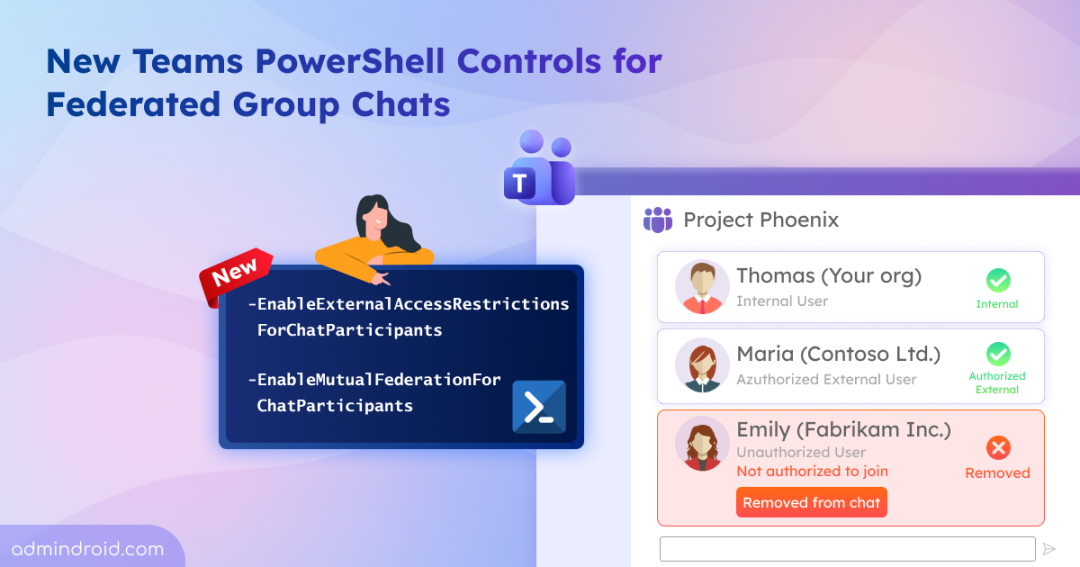
Teams federated group chats let users collaborate with people outside your organization in Microsoft Teams. Until now, external access policies weren’t always enforced consistently after a chat was created. This meant some external users could retain access or be added to a federated group chat through a third-party tenant, even if the organization’s policies didn’t allow direct communication with them.
Microsoft is addressing this gap by introducing two new PowerShell controls that enforce external access and federation rules more consistently throughout the chat lifecycle. Let’s break down this update.
New PowerShell Controls for Stricter Teams Federated Group Chats
Imagine your organization has an ongoing federated group chat with two partner companies. You updated the external access policy that allows communication with Partner A but blocks Partner B. After updating the policy, you expect users from Partner B to lose access. Instead, they continue participating in the existing group chat, even though your current policy no longer permits communication with them.
External access and federation policies weren’t always enforced after a federated group chat was created. To tighten the external access management, Microsoft has expanded the Set-CsTenantFederationConfiguration PowerShell cmdlet with two new tenant-wide parameters.
- -EnableExternalAccessRestrictionsForChatParticipants – Continuously checks whether existing participants still comply with your organization’s external access policy. Participants who no longer comply are automatically removed from federated group chats.
- -EnableMutualFederationForChatParticipants – Requires every participant in a group chat to have a mutual federation relationship with every other participant. If mutual federation no longer exists, the affected participants are automatically removed from the chat.
While both strengthen the security of federated group chats, they address different scenarios and can be enabled independently based on your organization’s requirements.
Rollout Timeline for the New Microsoft Teams Federation Controls
The two new parameters will become available in phases:
- EnableExternalAccessRestrictionsForChatParticipants: Available from July 31, 2026.
- EnableMutualFederationForChatParticipants: Available from September 30, 2026.
These parameters won’t function until their respective rollouts. Any values you assign before the rollout won’t take effect before the parameter becomes available. Once Microsoft completes the rollout, you can start using these tenant-wide controls to continuously enforce your organization’s external access and federation policies.
Now, let’s look at what each parameter does and when you might want to enable it.
Restrict Users Without External Access from Joining Federated Group Chats
EnableExternalAccessRestrictionsForChatParticipants
One of the new parameters in the Set-CsTenantFederationConfiguration PowerShell cmdlet is -EnableExternalAccessRestrictionsForChatParticipants. Previously, changes to your organization’s external access policy didn’t affect users who were already part of a federated group chat. But the new parameter continuously enforces the current policy, automatically removing participants who no longer have permission to federate.
When the setting is disabled (default):
- Even if a user’s policy doesn’t allow federation, they can still be part of a federated group chat if a colleague with federation access created it.
- In this case, the chat creator’s federation permissions allow those users to remain in the conversation.
When EnableExternalAccessRestrictionsForChatParticipants is enabled:
- Users whose external access policy has EnableFederationAccess set to False cannot be added to federated group chats.
- Existing participants who no longer meet this requirement are automatically removed from active federated group chats.
- This setting only affects group chats and doesn’t impact external meetings or meeting chats.
Note: EnableExternalAccessRestrictionsForChatParticipants works independently of the CommunicationWithExternalOrgs setting in the External Access Policy. Existing communication rules configured through that setting remain unchanged.
External access restrictions only verify whether an individual user’s policy allows federation. It doesn’t verify whether every participating organization still has a mutual federation relationship with your tenant. As a result, users from a tenant that no longer has mutual federation can remain in an existing federated group chat. To close this gap, Microsoft introduced the -EnableMutualFederationForChatParticipants parameter.
Require Mutual Federation Between All Chat Participants
EnableMutualFederationForChatParticipants
The -EnableMutualFederationForChatParticipants parameter prevents users from bypassing your organization’s federation restrictions through third-party tenants.
When the setting is disabled:
By default, Microsoft Teams checks the federation relationship only between the chat creator and the user being added. It doesn’t verify the federation relationship between all external organizations already participating in the chat.
For example, imagine a user from Contoso creates a federated group chat with Fabrikam and Wingtip.
- Contoso can federate with Fabrikam.
- Contoso can federate with Wingtip.
- However, Fabrikam and Wingtip can’t federate with each other.
Even so, users from all three organizations can still participate in the same group chat because Teams doesn’t validate the federation relationship between Fabrikam and Wingtip. As a result, users may remain in or join chats that include external participants who wouldn’t normally be allowed under a full mutual federation check.
To address this limitation, Microsoft introduced the -EnableMutualFederationForChatParticipants parameter as part of the Set-CsTenantFederationConfiguration PowerShell cmdlet.
When EnableMutualFederationForChatParticipants is enabled:
- Every participating organization must have a mutual federation relationship with every other external organization in the group chat.
- Users can join the chat only if this requirement is met.
- Federation relationships are continuously evaluated for active chats.
- If a mutual federation relationship is removed later, the affected users are automatically removed from the chat.
As per our earlier example, enabling EnableMutualFederationForChatParticipants makes Teams to check mutual federation between all participating organizations. Because Fabrikam and Wingtip don’t have a federation relationship, they cannot both participate in the same federated group chat.
Note: The chat creator is not removed. Only other participants are checked and removed if they do not meet the mutual federation requirements.
What Should Microsoft Teams Admins Know Before Enabling These Controls?
Before enabling these new PowerShell parameters, keep the following in mind:
- Disabled by default: Both parameters are disabled by default, so existing federated group chat behavior remains unchanged until you enable them.
- Applies only to group chats: These settings affect only federated group chats. They don’t impact:
- External meetings
- Meeting chats
- Shared Channels
- Automatic removal applies only to active chats: Participants who no longer meet federation requirements are removed only from active federated group chats (where a message has been sent within the last two hours). Inactive chats are evaluated the next time a new message is sent.
That’s it! Before enabling them, review your external access and federation settings, especially if your organization relies on cross-tenant communications. Also, inform your helpdesk or support team, as users who no longer meet the federation requirements may be automatically removed from existing federated group chats. If you have any questions or feedback, feel free to leave a comment below.