Conditional Access has long been a cornerstone of Microsoft 365 security. However, admins configuring policies that target All resources have often encountered policy not applying behavior during certain client application sign-ins. This was especially noticeable when resource exclusions were configured.
For example, a user signing in to Outlook or a custom line-of-business app may request only basic directory permissions to display profile details. In such scenarios, Conditional Access policies could be silently bypassed, even though the policy was scoped broadly. While this behavior was not widely known, it introduced a subtle gap that didn’t always align with how most admins expected Conditional Access to work.
That’s about to change! Microsoft is making changes to improve Conditional Access enforcement for policies targeting All resources with exclusions, even when client applications request only basic directory scopes.
What’s the New Change in Conditional Access Policies?
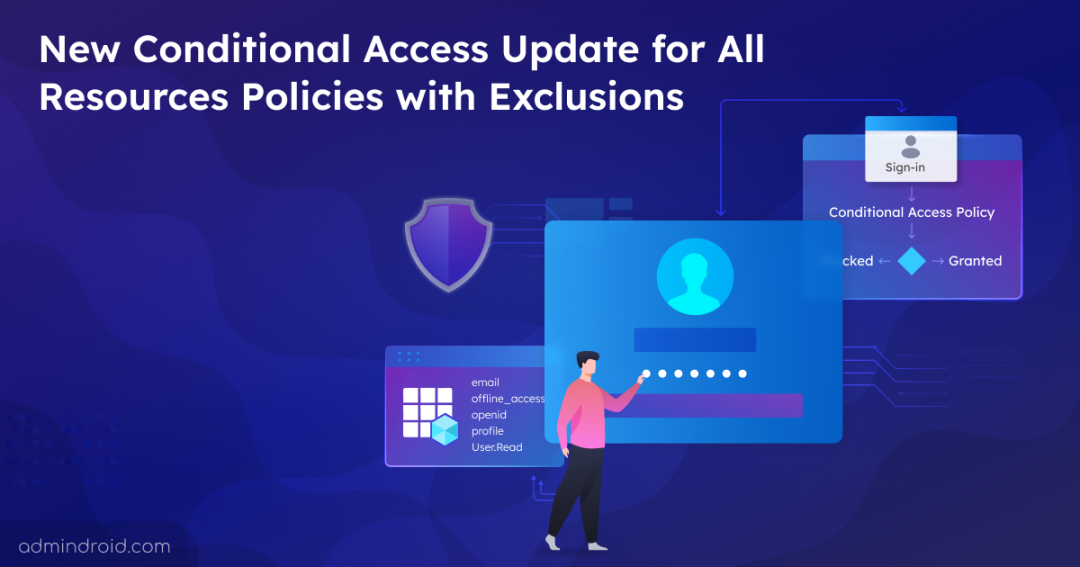
Microsoft is updating how Conditional Access evaluates sign-ins that request only basic directory permissions. Scopes that were commonly used during authentication like email, offline_access, openid, and more. will no longer bypass CA policy evaluation when resource exclusions are configured.
As a result, sign-in attempts that previously completed without triggering Conditional Access may now be evaluated against your existing policies. Depending on how those policies are configured, users could be prompted for additional requirements such as MFA or device compliance.
📅 Rollout Timeline
This change will be rolled out gradually, starting in March 27, 2026 and continuing through June 2026.
Now, let’s explore how Conditional Access works when targeting All resources with exclusions, before and after the update.
Existing Conditional Access Behaviour for All Resources with Exclusions
To avoid access disruption, sign-ins via client apps that request only OIDC scopes or a limited set of directory scopes were previously exempt from CA enforcement. This applied when the policy included resource exclusions.
These low-privilege scopes allowed applications to access basic user details, such as name, email address, or group membership. They enabled calls to underlying Graph APIs like Windows Azure Active Directory and Microsoft Graph.
For example, when a user signs in using Azure CLI, which requests only User.Read, they were not prompted for MFA.
In practice, this means certain sign-ins could bypass MFA or device requirements, even when the policy is configured to protect All resources.
Low-Privilege Scopes Used to Bypass from Conditional Access
Here are the scopes used by native clients, single page applications (SPAs), and confidential client apps, if they’re excluded from an All resource targeting policy.
| API | Low-Privilege Scopes |
| Azure AD | Email, offline_access, openid, profile, User.Read, User.Read.All, User.ReadBasic.All |
| Microsoft Graph | Email, offline_access, openid, profile, User.Read, User.Read.All, User.ReadBasic.All, People.Read, People.Read.All, GroupMember.Read.All, Member.Read.Hidden |
Even though Consent was still required for these scopes, Conditional Access was not enforced when exclusion existed.
Updated Conditional Access Behaviour for All Resources with Exclusions
The low-privilege scopes discussed above will now be considered directory access requests for Conditional Access evaluation. These requests are mapped to the Azure AD Graph directory resource, which means they are no longer automatically ignored during policy evaluation. Because of this change, CA policies that target All resources with exclusions or explicitly target the Azure AD Graph directory resource will now be enforced. This enforcement applies even when a client application requests only these basic scopes.
When client applications request only these basic scopes during sign-in, users may now encounter Conditional Access challenges that were previously skipped. These challenges could include:
- Multi-Factor Authentication (MFA)
- Device compliance or device-based controls
- Other access requirements defined in your policies
For example, when user signs in using Azure CLI, which requests only User.Read, user will now prompt for MFA.
If an application requests any additional permission beyond those listed earlier, Conditional Access behavior remains unchanged.
Note: The retirement of Azure AD Graph APIs does not affect the directory resource itself, which will continue to exist in tenants for Conditional Access evaluation.
How to Prepare for the Conditional Access Update Targeting All Resource with Exclusion Policies
This update impacts only tenants that have a Conditional Access policy targeting All resources with one or more exclusions. Most apps request additional permissions and are already evaluated by Conditional Access, so their behavior won’t change.
If you have custom apps that request only the low-privilege scopes mentioned earlier, check whether they can handle challenges like MFA or device compliance.
To identify applications with low privilege scopes impacted by this Conditional Access change, you can follow the methods below.
| Methods | Implementation |
| Review existing app permissions | View all app permissions to identify Entra apps that are pre-authorized to request one or more mentioned scopes. |
| Entra Usage and Insights report | Login to Entra admin center and navigate to Entra ID → Monitoring & health → Usage & insights to check sign-in activity for specific applications. |
| Entra sign-in logs | Navigate to the Entra ID → Monitoring & health → Sign-in logs in Entra admin center. Filter Application using app name or ID to get the detailed list of sign-ins for specific application. |
That’s all about this change! We hope this blog helps you understand how Microsoft’s upcoming Conditional Access update improves policy enforcement with resource exclusions, closing the long-standing security gaps. Stay tuned for more updates, and feel free to share your thoughts or questions in the comments below.