For years, private channels were the “quiet corners” of Microsoft Teams, excellent for security. However, they were frustratingly limited when it came to the apps and bots that drive daily workflows. Only a limited set of tabs was supported, forcing admins to move from private channels to standard channels to access Teams app functionality.
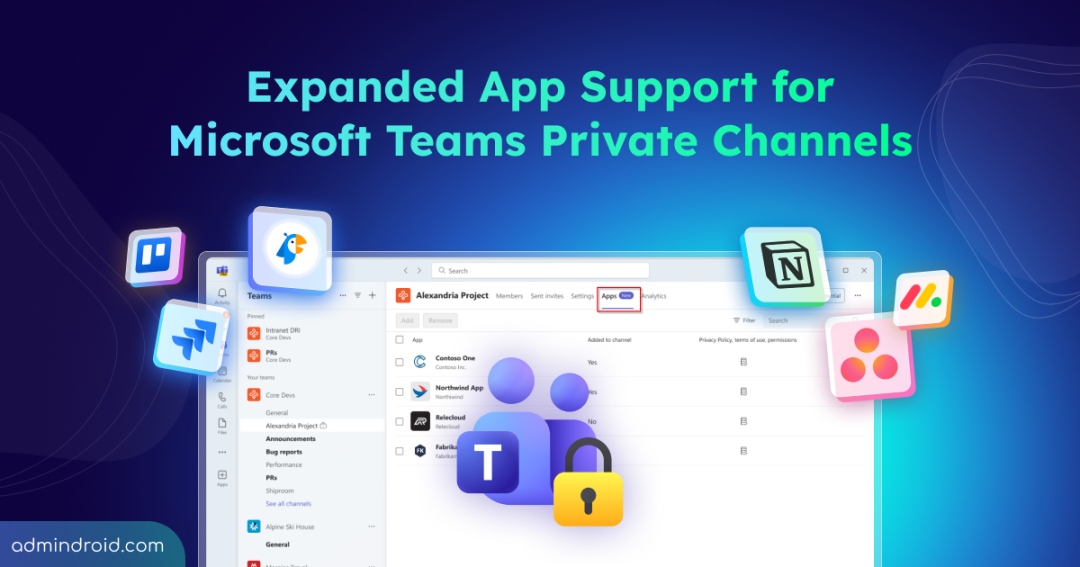
That limitation is now a thing of the past! Microsoft has officially rolled out expanded app support for Private Channels, bringing a new level of functionality and efficiency to your most restricted workspaces.
How Apps Were Restricted in Private Channels Under the Old Model
Before this update, private channels in Microsoft Teams operated on a restricted architectural island that imposed significant limitations on app support and integration. While they kept conversations secure, they often crippled productivity due to several key limitations:
- Restricted App Set: Only a very limited selection of tabs (such as Microsoft Lists Notes, or Files) was supported. Key apps like Planner, Forms, and many third-party tools simply didn’t work.
- No Bots or Connectors: Bots couldn’t be used to automate tasks or surface data within a private channel. If a bot was needed, users had to switch back to a standard channel.
- Broken Workflows: Because message extensions were unsupported, users couldn’t quickly search for or share content from external tools like GitHub or Trello directly within private conversations.
- Administrative Efforts: To enable “private” app functionality, administrators often had to create entirely new teams for small groups, leading to team sprawl and a cluttered sidebar for users.
What’s New for Microsoft Teams Private Channel Apps?
This new update introduces a smarter way to integrate tools without leaving your focused work environment. Unlike the old model, the new experience allows:
- Bots & Connectors: You can now add bots directly within the private channel to automate tasks or pull data.
- Message Extensions: Use the search and action capabilities of your favourite apps (like YouTube, GitHub, or Trello) directly in the message compose box of a private channel.
- Effective App Governance: Channel apps can be added to private channels by channel owners or members, with built-in governance and consent management.
- Full Tab Support: Now, you can pin a full range of third-party apps, such as Planner, Forms, as tabs at the top of your private channel.
- Channel-Level App Setup: All apps that support Private and Shared Channels will be available. However, they must be explicitly added to each channel, as installing them at the team level no longer applies to Shared or Private Channels.
- Manage Apps via New Apps Tab: Use the new Apps tab in Manage Channel Settings to manage apps within your channels.
- User Consent & Discovery: Users are prompted for consent if they interact with an app that hasn’t been added, and all added apps remain available through standard discovery entry points.
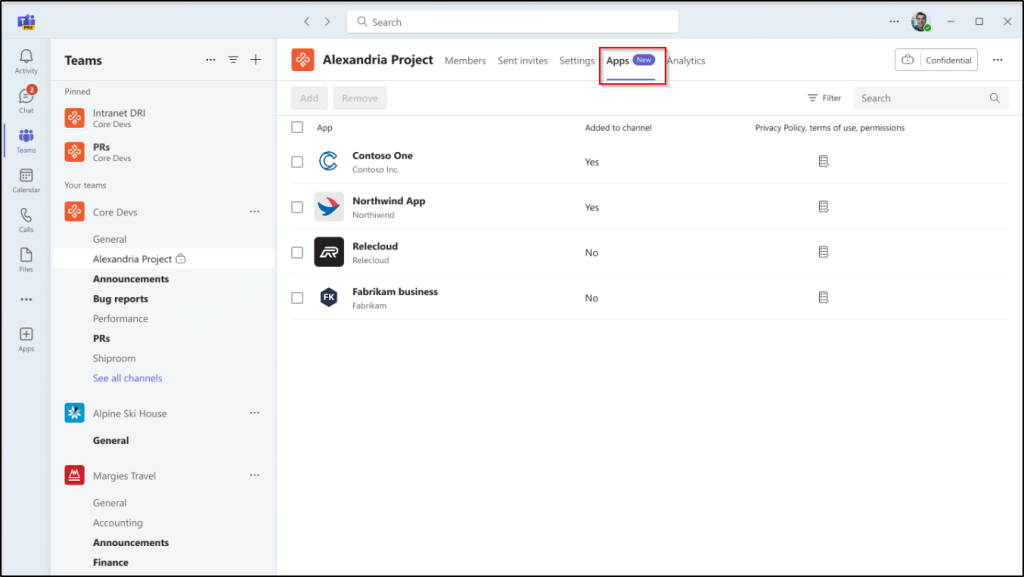
Note: This feature is available by default and applies to Microsoft Teams desktop clients for Windows and Mac.
Rollout Timeline:
Microsoft is introducing full app support for Private Channels in two major phases:
- Targeted Release: The rollout begins in mid-January 2026 and is expected to reach all targeted tenants by the end of Jan 2026.
- General Availability: Global deployment starts in late February 2026 and is expected to be completed by late March 2026.
Key Considerations for App Compliance in Teams Private Channels
Microsoft’s latest update for Private Channels brings full app functionality to restricted workspaces, ensuring teams no longer have to sacrifice productivity for privacy. While this opens new doors for collaboration, it shifts the responsibility of data governance to a channel-specific model.
- Apps in Private Channels store channel membership details and settings. Data may stay in Microsoft 365 or move to third-party platforms. Admins should verify storage locations to meet organization rules.
- With apps now operating at the channel level rather than the team level, data access and permissions are scoped differently. This change directly affects how administrators must configure and enforce Teams app permission policies and may also require updates to app manifests and use of channel-specific APIs.
- As highlighted earlier, owners must manually add apps to each channel, which affects DLP, audit logs, and eDiscovery. Validate private channel behaviour to maintain discoverability.
- Administrators should review app usage and permissions for each channel, and monitoring tools may need to be updated to track app activity within Private Channels.
- Apps within Private Channels, such as bots and message extensions, enable channel members and guests to interact in new ways, based on admin and app configurations.
- Guest users can access supported apps in Private Channels only if the apps have been updated by developers to support private channel functionality. These apps must also be permitted by admins.
- Apps in private channels may retain user interaction data relevant to GDPR requests. Admins must ensure data handling aligns with privacy regulations.
- Using Teams app policies and channel settings, administrators can manage app access and permissions, with Entra ID group membership helping to scope access.
Best Practices for Supporting Apps in Microsoft Teams Private Channels
- Review and maintain Teams app policies to ensure all required applications are approved and enabled for use in Private Channels.
- Confirm that apps used within Private Channels align with your organization’s app governance, security, and compliance standards.
- Inform helpdesk and support teams about upcoming changes so they are equipped to support users with Private Channel–specific app behaviour.
- Perform a periodic review of Teams App setup policies and maintain a strict private channel governance checklist to prevent “app sprawl” in restricted workspaces.
App support in Private Channels is more than just a productivity boost; it is a critical alignment of security and usability. By allowing users to access approved tools within their secure boundaries, you can keep your sensitive data under organizational control.