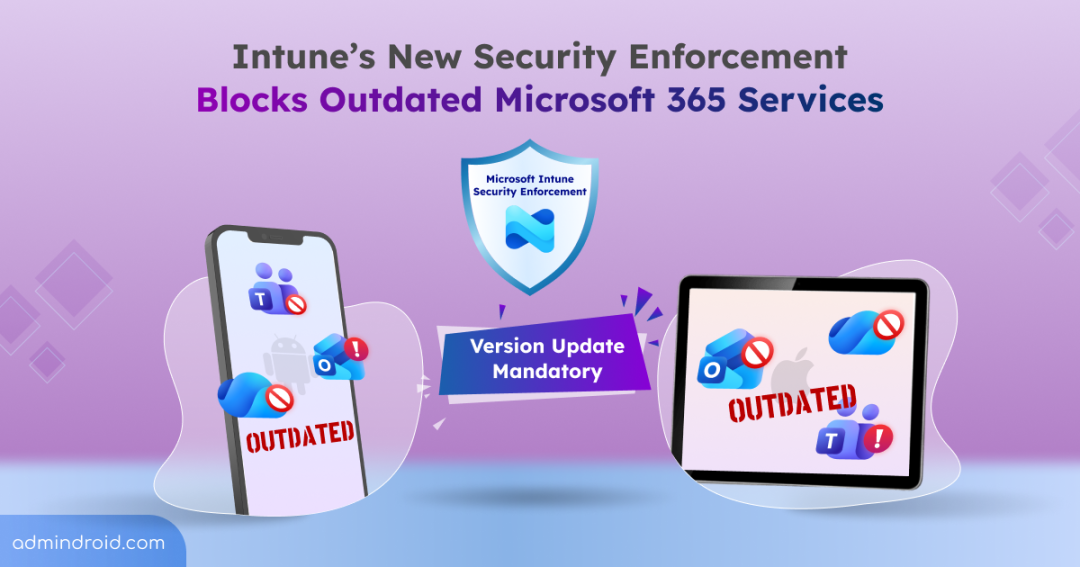
Microsoft has officially flipped the switch on a long-announced Intune security change, and some users are feeling it already. As of January 19, Microsoft Intune’s new Mobile Application Management (MAM) security enforcement blocks work apps that use outdated Intune SDK or wrapper versions.
While Microsoft flagged this update a month ago in the Microsoft 365 admin center, now this deadline marks the point where outdated M365 apps are no longer tolerated. This enforcement appears to be a firm push to eliminate legacy app versions and tighten data protection by locking users out of core tools. Let’s take a closer look at this update!
Why Outdated Versions Lock Out Microsoft 365 Services?
Microsoft 365 users may suddenly lose access to work email and critical Microsoft services as soon as the app fails new security checks. This lockout isn’t random; it’s a deliberate move by Microsoft to ensure modern security controls are consistently enforced across mobile devices.
Below are the key factors explaining why Microsoft is enforcing these app version requirements and why they are important to consider:
- Legacy app versions create policy blind spots: Older app versions may not fully enforce the latest Intune app protection settings, creating gaps in enforcement. Policies are only effective if every app can interpret and enforce them correctly, so outdated versions undermine the security baseline.
- Outdated SDKs lack updated threat protections: New Intune SDK versions enable updated features for threat detection, conditional access checks, and runtime risk evaluation. Updated apps can respond immediately to risky device states, while older apps remain blind to potential threats, leaving corporate data exposed.
- Obsolete app versions create security gaps: Allowing outdated M365 apps leads to inconsistencies in protection, where some users operate under weaker security controls. Enforcing updates ensures that all users adhere to the same security standards, maintaining a uniform and predictable security posture across the organization.
- Long-running legacy apps adds operational and security burdens: Supporting long-running legacy app versions adds complexity for IT teams, slows security updates, and increases the chances of vulnerabilities being exploited. Keeping apps up-to-date reduces operational headaches and ensures your organization stays protected against evolving threats.
How this Intune Security Update Affects Organization Users?
Microsoft now requires all iOS wrapped apps, iOS SDK-integrated apps, and the Intune Company Portal for Android to be updated to the latest versions. With these stricter Mobile Application Management (MAM) requirements, only apps that meet the newest Intune SDK or wrapper standards can access corporate data.
As the enforcement is already rolling out, some users are already experiencing blocked access to everyday tools like Outlook, Teams, OneDrive, and other critical Intune managed apps. This affects daily workflows, as employees won’t be able to send emails, join meetings, or access files until their apps are updated. In essence, the update ensures that every app interacting with corporate data can enforce security policies, protecting sensitive information while maintaining smooth day-to-day operations.
Update Intune App SDK or Wrapper Versions
To comply with M365 latest Intune MAM security requirement, organizations must update all iOS and Android apps to the below required SDK or wrapper versions.
1. iOS SDK Requirements
- Apps built with Xcode 16 must use Intune App SDK v20.8.0.
- Apps built with Xcode 26 must use Intune App SDK v21.1.0 or newer.
- Apps using the Intune App Wrapping Tool must use:
- v20.8.1 for Xcode 16 apps
- v21.1.0 for Xcode 26 apps
Note: Microsoft specifically highlights that Line-of-Business (LOB) and custom iOS apps using the Intune SDK must also follow these updates. This ensures internally developed and wrapped apps meet the new security requirements and remain accessible.
2. Android SDK and Company Portal Updates
Once a single Microsoft app on the device is running the updated SDK and the Intune Company Portal app is upgraded to version 5.0.6726.0 or later, all other managed Android apps on the device will begin updating automatically. This ensures a cascading update process, minimizing disruption for end users.
What Admin Should Do Immediately Before Intune Blocks M365 Apps?
Microsoft 365 admins play a critical role in ensuring users maintain uninterrupted access to apps. Here’s how admins can prepare and act:
1. Alert Users About Outdated M365 Apps
Admins should notify users to update Microsoft Teams, Outlook, and other critical apps to the latest versions. Proactive communication helps prevent unexpected access issues when enforcement takes effect.
2. Monitor App Compliance in Intune
To prevent work disruptions, admins should regularly review app compliance in the Intune admin center. Navigate to:
Intune admin center → Apps → Monitor → App protection status
This report shows app versions and SDK versions in use. Use this data to identify users who need updates before Intune interrupts their access.
3. Leverage Conditional Launch for Proactive Access Control
Conditional launch in Intune app protection policies allows admins to warn, block access or wipe data, when apps don’t meet required security settings like Min SDK version, Min app version.
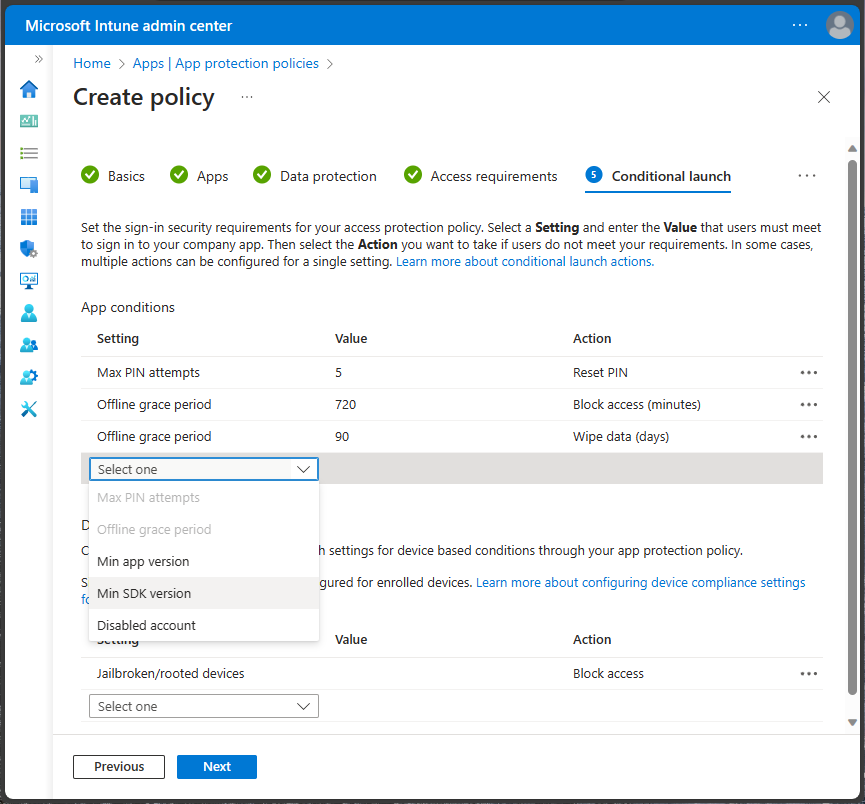
Therefore, admins can ensure users update apps before Microsoft’s strict enforcement takes effect, preventing sudden service disruptions. Below are the key actions admins can take using conditional launch:
For tenants with policies targeting iOS apps:
- Min SDK Version: Block users if the app is using an Intune SDK older than 20.8.0.
- Min App Version: Trigger warnings for users running outdated Microsoft apps. (Apply only to policies targeted to specific apps.)
For tenant with policies targeting Android apps:
- Notify users to upgrade the Intune Company Portal app to version 5.0.6726.0 or newer.
- Enable the Min Company Portal version setting in conditional launch to warn users running older versions.
That’s it! Microsoft isn’t penalizing users; it’s closing security gaps. By restricting outdated M365 apps, the ensures all corporate apps consistently enforce modern security, compliance, and threat-protection standards. Stay tuned for upcoming updates!