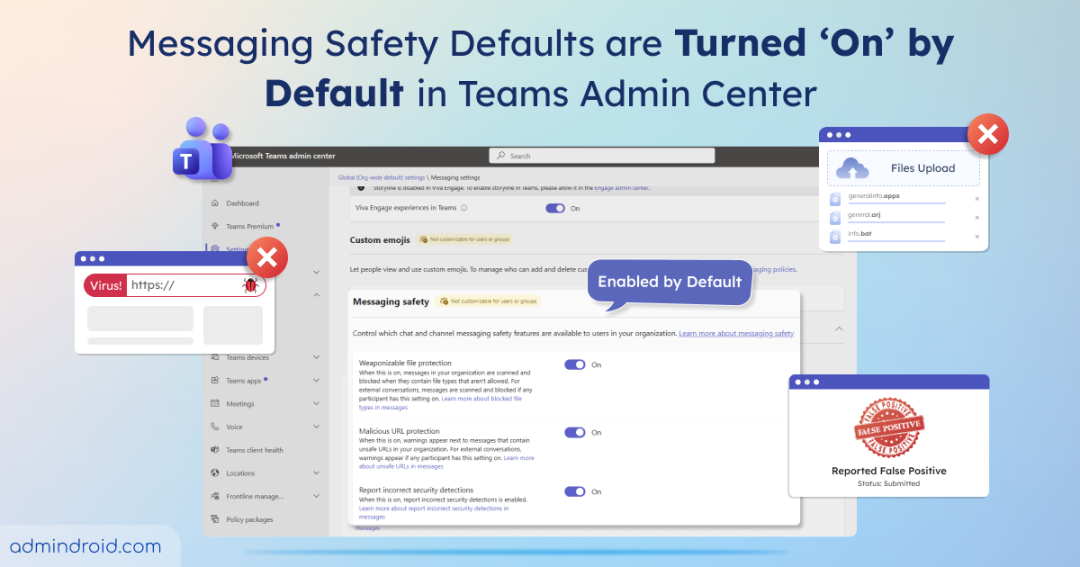
Some Microsoft Teams users in your organization may start complaining that certain file uploads are blocked or links flagged as unsafe. As an admin, this can be confusing and disruptive, especially when no recent messaging policies have changed. But this is an expected behaviour. Microsoft has automatically enabled messaging safety defaults, turning on key protections to safeguard users from harmful files and links. Let’s explore what this update includes!
Why Teams Messaging Safety Features Enabled by Default?
As of January 12, 2026, tenants with standard settings now have messaging safety defaults enabled automatically. Tenants that had already customized messaging safety controls in the Teams admin center can continue to use their existing configurations without any change.
Admins should have reviewed the current values for these settings in the Teams admin center under Messaging → Messaging settings → Messaging safety. This helps to determine whether the automatically enabled protections aligned with their existing security requirements. This change is designed to safeguard users from malicious content shared in chats and channels, while also providing a way to report incorrect security detections.
What’s changing in the Teams admin center?
The three key messaging safety settings that have been turned on by default are:
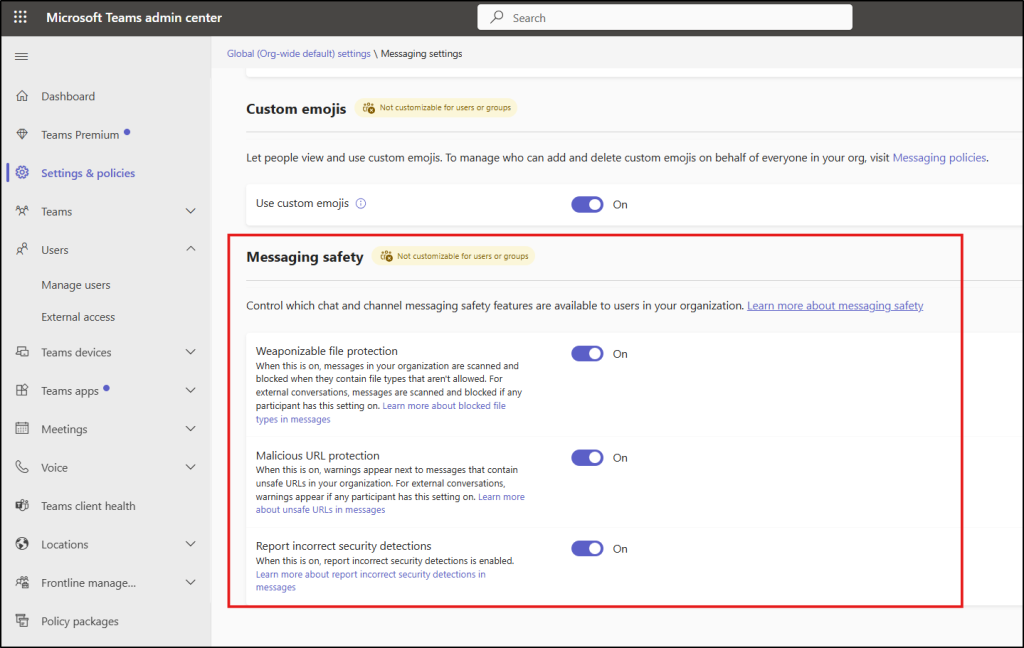
Now, let’s take a closer look at what each of these settings does and how they impact Microsoft Teams messaging security.
Weaponizable File Type Protection in Microsoft Teams
Weaponizable file type protection in Microsoft Teams helps prevent the sharing of potentially dangerous file formats such as ace, ani, apk, app, appx, arj, bat, cab, cmd, com, deb, and others that are commonly associated with malware and security threats. This control reduces the risk of file-based attacks that can occur when users accidentally share unsafe file types during collaboration.
From an end-user perspective, messages containing restricted file types may be blocked in chats or channels, and the file will not be delivered. This protects users and the organizations from potential security risks.
Malicious URL Protection in Microsoft Teams
Malicious URL protection scans links shared in Teams messages and detects URLs associated with phishing, malware, or other unsafe content. This feature stops users from opening links from Teams conversations that could lead to dangerous websites.
From an end-user perspective, users may see clear warning labels or indicators on messages containing malicious URLs. These alerts show that the shared link is flagged as potentially harmful before they interact with it.
More Info: https://blog.admindroid.com/microsoft-teams-rolls-out-malicious-url-protection-for-chats-channels/
Report Incorrect Security Detections in Microsoft Teams
This feature allows users to report false positives when legitimate messages, files, or links are incorrectly flagged by Teams security protections. User feedback helps improve detection accuracy over time. When end users classify messages as threats or false positives, it reduces noise and speeds up investigations for security teams.
End users may see an option to report incorrect or suspicious security detections directly from the Teams interface. They can flag legitimate messages as “Not a security risk” when they are incorrectly identified.
More Info: https://blog.admindroid.com/report-suspicious-messages-in-microsoft-teams/
That’s it! By enabling these protections by default, Microsoft ensures a consistent baseline security posture across Teams environments without requiring manual admin intervention. Stay tuned for more upcoming updates!