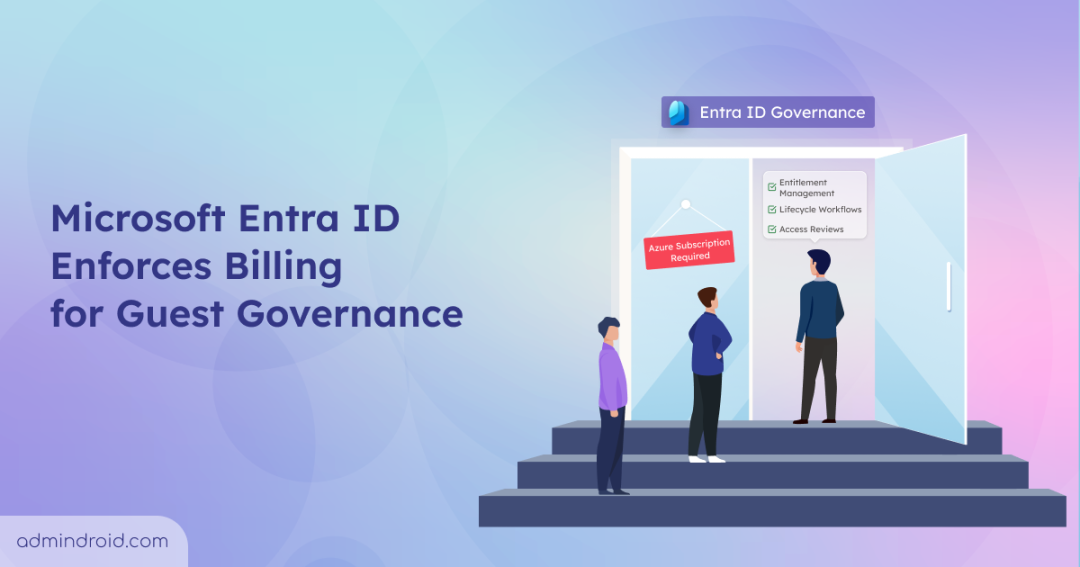
| Summary Starting January 30, 2026, Microsoft began enforcing billing meter for guest governance in Microsoft Entra ID. Now organizations are required to link an Azure subscription to continue using governance features for guest users. Billing is calculated based on Monthly active users (MAU) involved in Entra ID governance actions. |
Microsoft Entra ID Governance helps organizations manage access using features such as access packages, entitlement management, access reviews, and lifecycle workflows. These features are commonly used to govern guest access, defining when collaboration should start, what resources can be accessed, and when that access should be removed once the requirement ends.
Microsoft is now introducing billing enforcement for guest governance features. The rollout began on Jan 30, 2026, and will gradually expand across tenants. Enforcement for guest access reviews is expected later in Q1 CY2026, giving organizations time to prepare.
Previously, admins could create or update guest governance policies without any billing requirements. After this enforcement, organizations must link an Azure subscription to create or update policies that involve guest users. Billing will be applied based on the Monthly Active Users (MAU) model in Entra ID.
Let’s explore how to link an Azure subscription and how guest governance billing works in detail packages, entitlement management, access reviews, and lifecycle workflows. These features can be applied to both users and guests across the organization.
What Happens to Guest Governance If Azure Subscription Is Not Linked?
If Azure subscription is not linked after this enforcement, admins will be restricted from creating or updating guest governance features. However, existing policies involving guest users may continue working, and billing will be enforced after linking the subscription.
Admins will be restricted from the below actions if the Azure subscription is not added:
- Create or update access reviews, entitlement management policies, and lifecycle workflows that include guest users in scope.
- Configure guest access package policies using auto-assignment, sponsor approvals, custom extensions, or Verified ID requirements.
- Assign access packages to guest users, either directly or through automatic assignments.
- Perform governance actions involving guest users through entitlement management or access reviews.
To avoid these operational limitations and ensure guest access continues to be governed properly, organizations must link an Azure subscription to their tenant.
How to Add an Azure Subscription in Microsoft Entra ID?
To keep Entra ID governance operations running smoothly, admins must link an Azure subscription to their directory via Microsoft Entra admin center. Also, ensure you have Contributor permissions to link the subscription.
Follow the steps below to add an existing Azure subscription to your tenant and enable billing.
- Navigate to Microsoft Entra Admin Center → Entra ID → ID Governance → Dashboard
- Under Guest access governance, select Get Started.
- Next, under Link subscription, choose an Azure subscription and resource group and click Turn On to link the subscription.
With billing enabled, Entra ID governance services can continue operating without restrictions.
How Guest Governance Billing Works in Microsoft Entra ID?
Entra ID guest governance follows the Monthly Active Users (MAU) billing model. Remember that the governance features already included with Microsoft Entra ID P2 are not billed under guest governance usage.
In the guest billing model, guests users are identified using the userType set to Guest. Users are counted and billed each month only when they use governance premium features during that period. It does not depend on number of actions are performed by a guest user.
For example, if a guest user is involved in both lifecycle workflows and access package assignments, the user is charged $0.75 only once for a month, even if multiple governance actions occur.
To better understand how this works in practice, let’s walk through a simple billing example.
Billing Scenario – What Actually Admins Pay For
Let’s look at a few simple scenarios showing how guest users are counted each month.
Case 1 – Billing Applies Only to Newly added Guest Users
Consider, 50 guest users were assigned with access packages in January month, and billing will be applied to them for this month. The package assignments will be retained for them in the upcoming months. If 100 new guest users were assigned with access packages in February, billing for February will be only for the 100 new guest users not for those 50 users, despite being active assignments.
Because billing applies only when a new governance action involves guests not for retained access.
Case 2 – Multiple Governance Actions Counted Only Once per User
Imagine 120 guest users receive access packages in a month. The same users were included in lifecycle workflows and access reviews. Since all these actions involve the same users, billing still counts only the 120 unique guest users for that month, instead of charging separately for each action.
Wrapping Up
Now, you will get a clear idea on the impacts of billing enforcements and how to link an Azure subscription to your tenant for smooth guest access governance.
Share how your tenant is ready for this change, and have you already linked your Azure subscription? in the comments section and stay tuned for more Microsoft 365 updates! 🚀