Today, sensitive data leaves the company not through a breach, but through an employee just trying to get work done. A paragraph pasted into an AI chatbot for a quick summary, a file dropped into personal cloud storage, a browser session with a SaaS app IT never approved.
🚨These aren’t edge cases. They’re daily behavior, and they happen entirely over the network, outside the boundaries where Microsoft 365’s native controls apply. This is the gap Microsoft is closing with Network Data Security — a new capability that extends Microsoft Purview’s data protection to the network layer through Microsoft Entra.
In this blog, let’s explore what Network Data Security is, what it protects, and how Microsoft Purview and Microsoft Entra work together to secure sensitive data in motion.
Why Aren’t Traditional DLP & Network Controls Enough?
Traditional data protection wasn’t built for how work happens today. A few gaps stand out:
- Little to no real-time visibility into what’s shared through browsers, AI assistants, and unmanaged SaaS apps.
- Detection after the fact — most tools flag an incident only once the data has already left.
- Protection that stops at managed apps and endpoints, while data moving across the network goes unwatched.
- Reliance on network appliances that are costly to deploy, manage, and scale.
- Traditional proxy-based traffic inspection can become a performance bottleneck as browser, AI, and SaaS traffic volumes continue to grow.
These limitations create critical blind spots in modern data protection strategies. What organizations need is proactive protection that inspects data in real time and prevents sensitive information from reaching unmanaged apps.
Introducing Network Data Security in Microsoft 365
Microsoft’s answer is to extend data protection to the network layer by combining Microsoft Purview with Microsoft Entra. This approach is called Network Data Security and is currently in public preview.
Instead of only protecting data at rest — in a file, in a mailbox — Network Data Security proactively inspects content as it moves through unmanaged AI, SaaS, and cloud apps over the network. That means sensitive data can be caught and stopped before it ever reaches an external destination, based on both what’s being shared and who’s sharing it.
Here’s what it’s built to catch:
- Sensitive information typed into AI prompts
- AI responses that contain confidential company data
- Files uploaded to personal cloud storage
- Documents shared with unmanaged SaaS apps
- Content processed by unapproved browser extensions or plugins
- Activity happening outside managed browser sessions
- Sensitive data submitted through web forms
License Requirement for Network Data Security
To enable Network Data Security, you need one of the following licenses:
- Microsoft 365 E7, or
- Microsoft Purview ME5 together with Microsoft Entra Internet Access (or equivalent).
How Microsoft Purview and Entra Split the Work
One of the biggest advantages of this solution is that it uses a unified policy model.
Rather than creating separate network protection policies, organizations can continue using Microsoft Purview’s existing classification and DLP capabilities. Microsoft Entra extends those same policies to the network layer, ensuring consistent protection wherever sensitive data moves.
Several Microsoft services work together to make this possible:
| Component | Purpose | How it helps prevent data loss |
| Microsoft Purview DSPM | DSPM identifies sensitive data across the environment and identifies risk areas | Helps detect what sensitive data exists and where stronger protection is needed (preparation stage, no enforcement) |
| Microsoft Purview DLP | Applies data classification and protection policies using Sensitive Information Types, labels, EDM, and classifiers. | Determines what action to take (allow, block, warn, audit) when sensitive data is accessed or shared |
| Microsoft Entra Global Secure Access (Content Policies) | Inspects web traffic by scanning uploads and downloads to selected web categories (such as AI applications) | Extends Purview DLP protection beyond Microsoft 365 to unmanaged SaaS and AI apps by inspecting traffic |
| Security Profiles (Entra) | Groups one or more Content Policies into a reusable security profile. | Defines how network inspection is applied, allowing the same inspection policies to be reused across Conditional Access policies. |
| Microsoft Entra Conditional Access | Routes selected users or groups through Global Secure Access and assigns the appropriate Security Profile for inspection. | Determines who receives Network Data Security protection, ensuring only targeted users or devices have their traffic inspected and enforced. |
How Network Data Security Works in the Real World
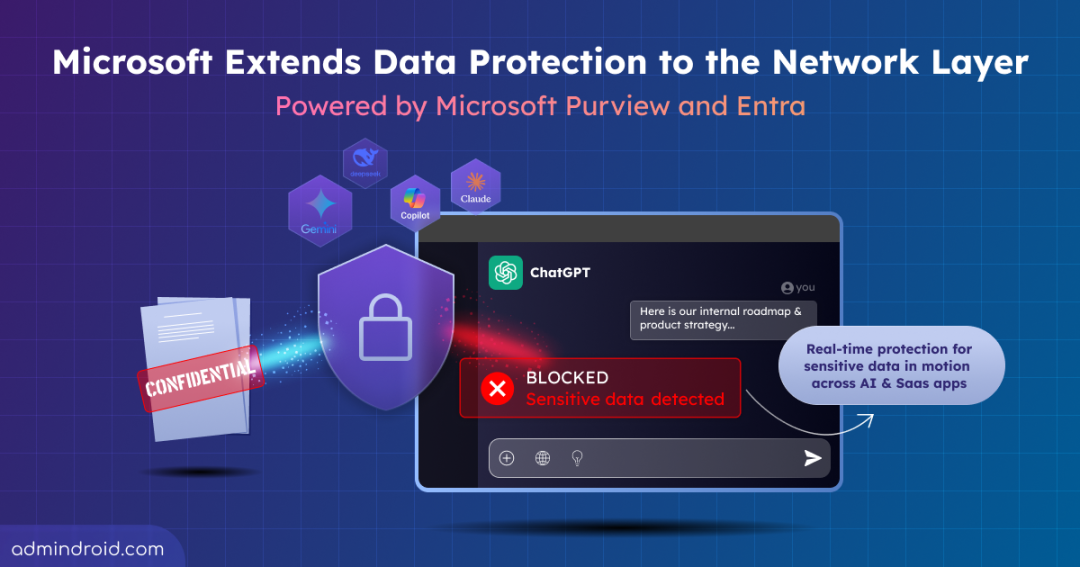
When a user attempts to upload a confidential document to the consumer version of ChatGPT,
- Microsoft Entra Global Secure Access routes the user’s supported browser traffic through its secure network.
- The configured Security Profile enables Network Data Security to inspect the content before it leaves the organization.
- Microsoft Purview DLP evaluates the file based on its sensitivity, configured DLP policies, and the user’s identity.
- If the upload complies with organizational policies, the request is allowed.
- If the upload violates the policy, Microsoft Entra Conditional Access blocks the request before the sensitive data reaches the AI application.
The same protection will be applied to pasted text, browser interactions, and other supported web activities.
The Bottom Line
Protecting data only inside Microsoft 365 isn’t enough anymore — not when AI tools and unmanaged SaaS apps have become part of how people actually work. Network Data Security closes that gap by extending Purview’s classification and DLP out to the network layer through Entra, catching sensitive data before it reaches apps your org never approved.
It’s not a replacement for your existing DLP setup — it’s an extension of it, bringing the same policies to wherever your data actually moves.
Microsoft has also put out an interactive demo showing Network Data Security in action, blocking sensitive data from reaching the consumer version of ChatGPT — worth a look if you want to see it work end to end.
Thanks for reading. For any queries, feel free to reach out to us through the comments section.