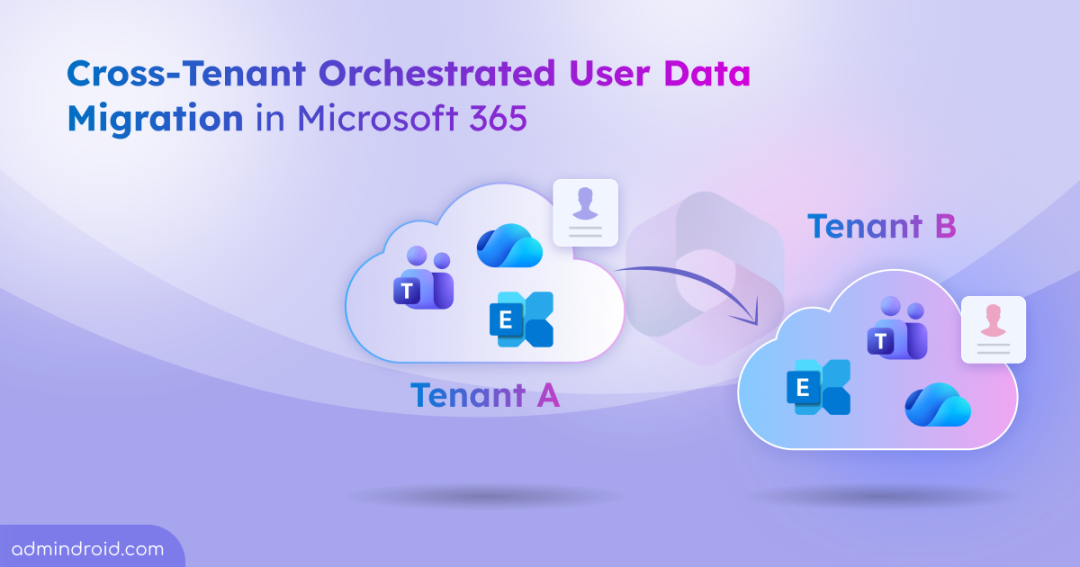
Have you ever managed a Microsoft 365 tenant-to-tenant migration during a merger, acquisition, or organizational split? If so, you know how complex it can be—separate tools for Exchange and OneDrive, multiple scripts to track progress, and limited visibility into what’s moving and what’s not.
For admins, cross-tenant migrations have often meant cloning entire M365 settings using Microsoft365DSC and juggling disconnected workflows—all while trying to minimize disruption for users. That complexity is about to reduce significantly.
Microsoft is introducing a new user data migration orchestrator experience that brings cross-tenant migrations into a single, unified workflow.
What is Changing with Microsoft 365 Cross-Tenant Migrations?
To streamline cross-tenant migrations, Microsoft is launching a unified interface powered by new Microsoft Graph PowerShell commands. This centralized experience enables admins to migrate user data across tenants more quickly, predictably, and with greater control.
Behind this experience is a single orchestration layer that coordinates migrations across multiple services. It removes the need to manage separate tools, timelines, dependencies, or interfaces. Admins can submit and monitor migrations from a single console, with support for batching up to 2,000 users per migration.
This update delivers an end-to-end migration experience for Exchange mailboxes, OneDrive content, and Teams chats and meetings. All data remains within the Microsoft boundary, ensuring fast and secure transfers.
This feature is opt-in and must be explicitly enabled by the organization, helping reduce operational complexity—especially during large-scale tenant consolidations or restructurings.
Availability and License Requirement of Migration Orchestrator
Microsoft started the worldwide public preview of the migration orchestrator in early December 2025.
To use the migration orchestrator, both the source and destination tenants must have Microsoft 365 E3/E5 or equivalent licenses. In addition, Cross-Tenant User Data Migration (UDM) licenses are required as an add-on per user to migrate mailbox or OneDrive data and must be assigned to either the source or target user.
Supported Workloads and Scope of Migration Orchestrator
The migration orchestrator is designed to move user data across tenants, not user identities. You must ensure users are properly created and configured in the target tenant before migration. Once set up, the orchestrator transfers supported content from the source tenant to the destination tenant while aiming to minimize disruption for end users.
To deliver the best experience, Microsoft strongly recommends migrating all supported workloads for a user in the same migration batch. This includes Exchange mailboxes, OneDrive content, and Teams chats and meetings.
The orchestrator intelligently sequences migrations to respect workload dependencies and reduce failure risk.
Note: Only user configurations supported by identity mapping can be migrated successfully.
It also includes built-in identity mapping, allowing admins to map source users to target users on a 1:1 basis. This eliminates the need to manually modify target user properties and simplifies cross-tenant user alignment.
Exchange Mailbox Scope
Only user-visible mailbox data, such as emails, calendar items, contacts, tasks, and notes are migrated using cross-tenant orchestrated user data migration. After a successful migration, the source mailbox is deleted and is no longer accessible or discoverable in the source tenant.
The source user mailbox is converted into a MailUser, with a routing address configured for the target tenant, enabling mail flow coexistence. Most importantly, mailboxes applied with any hold like retention hold aren’t eligible for migration, and action to move such mailboxes will be blocked. Aside from this restriction, all standard mailbox migration limitations documented by Microsoft continue to apply.
In addition, Microsoft recommends consulting their support before attempting to migrate on-hold mailboxes.
Migration Scope for Teams Chats and Meetings
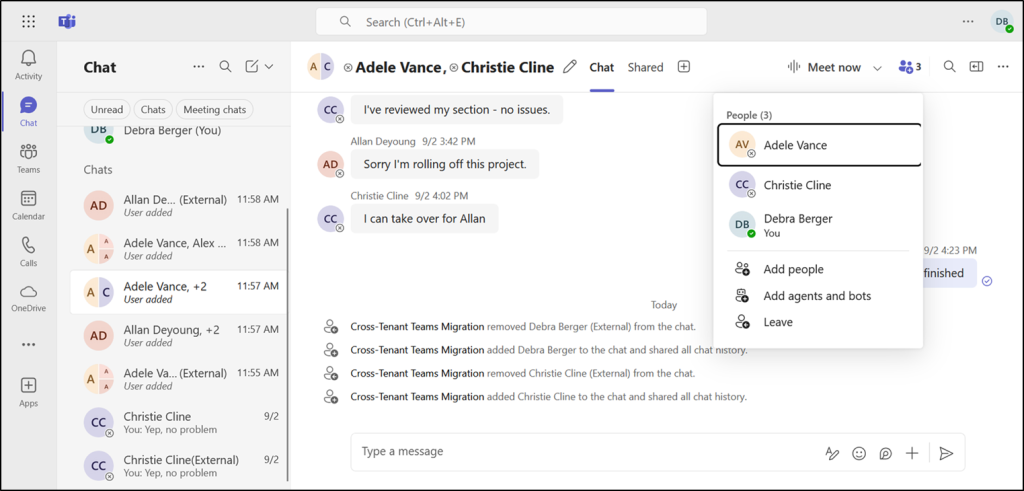
This is the first time Microsoft is offering a cross-tenant migration tool to move Teams data. A user’s one-to-one chats, group chats, and meetings are migrated to the target tenant. Source content remains available but may appear modified, such as changes in participant lists or duplicate conversation threads across tenants.
For meetings, the migration automatically cancels and reschedules meetings on the user’s behalf. This eliminates the need for organizers to manually recreate meetings or wait in meeting lobbies after migration.
Once migration completes, users should access Teams using their target tenant identity. If some content falls outside the supported scope, users can reference the source Teams client, provided the source user account remains licensed.
OneDrive Migration Scope
Like Exchange Online, all documented OneDrive migration limitations continue to apply when using migration orchestrator. In addition to that, incremental or delta migrations aren’t supported.
OneDrive for Business content is moved to the target tenant, while a redirect link remains in the source tenant.
Note: A maximum of 4,000 OneDrive accounts can be migrated at a time, and this limit is shared with SharePoint migrations.
What’s Not Included in The Orchestrated User Data Migration
The Cross-Tenant User Data Migration solution does not migrate shared or team-level data, including:
- Teams and channels
- SharePoint team sites
- Other shared resources
These data will remain in the source tenant.
What Actions Are Required for Admins?
No immediate action is required. However, if your organization is planning a tenant-to-tenant migration, Microsoft recommends:
- Reviewing internal migration strategies and timelines
- Assessing identified compliance considerations as appropriate for your organization
- Evaluating how a unified orchestration model fits into your current migration process
- Informing IT and helpdesk teams about the availability of this new migration experience
Since this is a public preview, you can adopt it when it aligns with your organization’s migration needs.
With a unified orchestration experience for Exchange, OneDrive, and Teams, you can reduce complexity, improve visibility, and minimize user disruption during tenant transitions. I hope this blog gives essential insights about this new migration feature. Feel free to share your thoughts on this feature in the comments below!