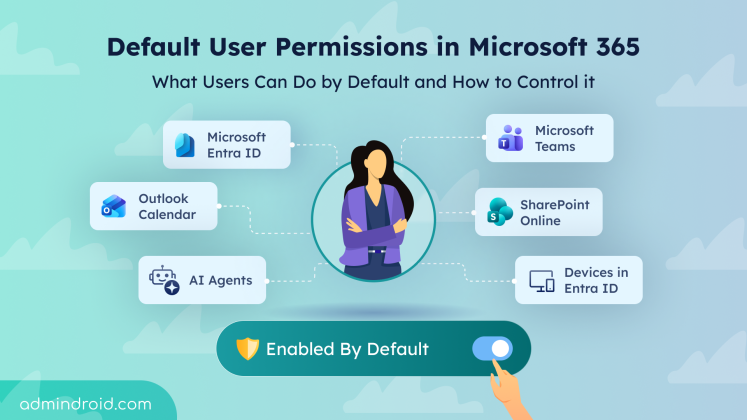
Every new agent built in Copilot Studio gets a Microsoft Entra agent identity automatically, either when it is created or first published, depending on the agent type. Admins can no longer opt out of this identity provisioning.
As more teams create agents, the number of agent identities in the tenant can grow quickly. The standard 250-agent-per-blueprint limit doesn’t apply to Microsoft-owned platforms such as Copilot Studio and Foundry.
To give admins control over this growth, Microsoft has introduced the resourceQuotas property in Microsoft Graph beta. It lets you set tenant-wide limits for agent identities, agent identity blueprints, and managed identities. You can even block new identity creation by setting the quota to 0. In this blog, we’ll explore what the resourceQuotas property is and how to use it to limit agent identity creation.
What Is the resourceQuotas Property in Microsoft Graph?
Each Microsoft Entra tenant has a directory size quota that determines the maximum number of directory objects it can hold. For example, the default limit is 300,000 objects for tenants with a verified domain and 50,000 for those without one.
The resourceQuotas property in Microsoft Graph allows administrators to set percentage-based limits on how much of this directory quota specific resource types can consume. It supports the following resource types:
- agentIdentity: Identities representing individual AI agents.
- agentIdentityBlueprint: Blueprints used to create and manage agent identities.
- managedIdentity: Azure-managed identities used by applications and services.
Note: Resource quotas don’t cover agent user accounts.
How Do Resource Quota Limits Work?
Microsoft Graph calculates the quota using three properties:
| Property | Description |
| resourceType | Identifies the resource being restricted. Each supported type can have only one quota entry. |
| maxPercentage: | Defines the percentage of the tenant’s total directory quota that the resource type can consume. Values range from 0 to 100, with 80 as the default. |
| total | A read-only value indicating the calculated maximum number of objects allowed for that resource type. |
Let’s understand this through an example. Consider a tenant with a directory size quota of 300,000 objects. Based on the configured maxPercentage, the resource limits would be:
| maxPercentage | Effective resource limit |
| 80 (default) | 240,000 |
| 50 | 150,000 |
| 10 | 30,000 |
| 0 | 0 (new resource creation blocked) |
In this way, resourceQuotas allow admins to control how much of the tenant’s directory quota each resource type can consume.
How to Limit Agent Identity Creation with Microsoft Graph
You can configure resource quotas through the Microsoft Graph beta API. The update operation requires the Organization.ReadWrite.All permission.
Follow the steps below to control agent creation using Graph Explorer.
- Sign in to Microsoft Graph Explorer.
- Check your tenant’s current directory usage: Select GET as the HTTP method, choose beta as the API version, and enter the following request URL:
1https://graph.microsoft.com/beta/organization?$select=id,directorySizeQuota,resourceQuotas
The response includes your tenant ID and the directory’s used and total object counts under directorySizeQuota. Copy the tenant ID as you’ll need it in the next step.
- Select PATCH as the HTTP method and enter the following request URL.
1https://graph.microsoft.com/beta/organization/{TenantID}
Replace {TenantID} with the copied tenant ID.
- In the Request body section, enter the following JSON. This example limits agent identities to 10% of the directory’s total quota. You can set the resourceType and maxPercentage value as you need.
1{ "resourceQuotas": [ { "@odata.type": "#microsoft.graph.resourceQuota", "resourceType": "agentIdentity", "maxPercentage": 10 }, { "@odata.type": "#microsoft.graph.resourceQuota", "resourceType": "agentIdentityBlueprint", "maxPercentage": 0 } ] }
- Verify the configurations by selecting GET as the HTTP method and entering the following request URL:
1https://graph.microsoft.com/beta/organization?$select=id,directorySizeQuota,resourceQuotas
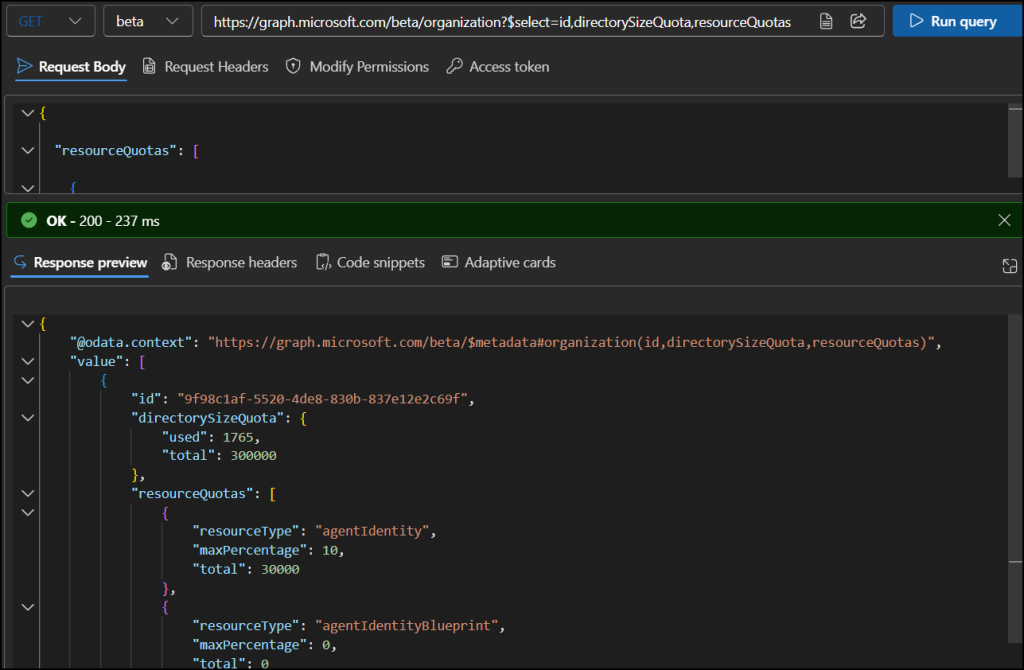
This example applies two restrictions:
- Agent identities: Limits the maximum number of agent identities to 10% of the tenant’s overall directory quota.
- Agent identity blueprints: Sets the quota to 0, blocking the creation of new blueprint objects.
You can adjust the percentages based on your organization’s requirements. Setting the blueprint quota to 0 can prevent new blueprints from being provisioned, even for legitimate agent deployments.
What Happens When the Agent Identity Quota Is Reached?
Once the configured quota is reached, Microsoft Entra blocks the creation of additional objects of that resource type.
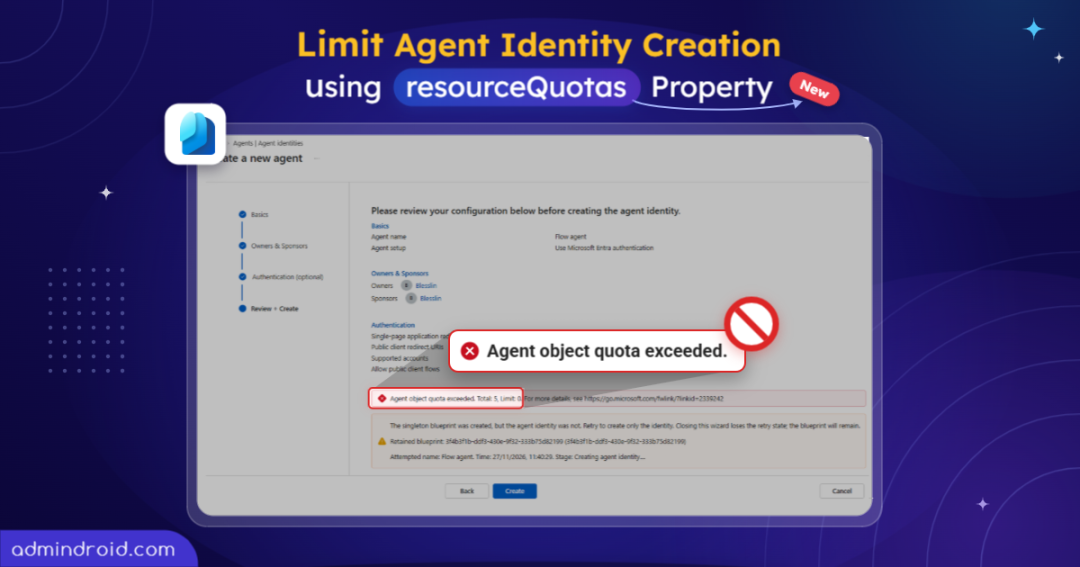
For example, when an agent identity creation request exceeds the allowed quota, the creation operation can fail with an “Agent object quota exceeded” error.
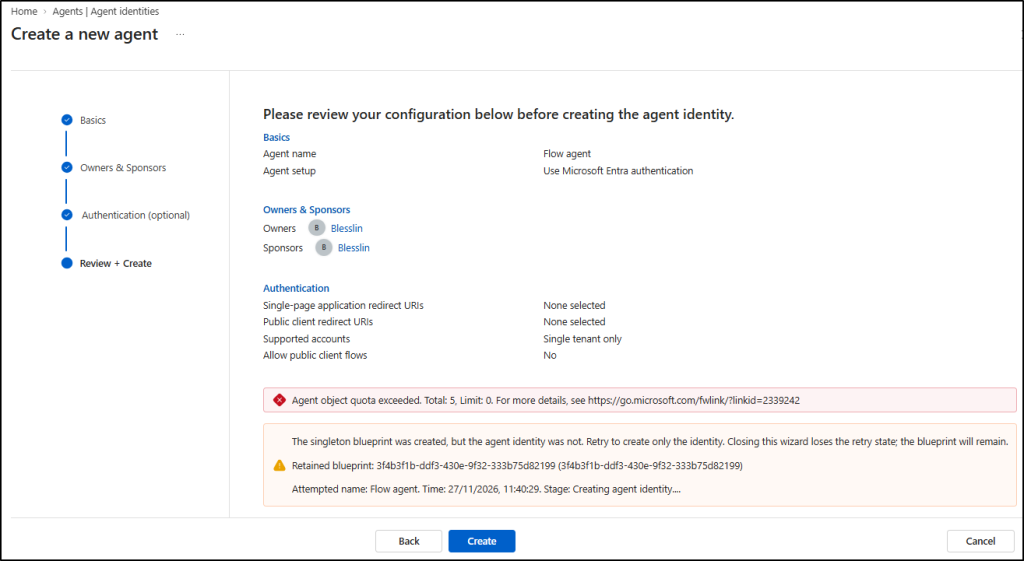
This screenshot was taken when the agent identity quota was set to 0, while agent identity blueprint creation was still allowed. As a result, the wizard successfully created the blueprint but failed when it attempted to create the agent identity.
Also, deleting an agent identity doesn’t necessarily free its directory quota immediately. Soft-deleted objects can continue consuming quota during the 30-day retention period until they are permanently deleted.
Wrapping Up
The resourceQuotas property gives admins better control over non-human identity creation while keeping directory usage within the configured limits.
Since this feature is available in Microsoft Graph Beta, test any configuration changes in a non-production tenant before applying them to your production environment. Start by checking your tenant’s current directory usage and resource quotas, then configure suitable limits based on your organization’s agent adoption plans.
Resource quotas help control identity creation, but they should be used alongside agent permissions management and regular identity reviews to improve Microsoft Entra security.