In a world where phishing and credential theft have become the primary weapons of choice for attackers, the traditional “username and password” authentication approach is no longer a reliable defense. That’s why Microsoft has mandated MFA across its services, making modern authentication the new standard.
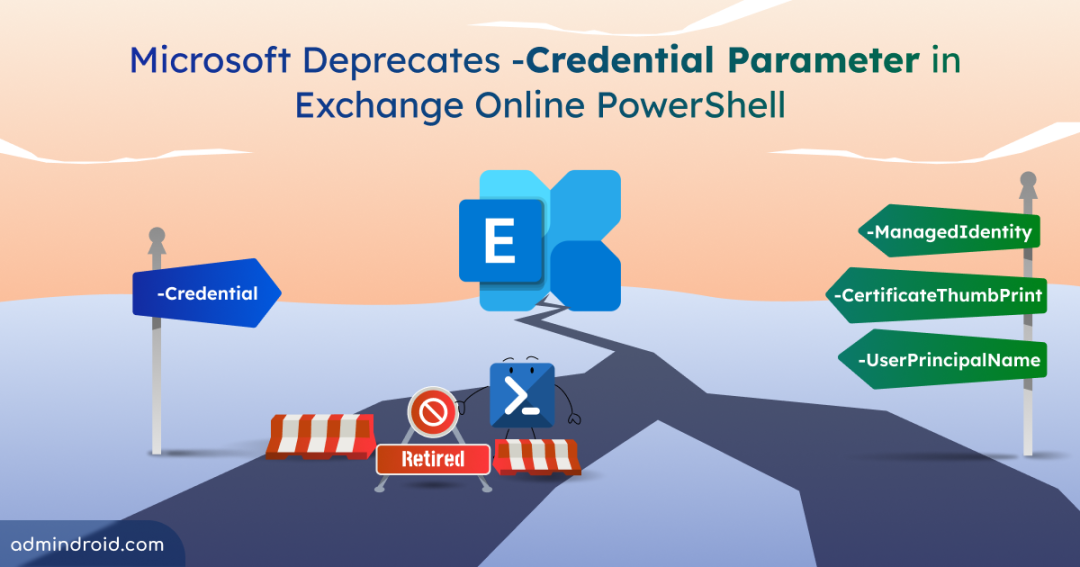
As part of this security shift, Microsoft is now deprecating the -Credential parameter in the Exchange Online PowerShell. This change marks the end of a long-standing method used in scripts to authenticate with basic credentials, and it signals a move toward secure authentication methods.
In this blog, let’s explore more about this update, when it happens, and what alternatives you should adopt to manage Exchange Online going forward.
Why is Microsoft Retiring the Credential Parameter in Exchange Online?
The -Credential parameter in the Connect-ExchangeOnline and Connect-IPPSSession cmdlets relies on the Resource Owner Password Credentials (ROPC) authentication flow. In simple terms, it just sends a raw username and password to Exchange to get a token back.
While this method may seem convenient, it introduces a major security risk. ROPC does not support modern authentication protections such as Multi-Factor Authentication and Conditional Access. Because of these limitations, the traditional approach is no longer compatible with Microsoft’s baseline security requirements.
As a result, Microsoft has deprecated ROPC support in the Microsoft Authentication Library (MSAL) starting with version 4.74.0. Because the library that handles the “handshake” is moving on, the Exchange Online module has to follow suit. This dependency change is a key reason the Exchange Online PowerShell module is removing support for the -Credential parameter.
When Will Microsoft Deprecates Credential Parameter?
Microsoft plans to remove support for the -Credential parameter in Exchange Online PowerShell module versions released in July 2026 and later.
While that may seem some time away, Microsoft strongly recommends migrating away from Credential as soon as possible rather than waiting until the deadline. Therefore, you should start updating any scripts, scheduled tasks, or legacy automation that still rely on the -Credential parameter and move to modern authentication methods now.
What are the Impacts of This Change?
Once the support for -Credential is removed, any scripts or legacy tools that connect to Exchange Online and Security & Compliance PowerShell using the following commands will eventually stop working.
|
1 |
Connect-ExchangeOnline -Credential <PSCredential> |
|
1 |
Connect-IPPSSession -Credential <PSCredential> |
Although the existing Exchange Online PowerShell module versions may continue to support the -Credential parameter for now, this is only a temporary situation.
Microsoft has announced that the underlying authentication flow will be retired on the server side at a later date. Once that happens, even older module versions will no longer be able to authenticate using -Credential, regardless of client-side support. Therefore, it is important to plan ahead and migrate to supported modern authentication methods wherever possible.
Secure Alternative Methods to Connect to Exchange Online PowerShell
If you are still using the -Credential parameter, here are some modern and secure authentication methods to connect to Exchange Online PowerShell.
Interactive Sign-In (Manual Administration)
The easiest way to connect to Exchange Online PowerShell is through an interactive sign-in. Instead of passing credentials directly, you sign in using your user principal name. This method opens a sign-in window where you enter your password. Then, if your account has MFA enabled, you’ll be prompted to complete the second verification step. This approach also ensures that Conditional Access policies are applied during the sign-in process.
Use the following cmdlet to connect to Exchange Online interactively.
|
1 |
Connect-ExchangeOnline -UserPrincipalName <UserPrincipalName> |
This works for standard Microsoft 365 and GCC environments.
For other cloud environments, such as GCC High, DoD, or Office 365 Germany, you can specify the environment name using the -ExchangeEnvironmentName parameter as follows.
|
1 |
Connect-ExchangeOnline -UserPrincipalName <UserPrincipalName> -ExchangeEnvironmentName <EnvironmentName> |
App-Only Authentication (Automation Outside Azure)
For Exchange Online scripts operating outside Azure, you can use the app-only authentication approach. Instead of signing in as a user, this method allows an Entra ID application to authenticate directly and obtain an access token. It’s the modern replacement for legacy credential-based connections and is ideal for automation where interactive MFA prompts are not possible.
You can use the following syntax to connect to Exchange Online using a certificate thumbprint.
|
1 |
Connect-ExchangeOnline -CertificateThumbprint "<Thumbprint>" -AppId "<AppId>" -Organization "<YourTenant>.onmicrosoft.com" |
Important: When using -CertificateThumbprint, the certificate must be installed in the local certificate store on the machine where the script runs.
In more advanced automation setups, certificates may be stored securely in remote locations rather than installed locally. In those cases, you can load the certificate into PowerShell as an object and connect to Exchange Online using the syntax below.
|
1 |
Connect-ExchangeOnline -Certificate <X509Certificate2> -AppId "<AppId>" -Organization "<YourTenant>.onmicrosoft.com" |
This approach is especially useful for centralized certificate management and avoids hard dependencies on local machine certificate stores.
Managed Identity Authentication (Automation Inside Azure)
If your automation runs within Azure services, such as Azure Automation Runbooks, Azure Functions, or Virtual Machines, then Managed Identity is the cleanest and most secure authentication option. Managed Identities eliminate credential management entirely, as there are no passwords, certificates, or secrets for you to create, store, or rotate. This makes them one of the best choices for long-term cloud automation.
To connect to Exchange Online using a system-assigned managed identity, execute the syntax below.
|
1 |
Connect-ExchangeOnline -ManagedIdentity -Organization "<YourTenant>.onmicrosoft.com" |
For a user-assigned managed identity, use the following syntax to connect to Exchange Online PowerShell.
|
1 |
Connect-ExchangeOnline -ManagedIdentity -Organization "<YourTenant>.onmicrosoft.com" -ManagedIdentityAccountId "<ManagedIdentityClientId>" |
Closing Thoughts
The deprecation of the -Credential parameter in Exchange Online PowerShell is another important step in moving away from legacy password-based authentication. Therefore, review your existing scripts, scheduled tasks, and automation workflows that still rely on the -Credential parameter, and transition them to modern, supported authentication methods.
Making this shift early will help you avoid future script failures and stay aligned with Microsoft’s MFA-first approach. ✌️
We hope this blog has helped you understand what the deprecation means and how to move forward confidently. If you have questions or run into challenges while updating your scripts, feel free to share them in the comments. We’re always happy to help.