As organizations expand their use of SharePoint across regions, projects, and teams, the number of sites continues to grow rapidly. Over time, admins lose clear visibility into who owns each SharePoint site and why it exists. Also, identifying relevant & active sites will be difficult to enforce governance consistently.
To address this long-standing challenge, Microsoft introduces SharePoint Catalog Management that shifts from site-by-site administration to centralize site visibility and governance.
Let’s explore what SharePoint Catalog Management is, where to access it, its key benefits, and how it helps simplify SharePoint governance.
What is Catalog Management in SharePoint Online?
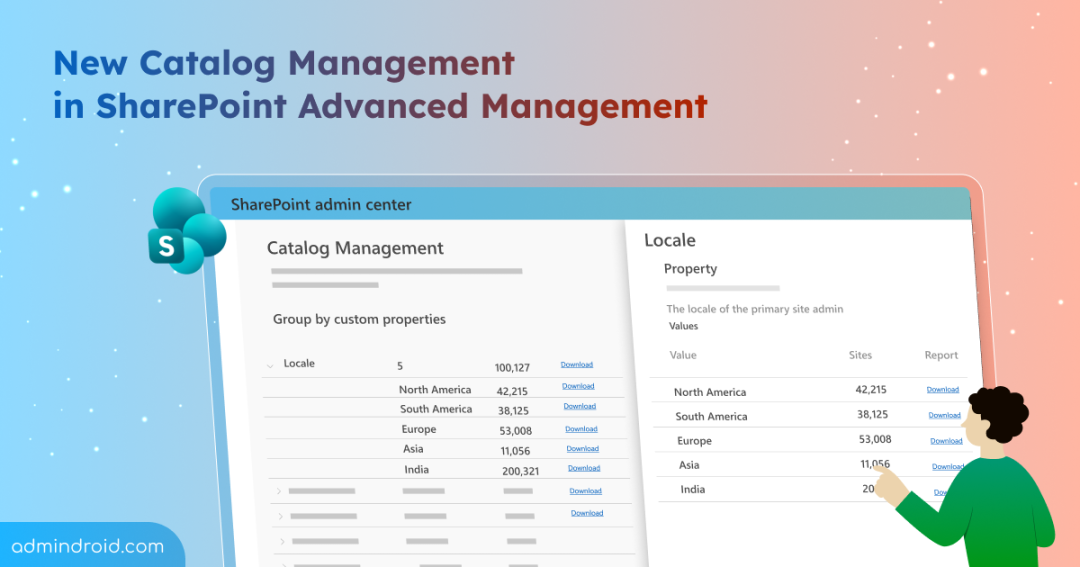
This new SharePoint Online capability lets admins group and organizes sites into logical clusters based on key properties. Instead of managing SharePoint sites individually, sites are automatically grouped based on shared characteristics.
You can access Catalog Management from the SharePoint admin center under Reports → Catalog management.
Built-in Categories in Catalog Management
Below are the in-built categories that are already available:
- Metadata (department, region, user type, etc.)
- Preferred Data Location (PDL) – The multi-geo location assigned to the site.
- Information barriers policies segmentation.
Custom Categories in Catalog Management
From July 2026, you can create categories using three different methods, each suited to a different kind of metadata. They are:
- CSV site list – Use this when you already have a list of sites you want grouped together. For example, a list from a compliance team or a project office.
- Custom site property – Use this when your tenant already stores classification values in the SharePoint site properties. For example, a Department property with values like Marketing, Finance, or HR.
- Entra ID extension attribute – Use this when you already store internal classifications, such as business unit, operating model, & compliance boundary in Entra ID extension attributes (extensionAttribute1 through extensionAttribute15).
Why SharePoint Catalog Management Matters?
As Copilot and other AI models become more integrated into Microsoft 365, gaps in traditional SPO governance increase the risk of oversharing, outdated content, and uncontrolled access.
Catalog Management addresses these challenges by enabling precise targeting, such as
- Applying retention policy, access reviews, or lifecycle policies to specific clusters like guest-enabled project sites or region-based HR sites.
- It also helps reduce risk by identifying clusters with excessive sharing, supports Copilot readiness by defining which content is suitable for AI grounding.
- Improves storage efficiency by highlighting inactive or aging sites.
In addition, Catalog Management feeds insights into the SharePoint Admin Agent. This enables AI-driven recommendations to flag overshared sites, identify inactive clusters, and suggest lifecycle or access reviews at scale to simplify SharePoint management at scale.
View or Edit Catalog Management Category or Group
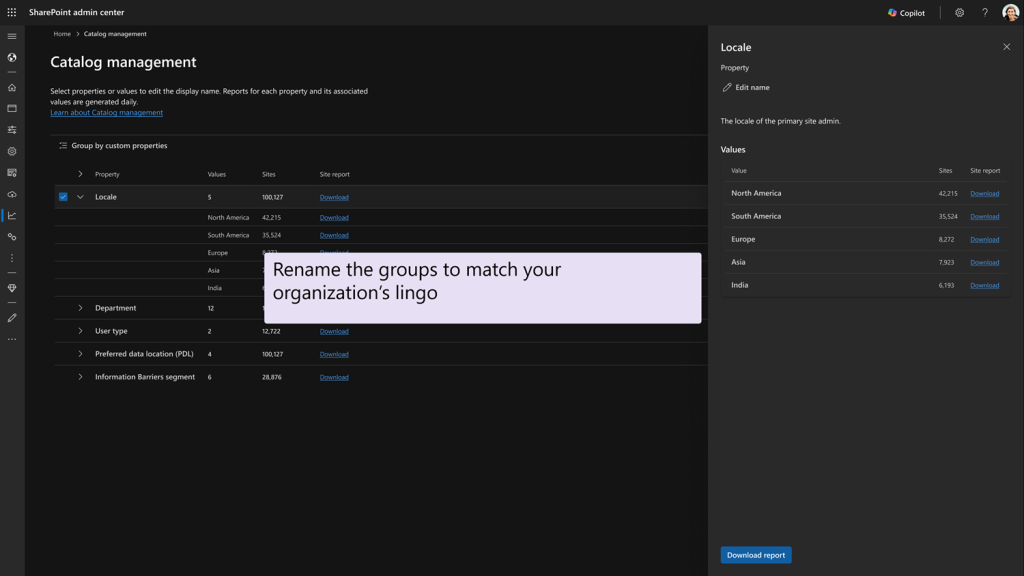
You can view, rename any category (including built-in ones), and edit anything you added yourself. Renaming a display name does not change the underlying metadata or grouping logic; it only changes how the category appears in the admin center.
Here, you can:
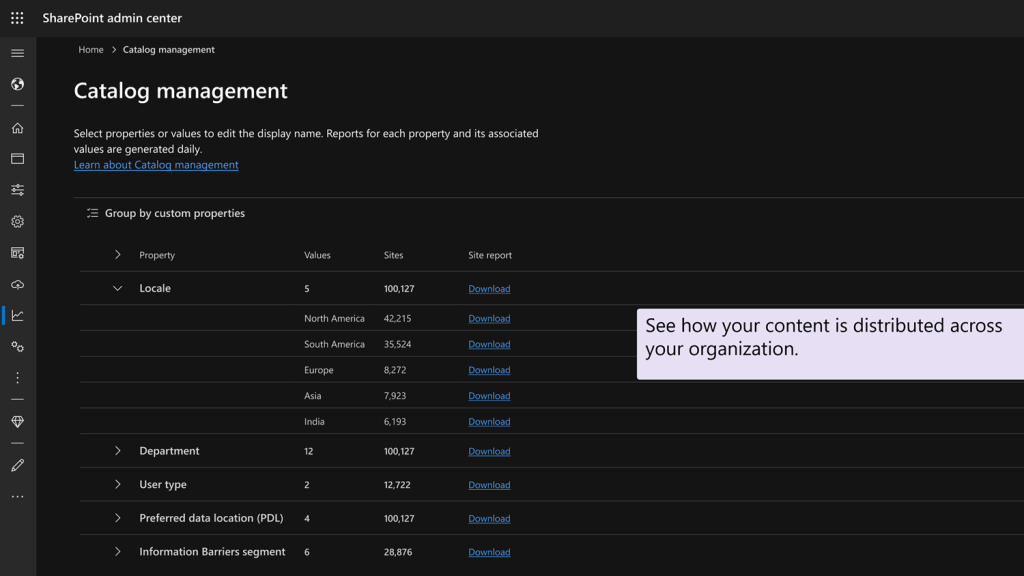
- View how content is distributed across departments, geographies, and user groups.
- Rename category to match your organization’s naming conventions.
- Download reports, apply lifecycle, storage, access, or Copilot-related policies at the cluster level.
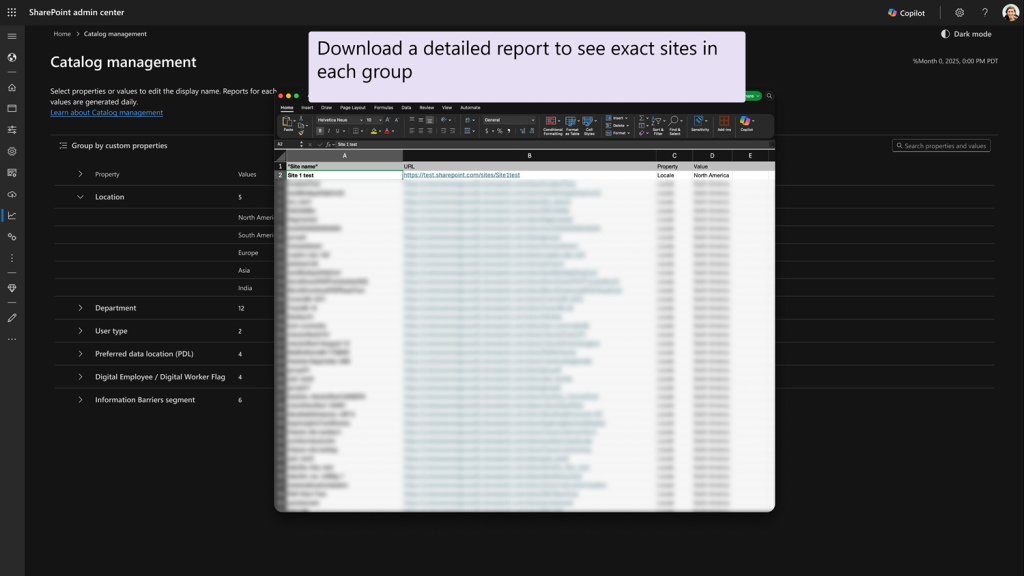
This approach shifts SharePoint administration from a traditional site-by-site model to a usage-driven governance model based on how people actually use it.
Availability and Licensing Requirements for SharePoint Catalog Management
Microsoft rolled out SharePoint Catalog management with built-in categories on February 2026 and custom categories on July 2026 globally.
Catalog Management is available to organizations that use SharePoint Advanced Management (SAM). Your tenant gets SAM through any of the following paths:
- At least one user in the tenant is assigned a Microsoft 365 Copilot license.
- Your tenant has the SharePoint Advanced Management Plan 1 add-on (also called SAM standalone).
- Your organization has Microsoft 365 E7 (Frontier Suite).
Also, organizations must meet the following base license requirements:
- Office 365 E3, E5, or A5
- Microsoft 365 E1, E3, E5, or A5
Assign the SharePoint Administrator or SharePoint Advanced Management Administrator role or have equivalent permissions to access and manage Catalog Management in the SharePoint admin center.
What Actions Are Required from Admins?
No immediate action is required. Users will not notice any changes unless administrators apply governance actions to the generated clusters.
If your organization is planning a governance policy enforcement through Catalog Management, Microsoft recommends that site owners to:
- Keep site metadata up to date
- Regularly review and maintain permissions
- Close, archive inactive or no-longer-needed sites
Final Thoughts
Overall, SharePoint Catalog Management isn’t just another feature — it’s a fundamental shift in how SharePoint governance works at scale. By moving from scattered site management to structured clusters, you can gain better visibility, stronger control, and a clearer path to Copilot readiness. If your SharePoint environment feels increasingly hard to govern, this update is one to watch closely.
I hope you find this blog helpful. Feel free to share your thoughts on this feature in the comments below!