A few months ago, Microsoft introduced limits on outbound external email from default onmicrosoft.com domains in Exchange Online. Now, the same approach is making its way to Microsoft Teams, with a new limit on outbound external messaging for MOERA domains.
The reason behind these limitations is straightforward. Every Microsoft 365 tenant is provided with a default onmicrosoft.com domain, which can be misused to send spam, phishing messages, and other abusive activity. By adding these throttling restrictions, Microsoft is adding another layer of protection against abusive external communication from these domains.
In this blog, let’s take a quick look at the new outbound external messaging limit in Teams and how it works.
External Messaging Limits for MOERA Domains in Microsoft Teams
Most organizations have moved beyond using their default onmicrosoft.com domain and now use a custom domain that matches their brand. However, some organizations, especially newer tenants, may still rely on their default domain for day-to-day communication.
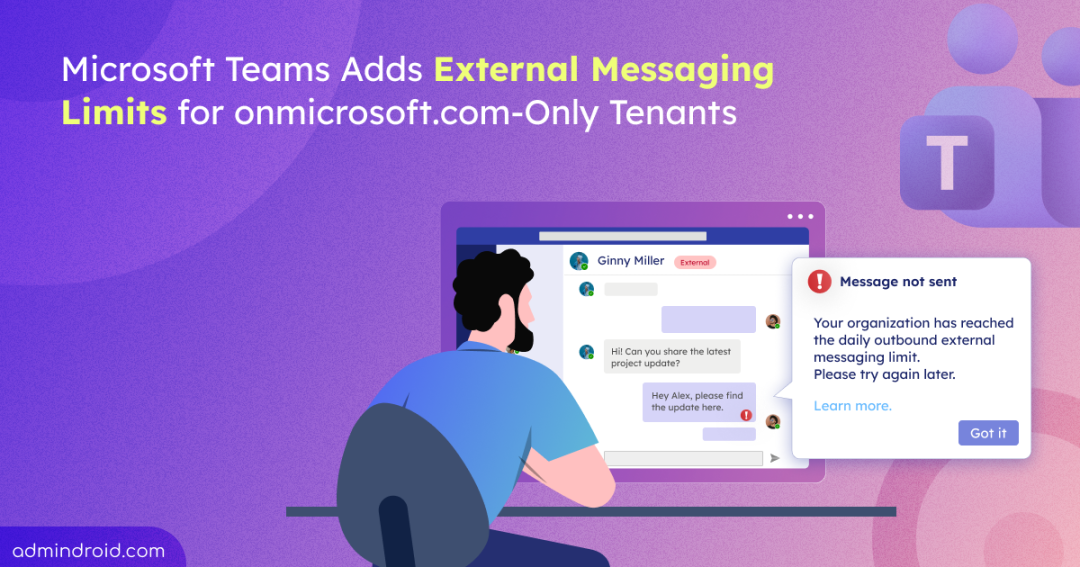
For these default-only tenants, Microsoft is enforcing outbound external chat limits in Teams. Once the limit takes effect, here’s what the experience will look like in practice:
- A user sends messages to users outside the organization as usual, until the limit is hit.
- Once it’s hit, Teams will display an in-product notification to let the user know that outbound external messaging has been temporarily limited.
- The user will then be unable to send further messages to external users for a period of time.
- Internal Teams communication will not be affected, so users can continue messaging people within their organization as usual.
- Once the applicable limit period has passed, external messaging will become available again.
Overall, the change is mainly aimed at controlling excessive external messaging while keeping regular internal Teams communication uninterrupted. Organizations that depend heavily on external collaboration should review their domain setup before the limit takes effect.
Rollout Timing for the Outbound External Message Limit
The rollout for Teams external messaging limits will begin in mid-September 2026 and is expected to complete worldwide by mid-September 2026.
How to Prepare for the External Teams Messaging Limit Rollout in Microsoft Teams
The protection is on by default, so there’s no action admins need to take to enable it. However, you can take the following steps to check whether the limitation applies to your organization and prepare for the rollout:
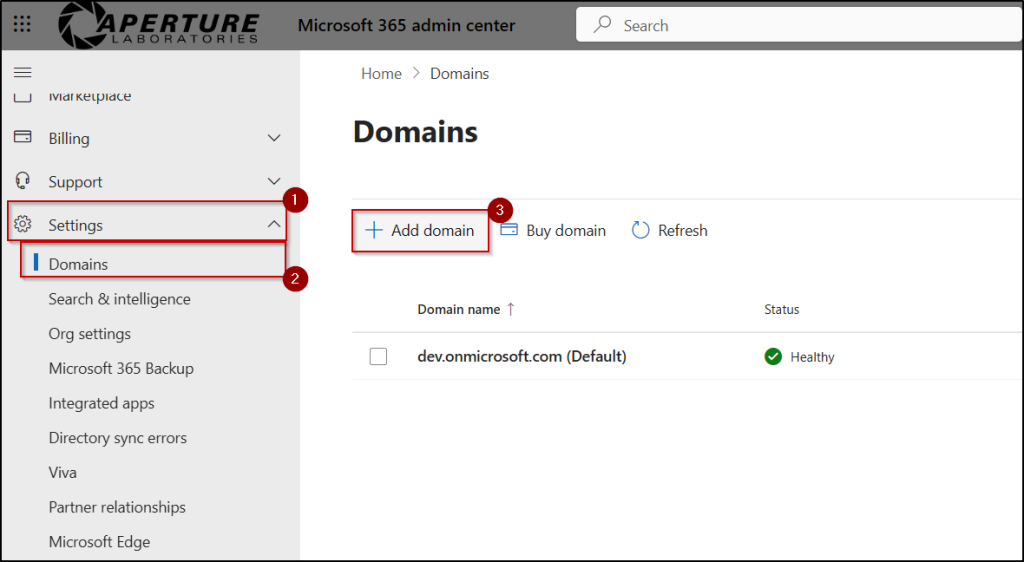
- Verify your domain configuration — Sign in to the Microsoft 365 admin center with appropriate permissions and navigate to Settings > Domains. Here you can see whether your tenant has any custom domains configured or is still relying only on the default onmicrosoft.com domain. If your tenant uses only the default domain, it will be subject to this limitation.
- Add a custom domain — If your organization still relies only on the default domain and you want to avoid the limitation, consider adding a custom domain that represents your organization. You can do this from the Domains page by selecting Add domain and following the setup steps. This allows your organization to continue communicating with external partners without being affected by this messaging limit in Microsoft Teams.
- Set up the throttling alert — Microsoft plans to introduce an optional admin alert for throttling events after the initial rollout. Once this alert is available, you can enable it to receive notifications when your organization reaches the external messaging limit.
Why is Microsoft Restricting the External Chat Capability of onmicrosoft.com-only Domains?
Microsoft’s stated reason is spam and abuse prevention, plain and simple. Default domains are the easiest ones to exploit precisely because they require no verification, so they’re a common base for large-scale, automated messaging abuse. Limiting outbound external chat from these domains reduces the risk of Teams being used for unwanted external messaging.
Microsoft also says most organizations using Teams normally aren’t expected to come anywhere near the limit. This is built to catch abusive volume, not everyday conversations with clients or partners. The exact numbers are still unclear. Microsoft hasn’t specified how many external messages users can send, or the time window used to apply the limit. So admins have no way to confirm where their own tenant stands just yet. More details are expected as the rollout progresses.
Conclusion
Microsoft’s continued tightening of limits around default MOERA domains makes one thing clear: custom domains are no longer just about branding. They are becoming increasingly important for organizations that rely on external communication across Microsoft 365.
With the Teams restriction now announced, the next question is how strict the limit will be. Microsoft has yet to share the exact messaging threshold and time window, and more details about the optional throttling alert are expected after the initial rollout.
For now, admins can review their domain setup and stay tuned for Microsoft’s upcoming updates. We’ll keep you posted as the remaining details become available.