When the same Microsoft 365 product is purchased across multiple subscriptions, license assignments are merged under a single SKU, making it difficult for admins to identify which subscription is being consumed. For example, even when an organization purchases Microsoft 365 E3 licenses through different channels, such as a yearly Enterprise Agreement and a separate CSP, they appear under a single SKU. As a result, admins struggle to track which purchase batch is being used or which department still has capacity left.
But that is finally changing. Microsoft is rolling out a brand-new way to handle your tenant’s licenses with the new Cloud Licensing API (Preview). It lets you divide your licenses into specific, manageable allotments, introduces a built-in waiting room for users when seats run low, and more. In this blog, we’ll explore how the newly introduced Cloud Licensing API makes license management easier.
What is the Cloud Licensing API in Microsoft Graph?
Previously, administrators relied on endpoints like subscribedSkus and licenseDetails to view licensing information. However, these endpoints only showed flat numbers representing the total count of available licenses. They lacked the detailed breakdown needed to understand specific service entitlements and license pools.
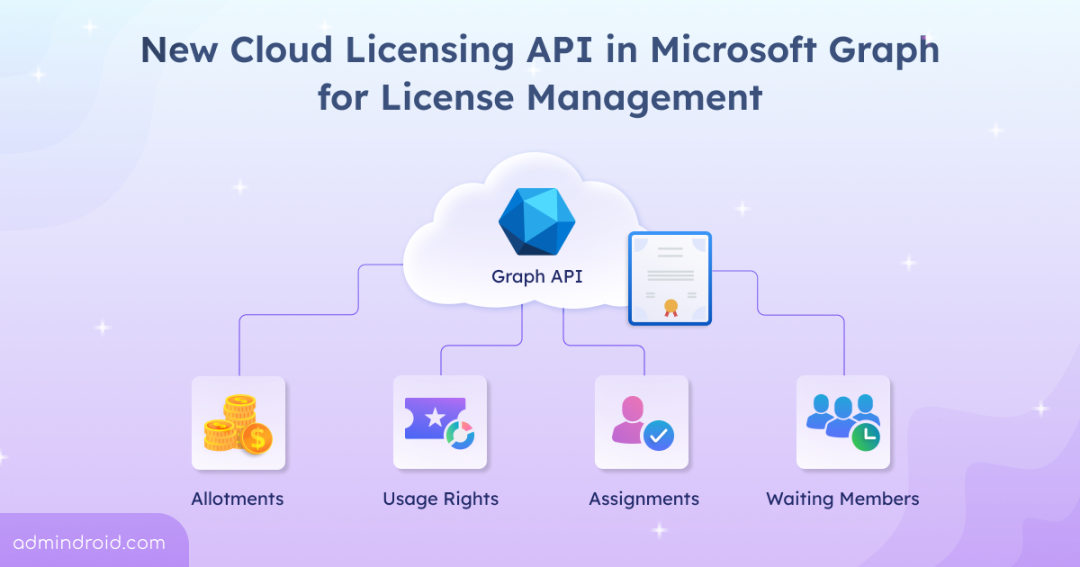
To address these limitations, Microsoft has introduced the Cloud Licensing API in Microsoft Graph (currently in preview) under the microsoft.graph.cloudLicensing namespace. It provides detailed visibility into how Microsoft 365 licenses are allocated, entitled, and consumed within an organization.
Some of this functionality was introduced back in 2024, such as the ability to identify usage rights for licenses in Microsoft 365. Now, Microsoft has introduced additional features such as identifying assignment errors, viewing waiting members, and gaining deeper insights into subscriptions, along with allotments and usage rights.
Note: As these APIs are currently in beta, they are subject to change and are not recommended for use in production applications.
Required Permissions for Using the Microsoft Cloud Licensing API
To access this Cloud Licensing API, appropriate permissions are required based on the tasks you want to perform. Some permissions include:
- CloudLicensing.Read: Lets you view allotment details.
- User-UsageRight.Read.All: Lets you read users’ license assignments and usage rights.
- Group-UsageRight.Read.All: Lets you view groups’ license assignments and usage rights.
Key Concepts of the New Cloud Licensing API in Microsoft Graph
Here is a quick breakdown of the resource types in the new Cloud Licensing API (preview) and what they mean for your daily operations.
1. Allotment Resource Type: Managing License Allocation and Consumption
Before you can hand out licenses, you need to know what you have and how it’s grouped.
- Subscriptions: This is the high-level container that holds the basic lifecycle information of your purchase. It includes start dates, end dates, and the overall state of the license subscription that supports an allotment.
- Allotments: When a subscription is purchased or renewed, it is broken down into smaller, manageable pools called allotments. These pools provide granular insight into how licenses from each subscription are used. By using this, we can track capacity, supported services, and the subscriptions behind those licenses.
For example, you may purchase Microsoft 365 E3 subscriptions in different quantities through different purchasing methods. Instead of combining them into a single total (such as 350 licenses), the licenses are grouped and allocated based on each individual purchase batch, as shown below.
| Subscription | Product | Licenses | Allotment |
| Yearly Renewal 2026 | Microsoft 365 E3 | 300 | Allotment A |
| CSP Purchase | Microsoft 365 E3 | 50 | Allotment B |
Example:
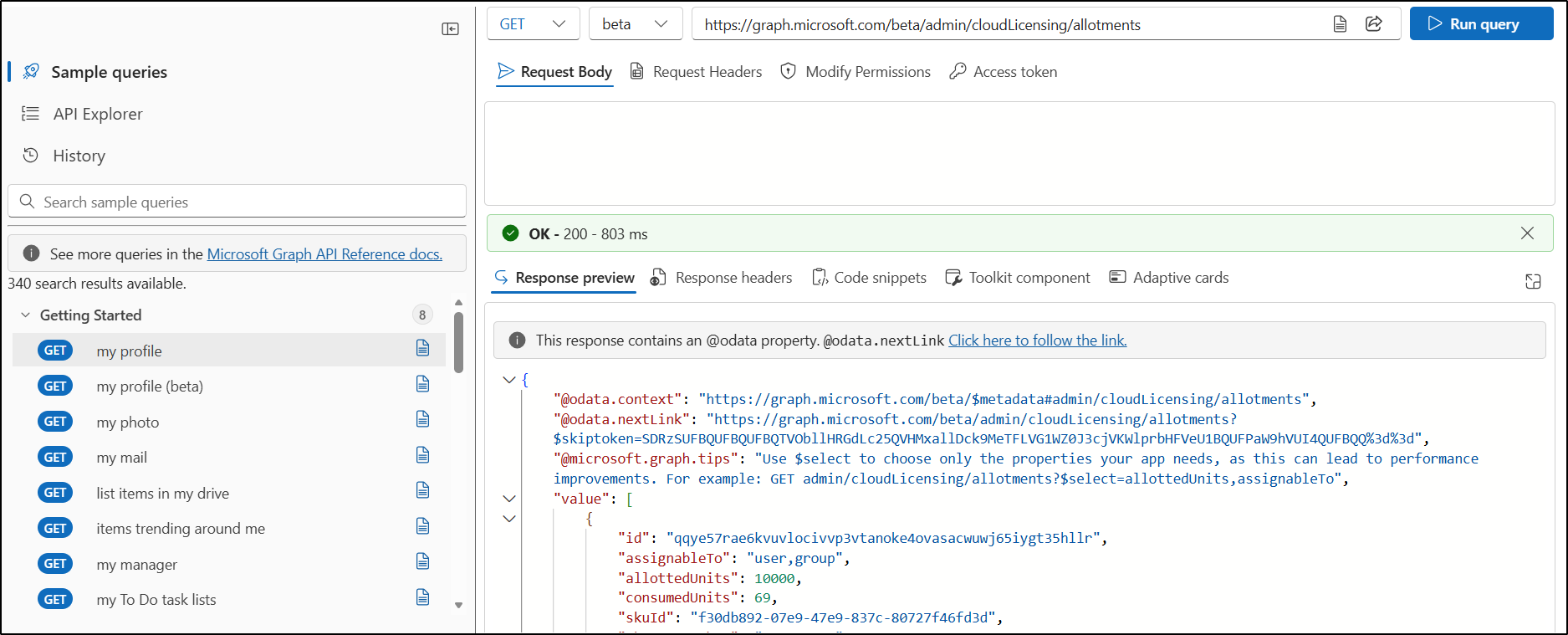
To access the Cloud Licensing API and retrieve all allotment details, you must ensure your app or session has the required permissions in Microsoft Graph. Below are the steps to query the allotments endpoint.
- Sign in to Microsoft Graph Explorer.
- Set the API version to Beta and the HTTP request method to GET.
3. Enter the endpoint as:
|
1 |
https://graph.microsoft.com/beta/admin/cloudLicensing/allotments |
4. Run the query to retrieve allotment information for your tenant.
2. Assignments Resource Type: License Assignments and Distribution Tracking
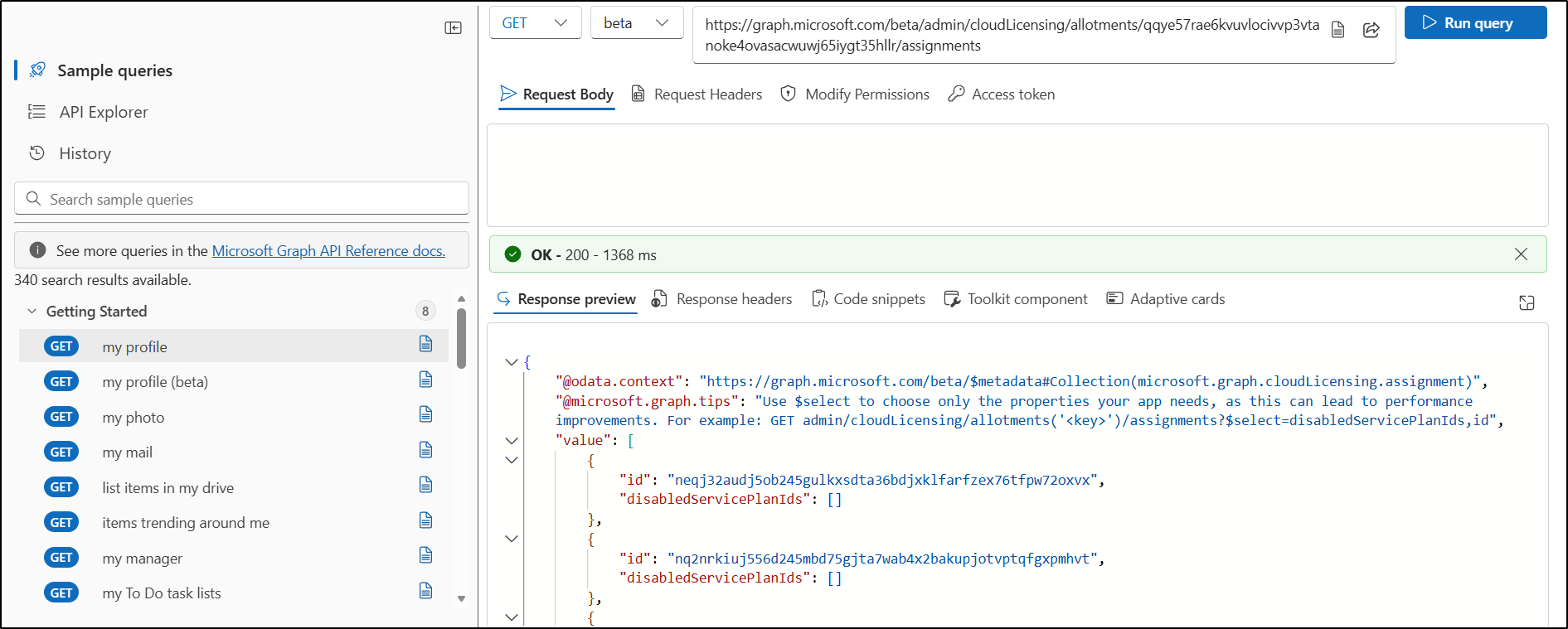
It represents a license assignment for a specific product (SKU) that grants a license for an allotment to a user, device, or group. Each user or device consumes one license from every allotment they are assigned to, whether the license assignment is direct or through a group. It is also used to create, update, list, and remove assignments that consume allotment capacity.
When a user is assigned a license, admins can easily track whether the license is consumed from Allotment A or Allotment B separately, regardless of whether the assignment is direct or through a group.
Example:
To fetch assignment details for a specific allotment, run the query below after replacing the allotment ID.
|
1 |
https://graph.microsoft.com/beta/admin/cloudLicensing/allotments/{allotmentId}/assignments |
3. Usage Rights: Access Validation and Service Entitlements
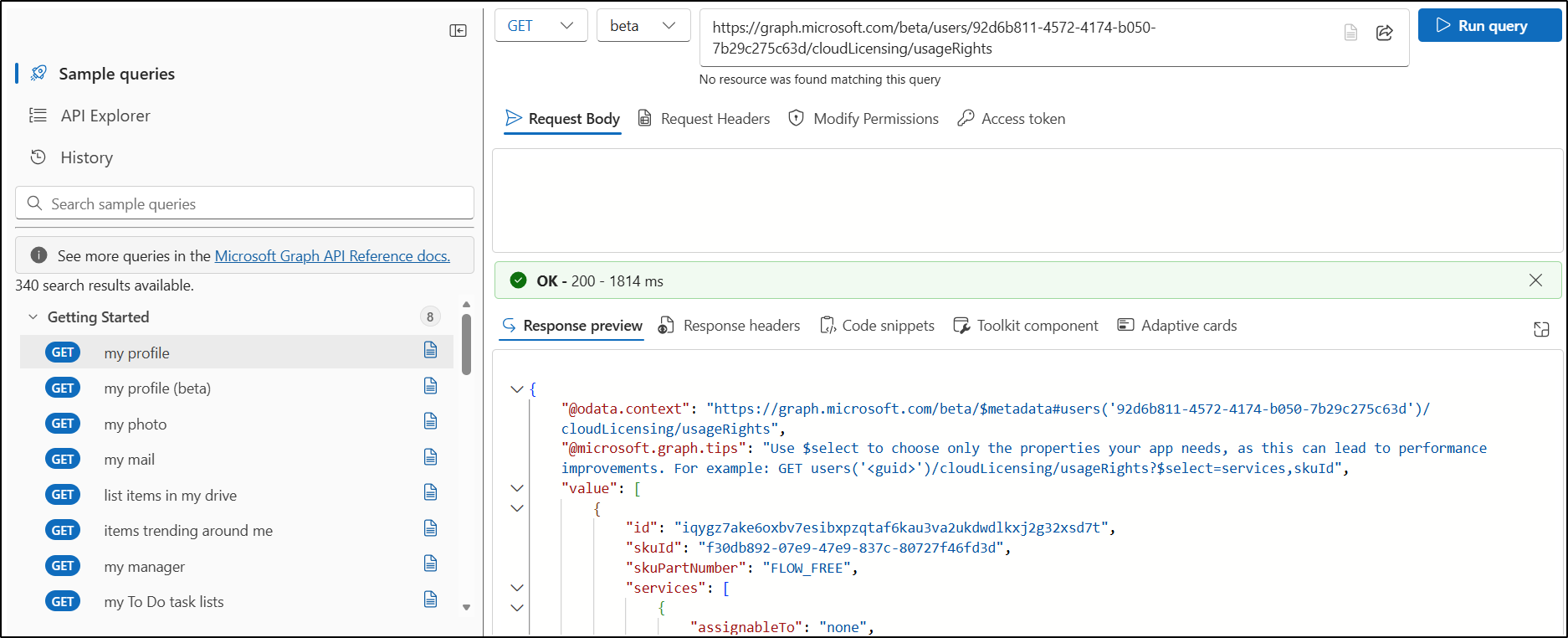
The usageRight resource type is primarily used to validate whether a user or group actually has the right to consume specific licenses and service plans. It is usually used to query a single user’s license details.
In short, it helps track which specific Microsoft 365 services a user or group uses, such as Microsoft Teams, SharePoint Online, OneDrive for Business, and Microsoft Planner. It also indicates whether the service is assigned directly to the user or through a group.
While it returns similar data to licenseDetails resources type (or the Get-MgUserLicenseDetail cmdlet), it provides additional information rather than just listing assignments.
Example:
To fetch the license usage rights of a specific user, run the query below after replacing the user id.
|
1 |
https://graph.microsoft.com/beta /users/{userId}/cloudLicensing/usageRights |
4. Assignment Errors and Waiting Members: Managing License Capacity Issues
Waiting Members: If an allotment runs out of licenses due to capacity limits, users or devices trying to gain access are added to this queue and placed in a waiting room. Admins can inspect the list and analyze waiting members to see exactly who is blocked due to capacity limits and how long they have been waiting.
To put this simple, if your organization is using group-based licensing with 25 Microsoft 365 E5 licenses, and all 25 licenses are already assigned and in use. A new user who joins the group will trigger a license assignment attempt. Since no licenses are available in the allotment, the user will be placed in Waiting room for that allotment.
Example:
To get a list of users who are in the waiting room due to license capacity limits, run the below query.
|
1 |
https://graph.microsoft.com/beta/admin/cloudLicensing/allotments/{allotmentId}/waitingMembers |
Assignment Errors: License assignment is an asynchronous background process that can sometimes fail. When you assign licenses directly to individual users or using group-based licensing (or both), the assignment operation might fail for reasons that are related to business logic.
Some example issues include:
- Conflict between two service plans that can’t be assigned at the same time
- Service plans in one license depend on service plans from another license
This entity surfaces synchronization failures, allowing admins to quickly detect, inspect, and troubleshoot assignments that are stuck or failed.
Example:
To fetch assignment errors, run the query below.
|
1 |
https://graph.microsoft.com/beta/admin/cloudLicensing/assignmentErrors |
For more detailed information on the Cloud Licensing API in Microsoft Graph, refer to the official Microsoft documentation.
Wrapping Up
That’s a wrap! The new Cloud Licensing API expands the ways you can access and manage licensing information. With these capabilities, organizations can gain deeper visibility into license usage, streamline management processes, and maintain compliance more effectively.
We’d love to hear your feedback—share your questions, insights, or experiences in the comments below. Stay tuned for more updates and upcoming blogs!