AI is rapidly becoming part of everyday workflows, driving efficiency, automation, and smarter decision-making. But as organizations embrace AI, the security landscape is evolving just as quickly. Traditional, perimeter-based defenses are no longer sufficient in a world where AI agents, applications, and data operate beyond fixed boundaries.
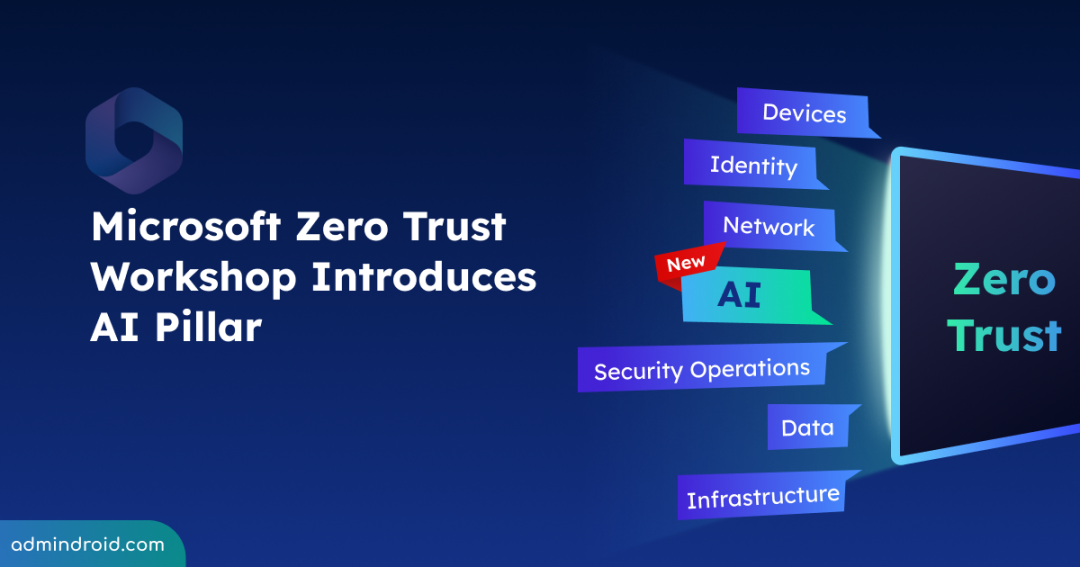
To address this shift, the Zero Trust Workshop framework now includes a dedicated AI pillar. This allows organizations to assess their current security posture, identify gaps across Zero Trust pillars, and build a prioritized roadmap.
What is Zero Trust for AI and Why It Matters?
At its core, Zero Trust model is about continuous verification. Every access request is evaluated in real time, ensuring that trust is never assumed. Applying Zero Trust to AI makes this principle even more essential. AI systems can introduce new attack surfaces, unpredictable behaviors, and complex data interactions that traditional security models are not designed to handle.
This enhanced Zero Trust approach helps organizations recognize these risks early and apply consistent security controls, ensuring AI innovation with AI does not come at the cost of security.
New Dedicated AI Pillar in Zero Trust Workshop
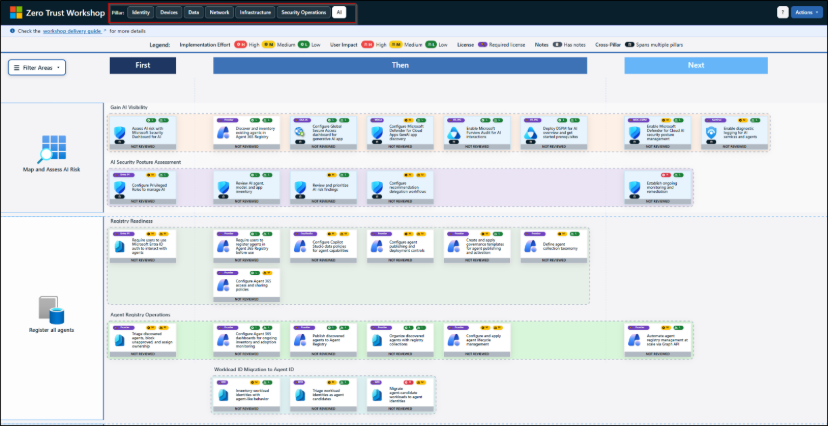
The Zero Trust Workshop is no longer just a model; it’s now a modern single-page web application. By moving away from the legacy spreadsheet format, it delivers a more intuitive and scalable way to assess and strengthen security posture.
With the addition of a dedicated AI pillar, the framework now directly addresses the complexities of AI-driven environments. With 700+ controls across 116 groups and 33 swim lanes, it offers a structured, scenario-based path from assessment to action.
With the ability to generate automated summaries and implementation plans, this update brings more structure to execution. It helps organizations align security teams, explore real-world AI risks, and apply Zero Trust principles consistently across all environments.
The AI pillar specifically enables organizations to secure AI access and identities, protect sensitive data, monitor AI usage, and ensure responsible governance aligned with compliance goals.
Note: Currently, only Zero Trust Workshop has a dedicated AI pillar. AI coverage in the Zero Trust Assessment tool is expected in Summer 2026 to help assess AI risks automatically.
How to Access AI Pillar in Zero Trust Workshop
To open the dedicated AI pillar in the Zero Trust Workshop framework, follow the steps mentioned below.
- Launch the web-based Zero Trust workshop tool.
- Navigate to the AI pillar.
- Here, you can see dedicated sections for “Map and Assess AI Risk, Register all agents, Secure AI Authentication and Access, Secure AI Network Access, Secure AI Data Access, and Build Agents Securely”.
- From the top right corner of the tool, you can perform Actions like Report, Import, and Reset Pillar.
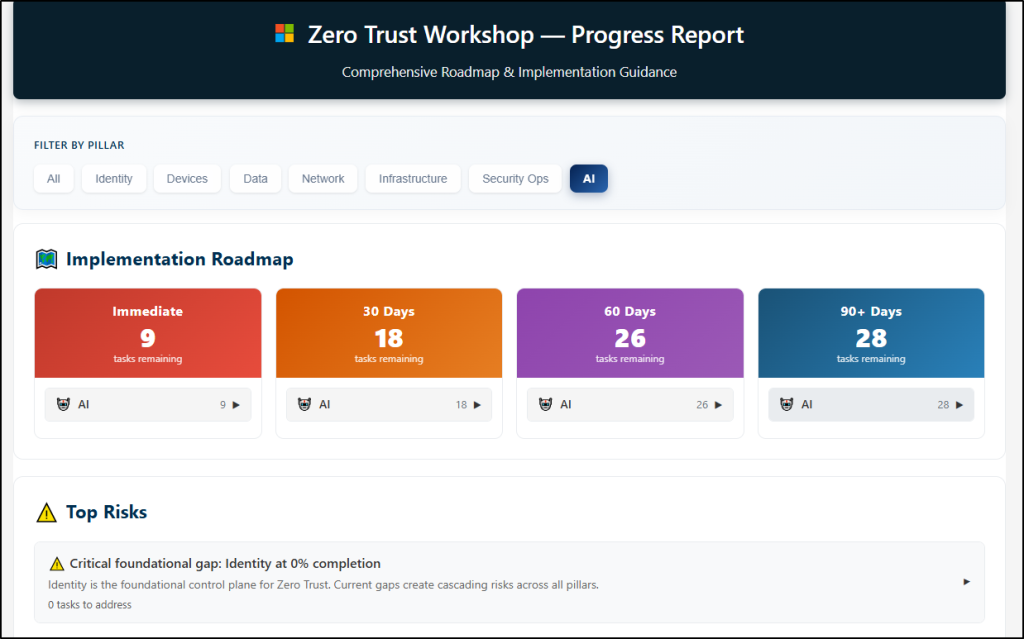
- After completing the workshop and you can Export the Workshop Report to upload into a project management tool, such as ADO or JIRA for accountability.
Analyze the Zero Trust workshop report and identify the security gaps and areas for improvement. Establish a baseline and track progress with assessments every 6 months.
What the AI Pillar Covers in Zero Trust Workshop
The AI pillar provides a comprehensive security blueprint to help organizations secure AI environments across six key areas:
1. Map and Assess AI Risk: Helps to gain full visibility into your AI landscape by discovering every app and agent using Microsoft Defender and DSPM. Turn that visibility into action by inventorying assets, assessing risk, and continuously tracking changes, because you can’t protect what you can’t see.
2. Register All Agents: Focuses on ensuring every AI agent is tracked and governed by enforcing Entra ID authentication and registering agents in the Agent 365 Registry. As no agent should ever operate outside your oversight, enforce governance templates and automate lifecycle management via Graph API.
3. Secure AI Authentication and Access: Here you can control exactly who and what can access AI resources by configuring Conditional Access policies and enforcing risk-based access through Entra ID Protection. Further, you can strengthen identity governance by assigning clear ownership and managing identity lifecycles end-to-end.
4. Secure AI Network Access: Focuses on securing how AI systems communicate by routing traffic through Global Secure Access and restricting unsanctioned AI apps. Enhance defenses with web filtering and Prompt Shield to mitigate prompt injection attacks.
5. Secure AI Data Access: Ensures that all data used, created, and shared by AI is properly protected through DLP and retention policies. This is further strengthened with sensitivity labels, tighter SharePoint controls, and Insider Risk protections with automated alert triage.
6. Build Agents Securely & Security Detection and Response: Includes securing AI from development through to production by establishing secure development standards and governing MCP servers. Run red teaming exercises and leverage Microsoft Sentinel with Defender XDR for real-time detection and automated incident response.
The Road Ahead: Zero Trust as a Standard for AI Security
AI is reshaping the way organizations operate, but it also introduces new layers of risk that cannot be ignored. Zero Trust for AI offers a practical framework to manage these risks while securing systems, data, and users
Ultimately, success lies in moving beyond strategy and taking meaningful action, with clarity, confidence, and control.
In an AI-driven world, trust must be earned every single time!