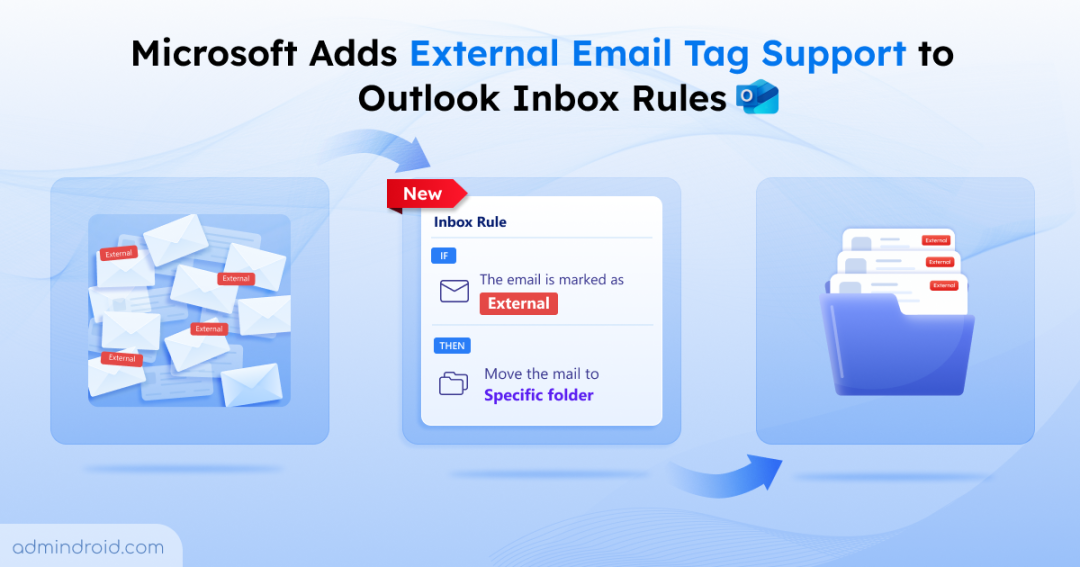
Microsoft made external emails easier to spot in Outlook with the introduction of the “external tagging” feature. Once enabled, Outlook automatically adds an ‘External’ tag to emails received from outside the organization, helping users instantly distinguish external communication from internal conversations. However, this level of visibility alone was not enough for end users. So, what else do users need? Let’s see below.
Users Could Identify External Emails in Outlook – But Couldn’t Manage !
While external tagging improves awareness, there is no way to manage those emails automatically using inbox rules. For example:
- Users may want to filter external-tagged emails and move them to a specific folder.
- Some may prefer categorizing external emails with a specific color.
- Some may need to move external emails received from a specific external domain to a folder.
However, until now, Outlook inbox rules have not supported the External email tag as a rule condition.
As a result, users had to manually organize these emails every time they arrived. But now, Microsoft is addressing the gap in Outlook inbox rules.
Automatically Manage External Emails with Inbox Rules in Microsoft 365
Yes! Microsoft is now introducing support for the external email tag condition in Outlook inbox rules. With this enhancement, users can finally create rules in Outlook for emails tagged by the external tagging feature and automate how those emails are handled, such as moving them to specific folders and more.
This brings much-needed flexibility to end users while also supporting better email hygiene practices across organizations.
Rollout timeline for external tag support in Outlook
Microsoft plans to begin rolling out this feature globally in early June 2026. The feature will be available across the Outlook Web, New Outlook for Windows, Outlook for Mac, and Exchange Online.
Also, the feature will be enabled automatically for organizations already using the ExternalInOutlook setting.
Now, let’s see how users can make the most of this enhancement.
Advanced External Email Management with Outlook Inbox Rules
This enhancement becomes even more powerful when users combine the external tag condition with other Outlook inbox rule conditions.
Yes. Instead of simply moving all external emails into a single folder, users can create more intelligent and personalized inbox rules for external emails.
For example:
1. Users can combine the external tag condition with other conditions like message keywords and subject filters to automatically route external emails into different folders using individual rules. This enables more efficient inbox organization and faster identification of important messages. Like,
- External emails containing the word “Invoice” can be automatically moved to a dedicated Finance folder
- Emails received from specific vendor domains can be routed to a “Vendor” folder
2. At the same time, users can combine the external tag condition with other filters, create rules, and categorize external emails for faster identification. Instead of opening every email individually, users can quickly recognize the nature of the message directly from the inbox view itself. Like,
- Vendor emails can be assigned the “Vendors & Partners” category
- Customer communications can use the “Customers” category
This improves how users prioritize emails and helps them identify important external communication much faster.
That’s it! Hope you understand the new update of external email tag support in Outlook. Feel free to reach out to us in the comments section for further queries.