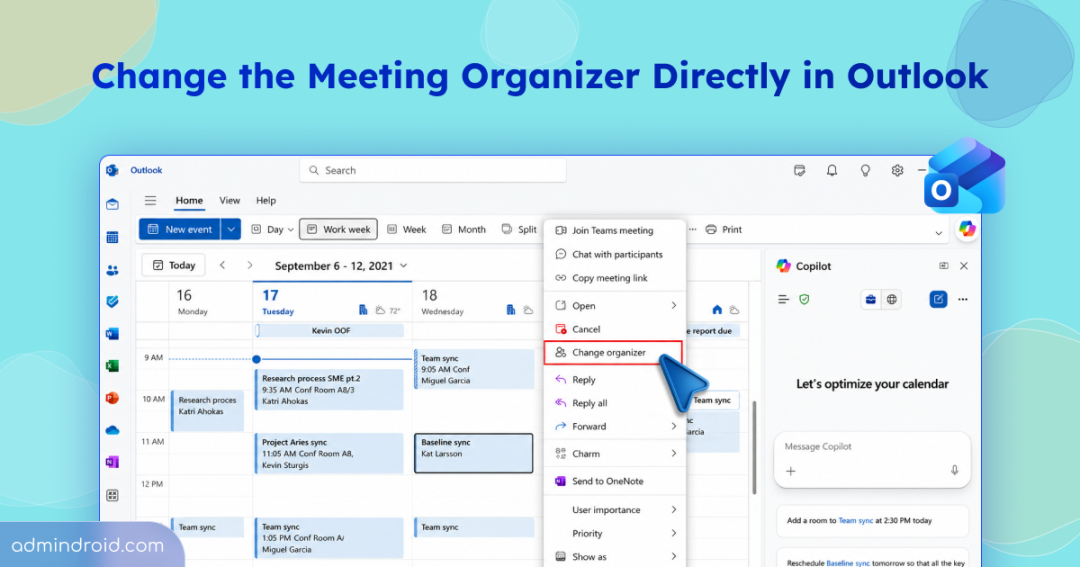
Changing the organizer of a meeting has traditionally been a challenge for Microsoft 365 users. If someone left the organization, changed responsibilities, or needed another person to take ownership of a meeting, they often had to create a new meeting.
A few months ago, Microsoft introduced admin-initiated meeting ownership transfer, allowing administrators to transfer meetings from one organizer to another. This helped address the problem from the admin side, but users still needed an administrator’s help to transfer their own meetings.
Microsoft is now rolling out the ability for users to change the organizer of a meeting directly from Outlook, without requiring an administrator to perform the transfer. The feature is currently rolling out and available in new Outlook, Microsoft Teams, Microsoft 365 Calendar, and Outlook on the web (OWA). Classic Outlook for Windows is not supported.
Change the Meeting Organizer from Outlook
With the new Change organizer option, meeting organizers can select another person in their organization to become the new organizer.
This can be particularly useful when:
- A meeting is being handed over to another team member.
- The original organizer is changing roles.
- Someone else needs to manage a recurring meeting series.
- The organizer wants another person to take responsibility for future meetings.
Rollout Schedule:
The Change organizer option in Outlook is rolling out in phases.
Phase 1: Available for eligible meetings that don’t use online meeting features.
- Worldwide: Late September to late October 2026
- GCC: Early to late October 2026
- GCC High & DoD: Early to late November 2026
Phase 2: Support for eligible online meetings will be added. For Teams meetings, changing the organizer will create a new Teams meeting link associated with the new organizer.
Phase 3: Support will be extended to Teams meeting content, including chats, meeting options, transcripts, recordings, agendas, notes, and attendance information.
Timelines for Phase 2 and Phase 3 have not been announced yet.
How to Change the Meeting Organizer in Outlook
Follow the steps below to transfer meeting ownership in Outlook.
- Open Outlook and go to Calendar.
- Right-click the meeting you organize and want to transfer.
- Select Change organizer.
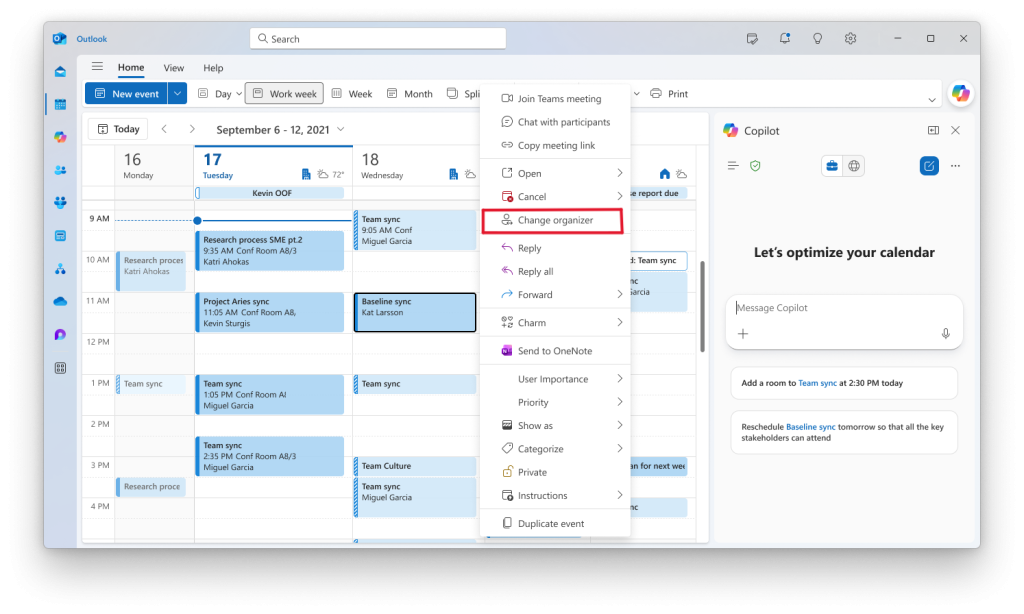
- Select the person who should become the new organizer and select Send.
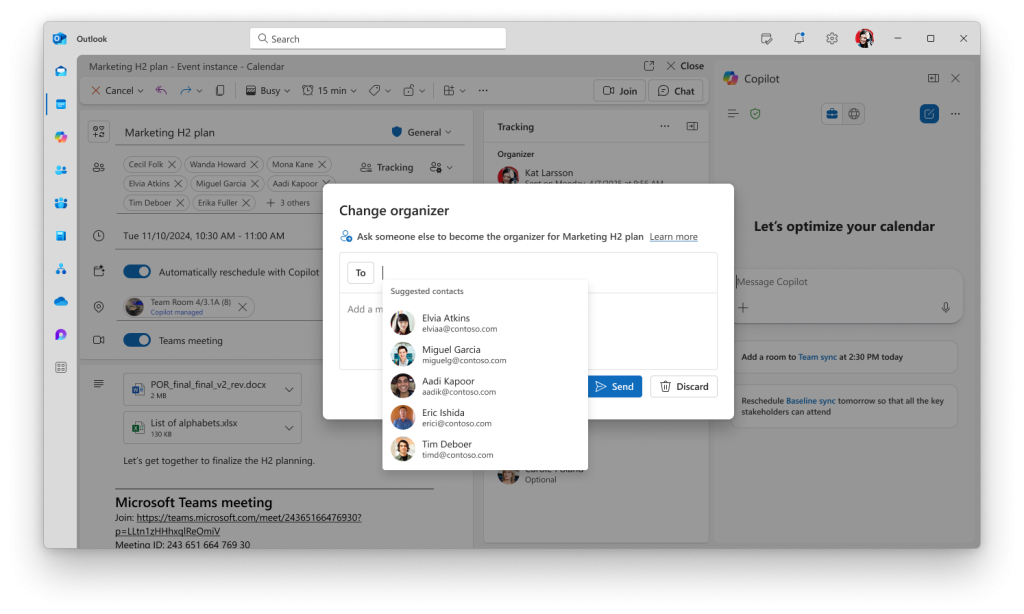
Outlook displays “Request sent” after the transfer request is initiated. The meeting remains with the current organizer until the new organizer accepts the request. Once accepted, the previous organizer is removed from the meeting.
Change Meeting Organizer in Outlook Has Some Limitations
The feature isn’t available for every meeting. Microsoft has defined several conditions that determine when Change organizer appears in Outlook.
- The meeting must be in the future. For a recurring series, only future instances are transferred.
- Currently, Change organizer is available for non-online meetings. Microsoft says support for transferring online meetings is coming soon.
- The person initiating the transfer must either be the current meeting organizer or a delegate with permission to edit the organizer’s meeting.
- The new organizer must be in the same organization. Currently, meeting ownership cannot be transferred to an external user.
- The feature requires a work or school Outlook account. Personal Outlook.com accounts aren’t currently supported.
- The meeting must be stored on the organizer’s primary calendar. Meetings stored elsewhere don’t qualify for transfer.
- The meeting body, attachments, and sensitivity labels are preserved, but access to OneDrive attachments or links is not transferred to the new organizer.
- Microsoft currently excludes several types of meetings from the feature: Draft meetings, Canceled meetings, Meetings on group calendars, Meetings stored in Group mailboxes , Meetings stored in Shared mailboxes, and Encrypted meetings.
If there are multiple meetings to transfer, handling them individually can be time-consuming. In such cases, admins can use Invoke-ChangeOrganizer to transfer multiple meetings to a new organizer in bulk.
Impact on Meeting Attendees
The organizer change is handled differently for internal and external attendees.
- Internal Exchange Online attendees receive an update without needing to respond again. Their meeting settings are preserved.
- External and on-premises attendees receive a cancellation and a new invitation, requiring them to respond again.
One More Step Toward Easier Meeting Management
Meeting ownership has become increasingly important as organizations deal with employee departures, role changes, reorganizations, and changing responsibilities. The new Change organizer option makes one of these everyday tasks much simpler for Outlook users.
Has the Change organizer option reached your Outlook yet? If not, you may need to wait a little longer for the rollout to reach your organization. If you’ve tried it, share your experience in the comments.