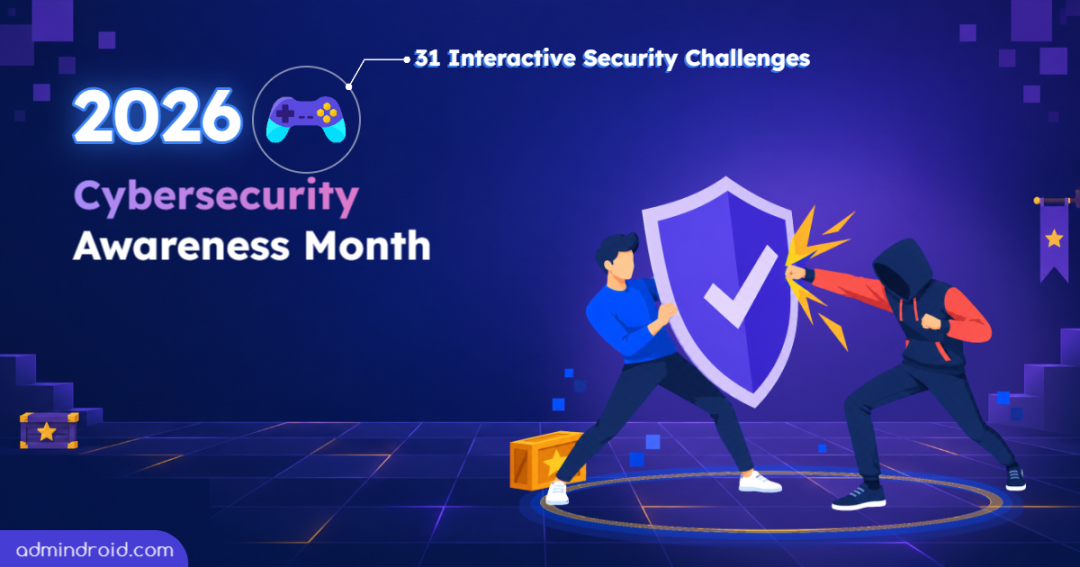
We’re signing off on AdminDroid’s Cybersecurity Awareness Month 2026 series!
It’s been a month of taking on new challenges that put our security habits to the test.
If you’re new here, here’s a quick catch-up. Every October, we celebrate Cybersecurity Awareness Month with a dedicated security series. Over the past four years, we’ve covered Microsoft 365 security basics in 2022, advanced practices in 2023, Secure Score in 2024, and broader IT security in 2025.
Our earlier editions explained the how and why of security. This year, we turned it into something you could try yourself. Instead of writing about attacks, we let you face them. We created interactive security games where you could step into those situations and figure out what to do.
Every day, a new challenge was unlocked on our Cybersecurity Awareness Month 2026 website.
There were fake sign-in pages to spot, suspicious calls to handle, and permission issues to sort out. Each game was built around something that could happen at work.
They’re free to play, need no login, and take just 2 to 3 minutes each, and people seemed to like that: 90% of players who tried one went on to play a few more. 😌
Now that all 31 challenges are out there, let’s rewind a little and look at how it all went. ⏪
A Little Behind the Scenes
Turning a security series into something to play instead of reading was new for us. And to be honest, building challenges that are fair is harder than it sounds! Some ideas looked great on paper but didn’t work the way we expected once we tried them.
- If we make a trick too obvious, everyone spots it easily.
- If we make it too sneaky, it starts to feel like a trap rather than a challenge.
Both happened while I was building a “real or phish?” game. The very first fake message I wrote was a flop. It was so obvious that it would have been the easiest question of the month! 😅So I went through a lot of real Microsoft messages to see how they’re worded, rewrote the fake to match, and tried it out on my friends. That version finally worked.
Then came the opposite problem. In testing, nobody noticed the fake “Next” button I had added to the sign-in window. Microsoft uses that same word, so it looked completely normal. This tiny word turned out to be one of the sneakiest parts of the game!
The vishing game gave us a different kind of problem: 🤯how pushy should the caller be? Too pushy, and everyone hangs up. Too friendly, and it doesn’t feel real. We spent a lot of time tuning the requests to be tricky without anyone wanting to hang up.
It wasn’t only the phone call. In “contain the AI data leak”, the hard part was the order of response. When data leaks, the first instinct is to start investigating, but containing the leak comes first, so each step needs one clear best call, even when a few options sound reasonable.
Almost every game went through the same cycle: we’d build it, try it out on each other, find it too easy or too tricky, and adjust. It took a lot of testing, but it was all worth it!
If you did get fooled along the way, don’t think of it as a failure. It’s practice.
It’s far better to be tricked by one of our challenges than by a real attacker.
The next time you come across the same tactic for real, you’ll know what to look for.
31 Ways to Look at Cybersecurity Risks
Building these challenges also showed us that security problems don’t always look like security problems. Sometimes we have to recognize a threat, sometimes question a request, and sometimes spot access that nobody remembered to remove.
So, I’ve picked five games from the month that look at these situations from different angles.
Security Terms as a Memory Game
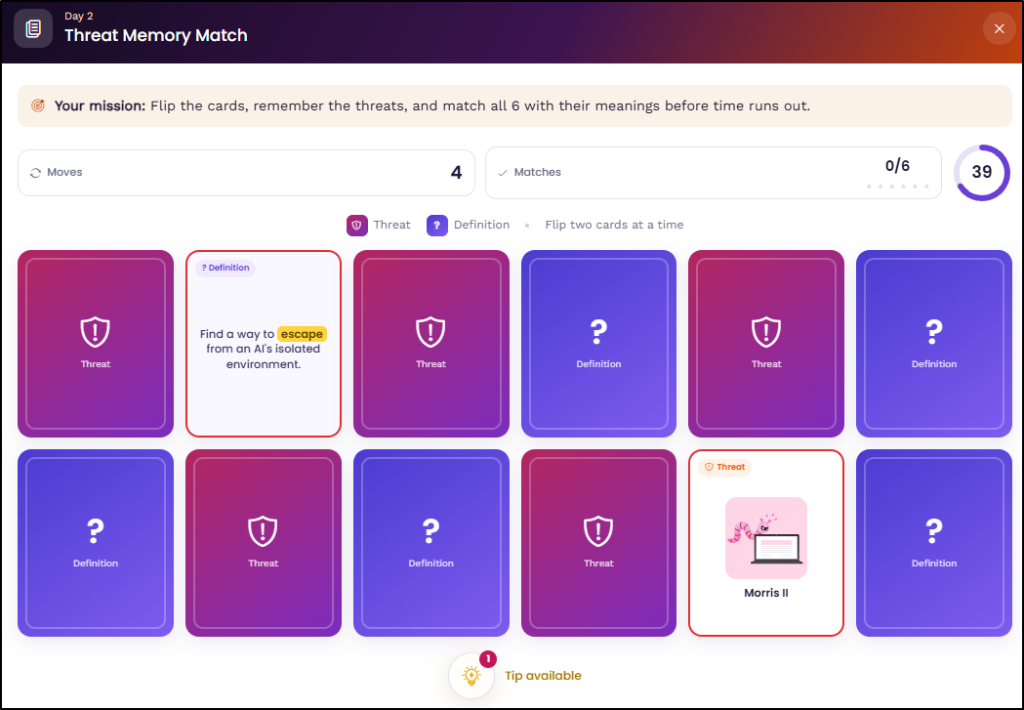
We started with the basics. Security terms are hard to remember when they all sound unfamiliar, so we turned the terms into a memory game. Threat memory match is a simple card game where you flip, remember, and match each threat to its description.
Spot Security Mistakes in Everyday Work
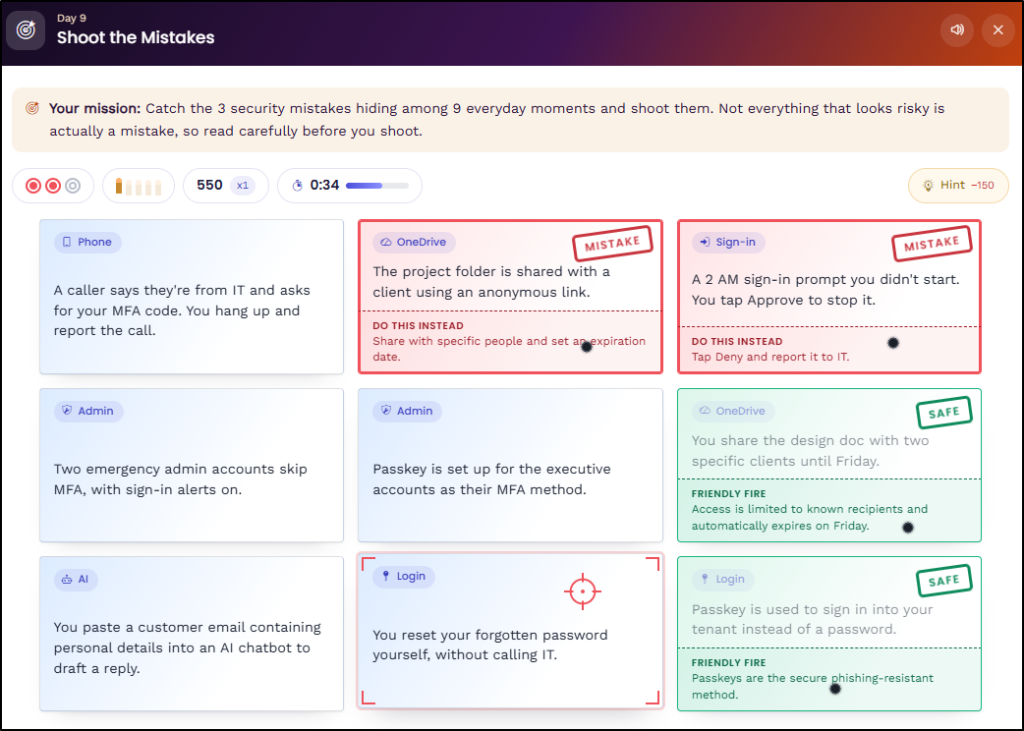
Once the names are familiar, spotting the signs is the next step. Most risks don’t look like risks at first glance, and a normal day at work is full of things that look perfectly fine. So, our “shoot the mistakes” game hides a few security mistakes on a regular day at work, and the job is to find them. It might sound easy, but I bet it’s tougher than you think!
Cybersecurity Quiz on AI-Powered Attacks
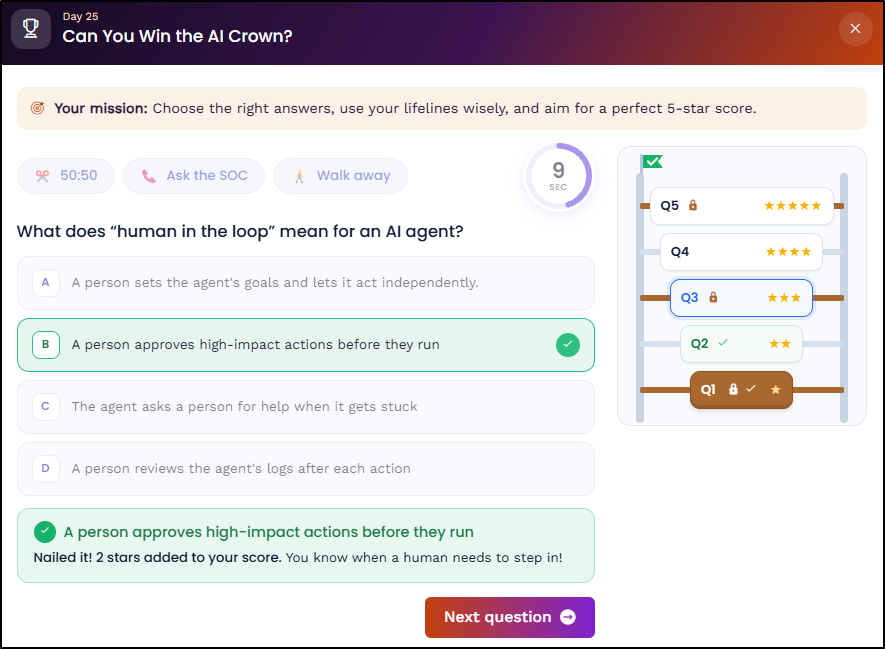
AI is getting smarter, and so are cyberattacks. But are we keeping up? If you think you’re ahead of the risks, “Can you win the AI governance crown?” is a good way to find out. It’s a quiz-show-style game on AI security and governance, with a ladder of questions on AI risks and how to handle them.
Reduce Global Admin Access with Least Privilege
So far, the risks we’ve talked about have come from outside. But not every risk does! Sometimes the risk is already inside, in the access we’ve given people.
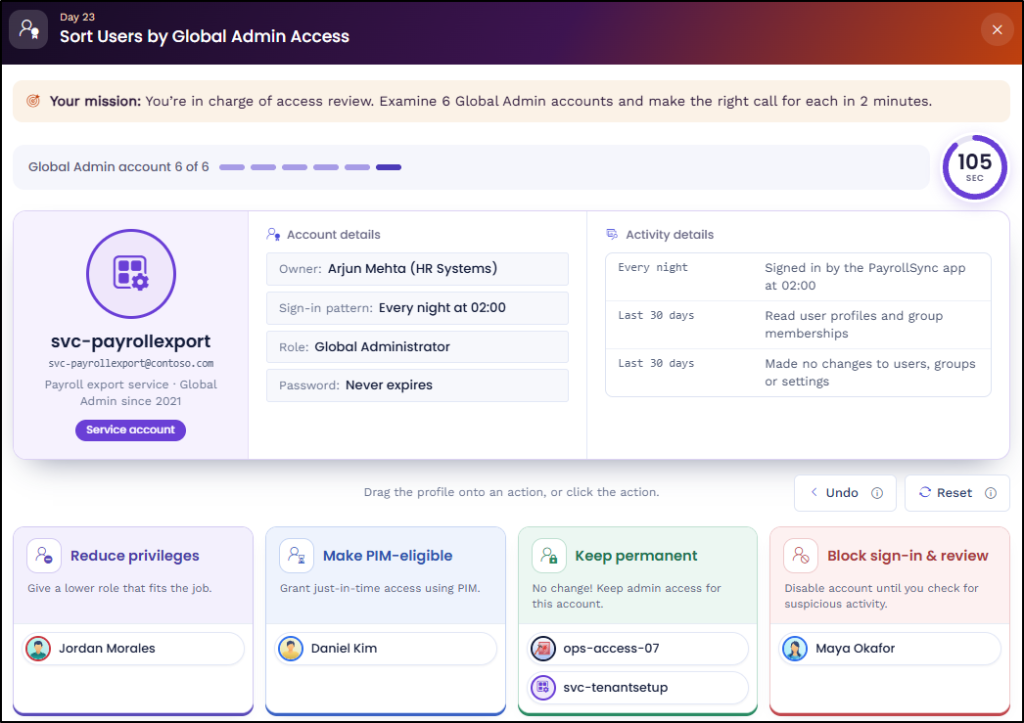
Global Admin is the most powerful role, and not everyone who has it needs it. In our “sort users by global admin access” game, the task is to decide who should keep it and who shouldn’t. It was a way to explore how easily admin rights get handed out and never questioned again.
How to Find Hidden Permissions
Just when we thought we had covered outside attacks and insider risks, another scenario came up. This time, the risk doesn’t even look like a risk.
Yes, that can happen too! There’s no attacker here, just access that should have been removed, but wasn’t.
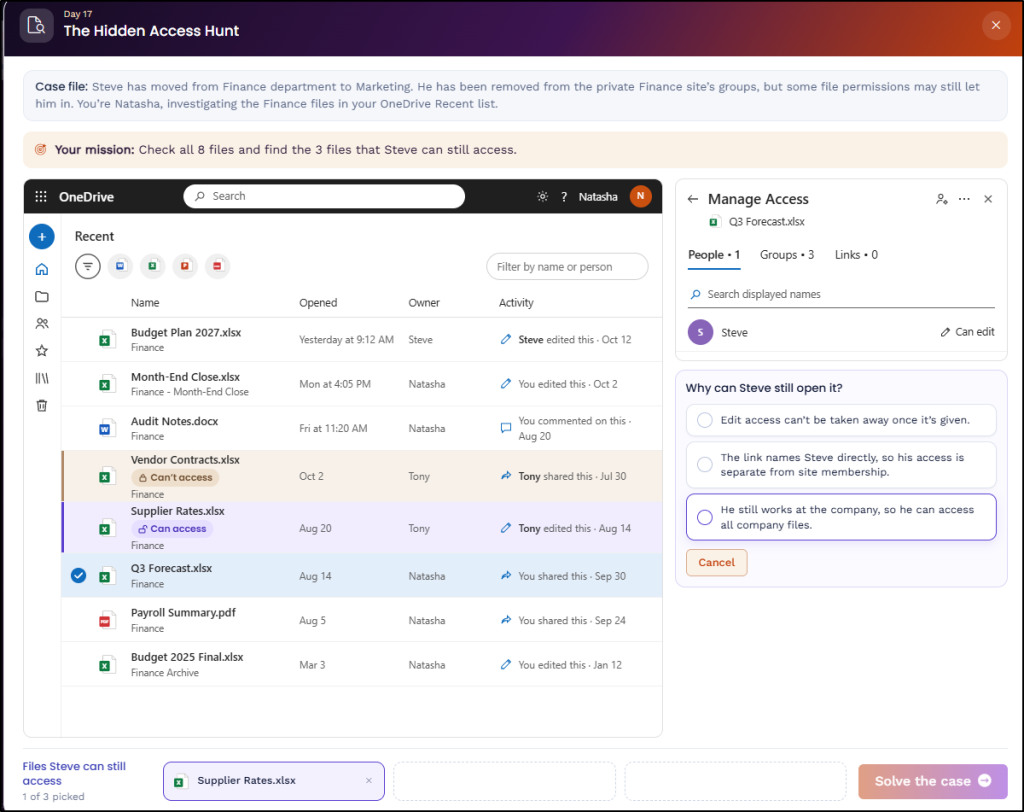
So, our “hidden access hunt” game is about finding it. It was a way to explore how permissions can be overlooked and left behind, even when someone’s role has changed.
The last one is the odd one out, because there’s no urgency or obvious threat to catch! These five are only a glimpse of the 31. The other challenges look at security from just as many angles, from quick puzzles to full investigations to incidents that need handling. Here’s the full list.
| Challenge | Description |
| Day 1: Which Sign-ins Belong to the Attacker? | Go through a compromised account sign-in log and find the attacker’s sign-ins. |
| Day 2: Threat Memory Match | A memory game that pairs security threats with their meanings. |
| Day 3: Two Truths & a Lie | Read three security statements and spot the false one. |
| Day 4: Security Wordle | A word puzzle based on Microsoft’s retirement of SMS and voice MFA. |
| Day 5: Least-Privilege Trimmer | Decide which permissions an AI app really needs for its task and remove the rest. |
| Day 6: Battle the Breach | The game between an attacker and you. Read each move they make and choose the defense that actually stops it. |
| Day 7: Rapid Fire | A rogue admin is hunting for a way around a locked retention policy. Answer quick questions on Preservation Lock to find out. |
| Day 8: Security Myth vs. Fact | Decide which common security claims are myths, and which are facts. |
| Day 9: Shoot the Mistakes | Find the security mistakes hiding on a regular day at work. |
| Day 10: Reduce the Global Admin Count | Cut a tenant’s Global Admins from 8 to 4 and assign lower-privileged roles to everyone else. |
| Day 11: CyberClimb Word Ladder | A word ladder built from security clues. |
| Day 12: Contain the AI Data Leak | A developer exposes sensitive data through an AI tool. Work through the incident step by step and choose the right response at each stage to contain the leak. |
| Day 13: Who Fell for the Phish? | Investigate 3 members and find who fell for a phishing email. |
| Day 14: Trace the Privilege | Removing someone from one group doesn’t always remove their access. Solve the puzzles to see which paths are still open. |
| Day 15: Fix the Security Sequence | Put the steps of several Microsoft 365 security incidents in the right order. |
| Day 16: Can You Handle the Vishing Attack | Attend a call from a colleague you know, ringing from an unknown number. Choose how to reply as a small favor turns into a request for access. |
| Day 17: The Hidden Access Hunt | Find the old files someone can still open after changing teams. |
| Day 18: Guess the Rogue Agent | Work out which AI agent exposed payroll data in a Teams channel. |
| Day 19: Blame the Change? | Decide which helpdesk tickets were really caused by a SharePoint sharing change. |
| Day 20: Real or Phish? | You’re shown Microsoft sign-in pages and emails, some real and some fake. Your job is to tell which is which. |
| Day 21: Hot Seat: Teams Meeting Edition | As the organizer, choose the right Teams control settings for real meeting situations. |
| Day 22: Who Can Dodge the Phishing Trap | Predict which employees’ MFA methods held up against a phishing attack. |
| Day 23: Sort Users by Global Admin Access | Decide which Global Admins should keep that access, and which shouldn’t. |
| Day 24: Find the Right Admin Center | Match each Microsoft 365 scenario to the admin center where you’d fix it. |
| Day 25: Can You Win the AI Crown? | A quiz-show style game on AI security and governance. |
| Day 26: Cut the Unwanted Access | Remove unwanted access without affecting other users. |
| Day 27: Find the Gap in the Policy | Every policy is on, yet incidents still happened. Find the setting behind each. |
| Day 28: Copilot DLP Quick Check | Quick questions on stopping sensitive details from going into Copilot prompts. |
| Day 29: Decode the Real Access Behind Every Permission | Overlapping permissions make it hard to tell which rule wins. Read each scenario and choose what the user can really access. |
| Day 30: Match the Right Move | Connect each security incident to the action that stops it before it escalates. |
| Day 31: Which Log Has the Answer? | Choose the right log page, whether Entra, Exchange, Purview, Intune, or Azure, for each security incident. |
Until Next October 👋
Before we go, one last thing: thank you.
To everyone who played and shared their experience on LinkedIn, thank you for bringing the games into your own networks. We loved seeing your scores, posts, and reactions. Whether you played one challenge or all 31, we’re glad you joined us.
If you haven’t had a chance to try them all, the challenges are still on the website. Feel free to head back and play whenever you like.
One thing we hope you’ll take away from this month is the importance of pausing before you act. When everything is moving fast, we tend to click faster too, and that rushed feeling is exactly what these tricks rely on. So, when something feels unusual or urgent, take a moment to check what’s in front of you. Five seconds is all it takes to give yourself a chance to think.✋
Until next October, take the pause with you, and stay secure! 🛡️