As organizations expand their use of SharePoint across regions, projects, and teams, the number of sites continues to grow rapidly. Over time, admins lose clear visibility into who owns each SharePoint site and why it exists. Also, identifying relevant & active sites will be difficult to enforce governance consistently.
To address this long-standing challenge, Microsoft introduces SharePoint Catalog Management that shifts from site-by-site administration to centralize site visibility and governance.
Let’s explore what SharePoint Catalog Management is, where to access it, its key benefits, and how it helps simplify SharePoint governance.
What is Catalog Management in SharePoint Online?
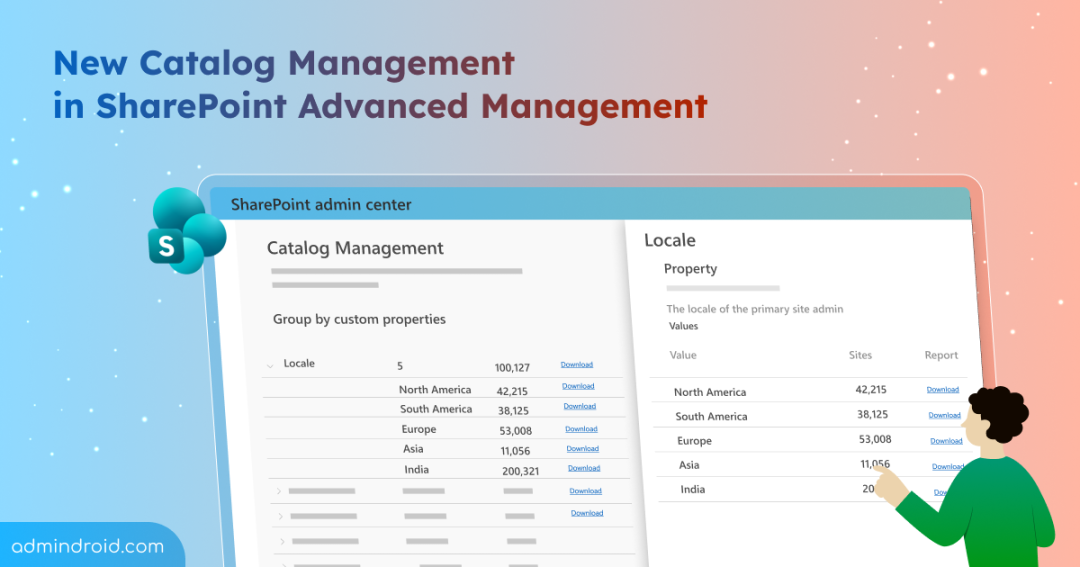
This new SharePoint Online capability lets admins group and organizes sites into logical clusters based on key properties. Instead of managing SharePoint sites individually, sites are automatically grouped based on shared characteristics.
These site clusters are created using a combination of
- built-in metadata (department, region, user type, etc.)
- admin-defined attributes
- tenant configuration such as Preferred Data Location (PDL) or Information Barriers segmentation.
You can access Catalog Management from the SharePoint admin center under Reports → Catalog management.
Here, you can:
- View how content is distributed across departments, geographies, and user groups.
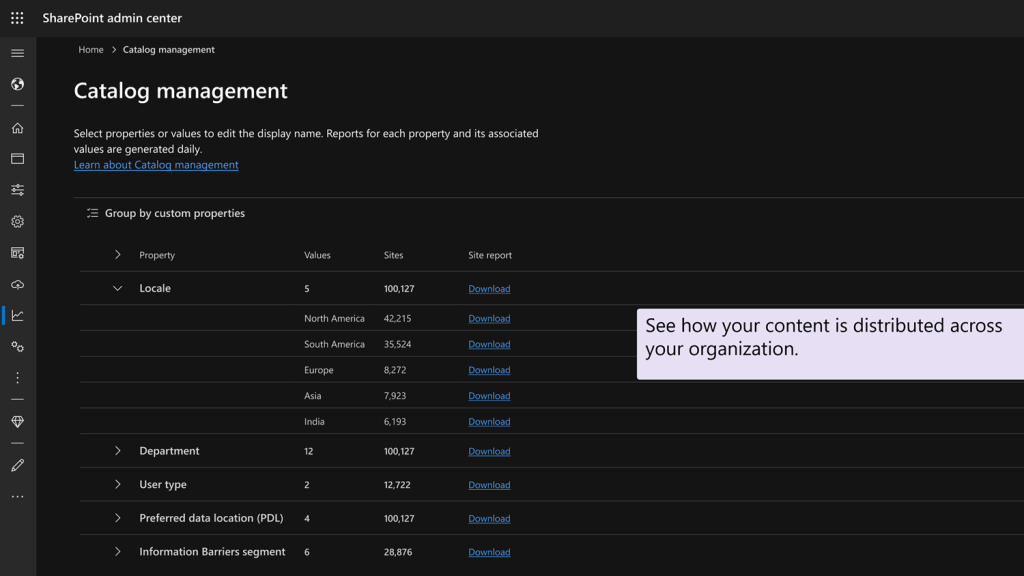
- Rename clusters to match your organization’s naming conventions.
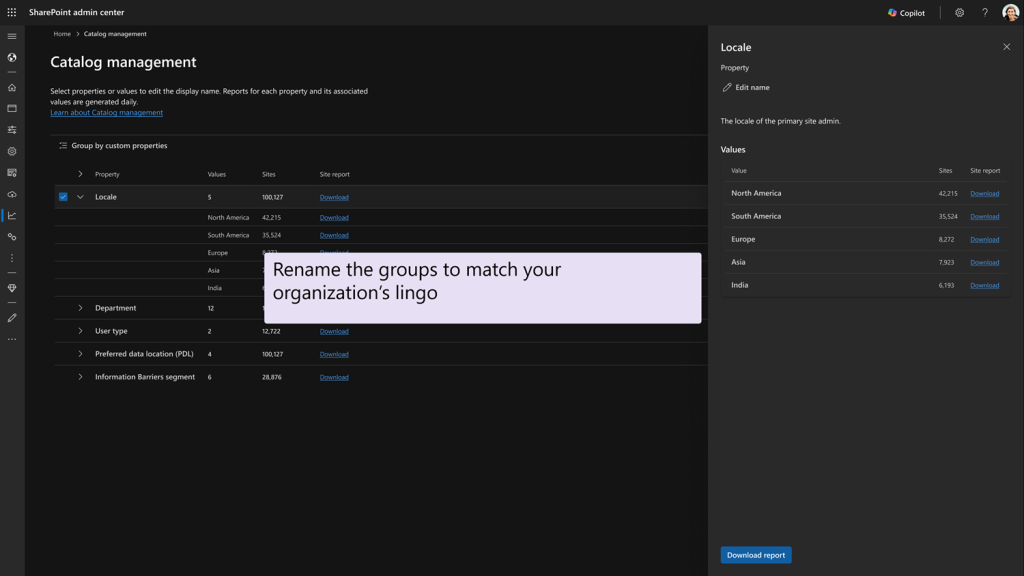
- Download reports, apply lifecycle, storage, access, or Copilot-related policies at the cluster level.
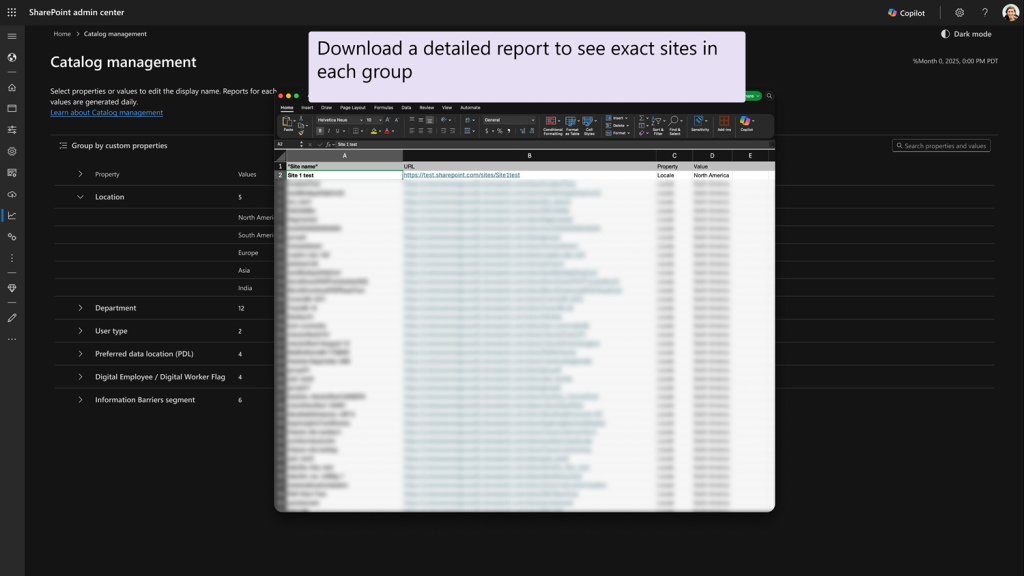
This approach shifts SharePoint administration from a traditional site-by-site model to a usage-driven governance model based on how people actually use it.
Why SharePoint Catalog Management Matters?
As Copilot and other AI models become more integrated into Microsoft 365, gaps in traditional SPO governance increase the risk of oversharing, outdated content, and uncontrolled access.
Catalog Management addresses these challenges by enabling precise targeting, such as
- Applying retention policy, access reviews, or lifecycle policies to specific clusters like guest-enabled project sites or region-based HR sites.
- It also helps reduce risk by identifying clusters with excessive sharing, supports Copilot readiness by defining which content is suitable for AI grounding.
- Improves storage efficiency by highlighting inactive or aging sites.
In addition, Catalog Management feeds insights into the SharePoint Admin Agent. This enables AI-driven recommendations to flag overshared sites, identify inactive clusters, and suggest lifecycle or access reviews at scale to simplify SharePoint management at scale.
Availability and Licensing Requirements for SharePoint Catalog Management
Microsoft is rolling out SharePoint Catalog Management globally,
- With public preview available from mid-November 2025 through late December 2025
- Followed by general availability from mid-December 2025 to late February 2026
Catalog Management is available to organizations that use SharePoint Advanced Management (SAM).
To use this feature, organizations must meet the following license requirements:
- Office 365 E3, E5, or A5
- Microsoft 365 E1, E3, E5, or A5
In addition to this, any one of the following is license is required:
- At least one Copilot for Microsoft 365 license (which unlocks SAM capabilities for tenant admins)
- Standalone SharePoint Advanced Management licenses
You must hold the SharePoint Administrator role or have equivalent permissions to access and manage Catalog Management in the SharePoint admin center.
What Actions Are Required for Admins?
No immediate action is required. Users will not notice any changes unless administrators apply governance actions to the generated clusters.
If your organization is planning a governance policy enforcement through Catalog Management, Microsoft recommends that site owners to:
- Keep site metadata up to date
- Regularly review and maintain permissions
- Close, archive inactive or no-longer-needed sites
Final Thoughts
Overall, SharePoint Catalog Management isn’t just another feature — it’s a fundamental shift in how SharePoint governance works at scale. By moving from scattered site management to structured clusters, you can gain better visibility, stronger control, and a clearer path to Copilot readiness. If your SharePoint environment feels increasingly hard to govern, this update is one to watch closely.
I hope you find this blog helpful. Feel free to share your thoughts on this feature in the comments below!