External sharing in Microsoft 365 has long relied on SharePoint One-Time Passcode (OTP) for accessing content. While convenient, email-based passcode authentication offers limited identity governance and less consistent enforcement of security policies like Conditional Access.
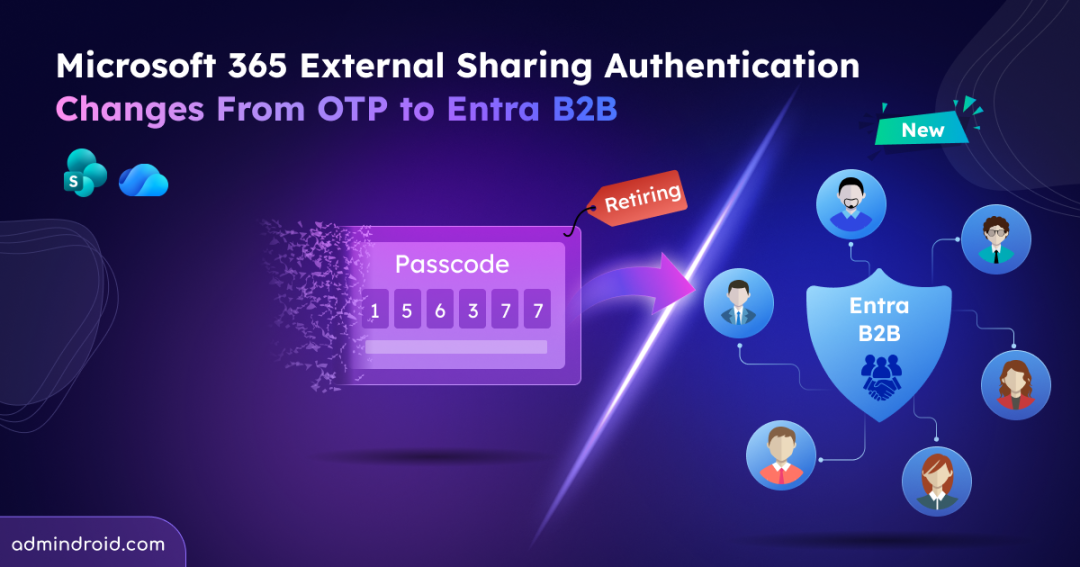
To address this gap, Microsoft is retiring One-Time Passcode and transitioning external sharing authentication in SharePoint and OneDrive to Entra B2B guest accounts. This change only updates the authentication method external users use to access existing SharePoint and OneDrive content. Let’s take a closer look at what this change and how to prepare.
What is the Upcoming Change in SharePoint and OneDrive External Sharing?
Previously, sharing a SharePoint or OneDrive file with an external email address has been simple. External users are authenticated using a one-time passcode sent to their inbox. That familiar experience is getting changed.
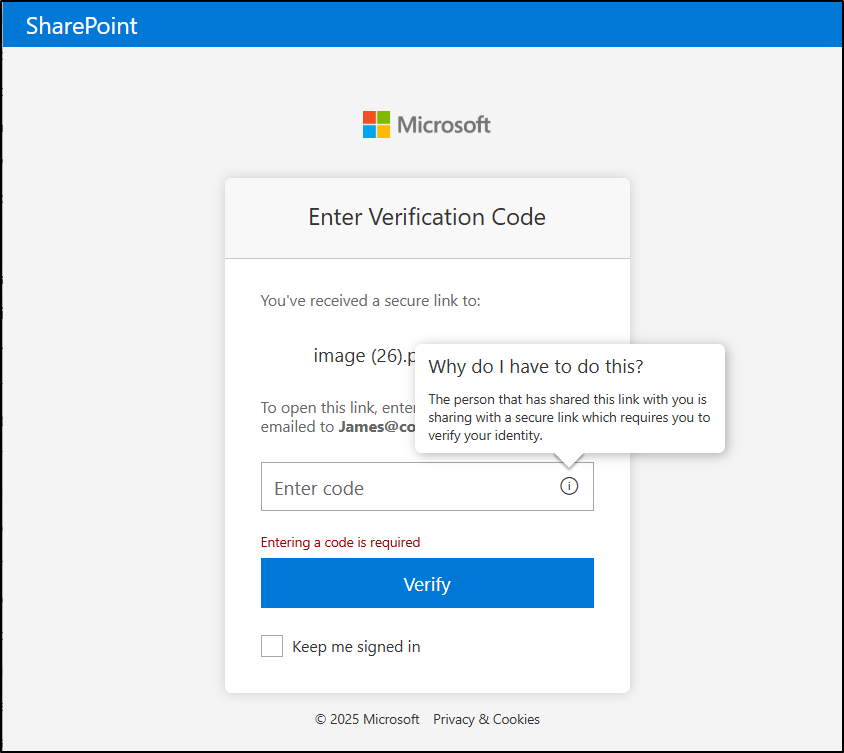
The biggest shift about this update isn’t just a feature retirement; it’s a change in how external identities are securely handled. External sharing transition to Entra B2B starts now and be tied to directory-backed guest accounts instead of temporary email-based authentication. That means every external user accessing SharePoint or OneDrive content exists as an identity inside your Microsoft Entra ID tenant.
This is a tenant-wide platform change affecting:
- All Microsoft 365 tenants (commercial, government, and sovereign).
- All external users accessing SharePoint or OneDrive files, folders, or sites.
If internal users must satisfy phishing-resistant MFA, external collaborators should also meet that requirement when accessing resources. This ensures data protection and governance standards are enforced uniformly. It reduces the risk of weaker access paths simply because the user is external.
How External Sharing Works After Entra B2B Transition?
The transition shifts external sharing in SharePoint and OneDrive to identity-based guest access instead of email OTP, requiring no admin action.
With the rollout:
- New external sharing invitations will use Microsoft Entra B2B instead of SPO OTP.
- Authentication for new externally shared links will follow the Entra B2B model.
- Microsoft Entra B2B Invitation Manager will create guest accounts automatically, also handle guest onboarding and access.
- The EnableAzureADB2BIntegration setting will no longer control sharing behaviour.
- The option to disable Entra B2B integration setting will be removed.
Note: Existing site-level sharing configurations (such as external sharing being disabled) remain unchanged.
SharePoint One-Time Passcode (SPO OTP) Retirement Timeline
Microsoft has announced the phased retirement of OTP authentication in SharePoint and OneDrive throughout 2026 as part of the transition to Microsoft Entra B2B.
📅 May & June 2026 – Rollout Completed
The transition to Microsoft Entra B2B for external sharing has begun. Existing sharing links continue to use SharePoint One-Time Passcode (OTP) authentication. For newly created sharing links, Microsoft automatically creates Microsoft Entra B2B guest accounts and authenticates external users through Entra B2B.
📅 October 2026 – Retirement Phase
OTP authentication retirement progresses. External users without an Entra B2B guest account will receive “Access Denied” on specific people links. Access can be restored by adding a guest account in Entra B2B or resharing content.
By October 31, 2026, retirement is expected to be completed. SPO OTP authentication will be fully retired, and Microsoft Entra B2B becomes the mandatory external sharing model for SharePoint and OneDrive.
Note: GCC, GCC High, and DoD timelines will be announced separately.
Advantages of Transitioning to Microsoft Entra B2B External Collaboration
Transitioning to Microsoft Entra B2B strengthens both security and governance while maintaining a flexible external collaboration experience.
Centralized Identity Governance: External users are created as guest accounts in your Microsoft Entra directory. This means they are subject to MFA and Conditional Access, visible in audit logs, and governed by guest lifecycle policy management.
No Mandatory Microsoft Account Creation: Invited users no longer need to create a Microsoft account to access shared resources. Authentication can occur through any of their existing work or school account, a Microsoft account, or a one-time passcode (if they don’t have either). This preserves user convenience while improving administrative control.
Federation Support: If your organization uses Google federation in Microsoft Entra ID, federated users can access SharePoint and OneDrive resources seamlessly.
Centralized Policy Enforcement: External sharing is now governed by Microsoft Entra organizational relationship settings, including:
- Members can invite
- Guests can invite
If Entra organizational settings are more restrictive than SharePoint or OneDrive settings, the Entra policy takes precedence ensuring centralized control.
How the External Sharing Authentication Method Impacts on External Users
For external users, the impact depends on whether a Microsoft Entra B2B guest account already exists or not.
➜ If the external user already has a B2B guest account, there is no behavioural change. Access continues normally under the Entra B2B authentication model.
➜ If the external user does not have a B2B guest account, the experience differs based on when the link was shared:
- For links shared after the rollout reaches your tenant, a guest account is automatically created via the Entra B2B Invitation Manager. Authentication occurs through Entra B2B, and email OTP may still be used within the B2B framework if enabled.
- For links shared before the rollout, SPO OTP continues temporarily until July 2026. After that, these users will receive Access Denied if a matching B2B guest account does not exist.
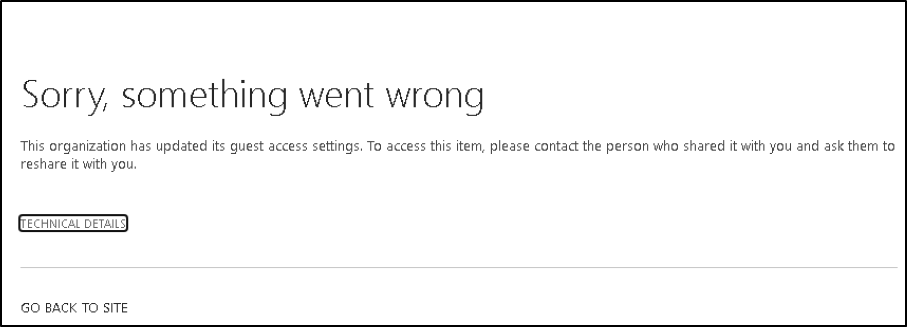
Users attempting to access older links may see messages such as:
“This organization has updated its guest access settings.”
Or
“Sorry, something went wrong. This organization has updated its guest access settings. To access this item, please contact the person who shared it with you and ask them to reshare it with you.”
How to Restore Access to Contents After SPO OTP Retirement
After SPO OTP authentication is retired, external users without a Microsoft Entra B2B guest account will lose access to previously shared “specific people” links.
There are two ways to restore access:
- An internal user with sharing permissions can share or re-share at least one file, folder, or site with the external user. It automatically creates the guest account via the Entra B2B Invitation Manager and restores access to all previously shared contents.
- Admins can manually create a guest account for the external user in Microsoft Entra ID.
After full retirement, all external access in SharePoint and OneDrive requires Microsoft Entra B2B guest identities. There is no fallback to SharePoint One-Time Passcode authentication.
Key Considerations for External Sharing Authentication Method
As external sharing transitions to Microsoft Entra B2B, organizations should proactively evaluate guest identity readiness and sharing configurations to ensure a smooth transition. Consider the following important points to note:
- Use audit logs to assess impact. Review auth events and guest access via Microsoft Purview audit logs to understand how external access is currently being used.
- Identify existing file and folder links that may rely on SPO OTP authentication. Use SharePoint sharing reports to detect older “specific people” links that could break after retirement.
- Inform internal users that some external collaborators may begin seeing Access Denied errors starting May 2026 if accessing content via legacy OTP-authenticated links.
- If your organization relies on email OTP for guest authentication, ensure Email OTP for B2B guests is not disabled in Entra External ID settings. This is separate from legacy SPO OTP.
- Review external sharing policies in SharePoint/OneDrive and evaluate Conditional Access rules applied to guest users and their restrictions in Entra. Ensure settings align with your organization’s external collaboration strategy.
- Internal documentation should note that authentication events and guest lifecycle actions are logged in Entra audit logs (not SPO OTP logs), which admins can review for access activity.
Closing Thoughts
The retirement of SPO OTP is a strategic move toward stronger, identity-based external collaboration in Microsoft 365. By shifting to directory-backed guest access through Microsoft Entra, organizations gain better security, improved visibility, and more consistent governance.
With the right preparation, this transition can strengthen your external sharing model rather than disrupt it. Stay tuned for more upcoming Microsoft 365 updates!