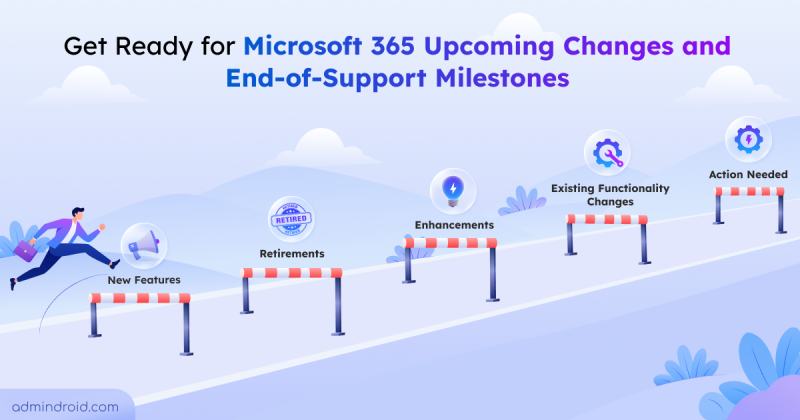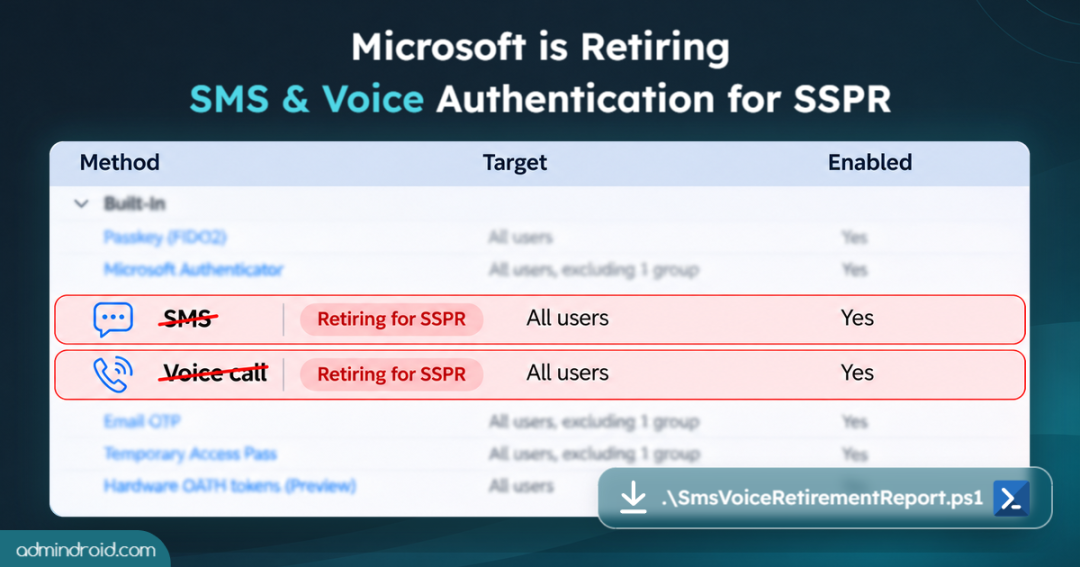
Microsoft is gradually phasing out its native SMS and voice authentication services across Microsoft Entra ID, with the retirement beginning in February 2027 and extending to Global Administrators and external users in July 2027.
Now, Microsoft has announced that this retirement also affects self-service password reset (SSPR), where users depend on SMS codes or voice calls to recover forgotten passwords.
In this blog, you’ll explore what is changing in SSPR, which users are most likely to be affected, and how to prepare your SSPR setup before the transition reaches your organization.
How SMS and Voice Retirement Affects SSPR?
When users forget their passwords, they can reset them on their own if self-service password reset is enabled for them. During a reset, Microsoft Entra ID checks whether they’ve registered enough methods to meet their organization’s SSPR policy. For many users, SMS or a phone call is one of those recovery methods.
Microsoft has given 50-day transition period for all organizations. It begins when the applicable sign-in retirement rollout reaches their tenants. `
During the 50-day transition period:
Users can still use their existing SMS and voice registrations to reset their passwords. However, they can’t add new SMS or voice methods in My Sign-Ins, and existing phone methods may appear as disabled.
After the 50-day transition period:
Microsoft-provided SMS and voice will no longer be available for SSPR. Admins should ensure affected users have suitable alternatives before the transition period ends. As SSPR policy won’t change automatically, users need to contact admins if they don’t have any registered alternate methods.
Rollout Timeline for SMS and Voice Retirement for SSPR:
Microsoft has announced a phased rollout, with different start dates for users other than Global Administrators and external users, and for those groups.
| Users Type | Sign-in retirement begins on | SMS & voice retire for SSPR |
| Users other than Global Administrators and external users | February 1, 2027 | 50 days after the rollout reaches the tenant |
| Global Administrators and external users | July 1, 2027 | 50 days after the separate rollout reaches the tenant |
Which SSPR Authentication Methods Can Users Still Use for Recovery?
After Microsoft-provided SMS and voice are retired for SSPR, users can continue using eligible methods configured in their organization’s SSPR policy.
| Method | Available for SSPR after Microsoft-provided SMS and voice retire? |
| Microsoft Authenticator, software OATH, and hardware OATH (preview) | Yes, counted as one method |
| Email one-time passcode (OTP) | Yes |
| SMS and voice through a provider configured in Microsoft Security Store | Yes |
| Security questions | Yes, but retiring in March 2027 |
| Passkeys, FIDO2 security keys, and Windows Hello for Business | No, these are sign-in methods, not SSPR recovery methods |
| Alternate phone | No, not counted toward the SSPR registered-method requirement |
Without a configured telephony provider, users may have only two eligible SSPR method groups available: the Authenticator/OATH group and email OTP. That can leave users unable to reset their passwords if their organization requires more methods than they have registered.
Find SMS or Voice Authentication Registered Users Using PowerShell
Before changing any policies, admins should know which users have SMS or voice authentication methods registered. These users may rely on those methods to reset their passwords, depending on their organization’s SSPR policy and the other methods they’ve registered.
The script below identifies internal users who have SMS or voice authentication methods registered and reports how retirement may affect their SSPR readiness. It also exports their registered authentication methods and SSPR status to a CSV file.
Run the script: SmsVoiceRetirementReport.ps1
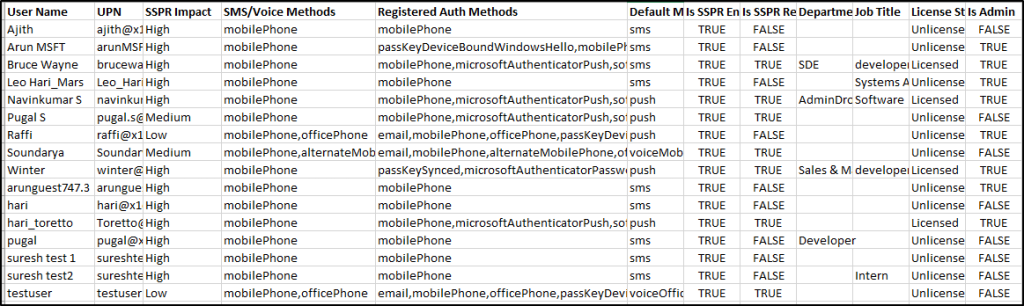
Find M365 Users Impacted by SMS and Voice Authentication Retirement
After running the PowerShell script, review the results using the table below.
| Impact Level | User category | Recommended action |
| High | Users with only SMS or voice registered, no other eligible recovery methods available | Prepare for alternative method registration |
| Medium | Users with SMS or voice registered along with one alternate recovery method | If an organization requires 2 methods for SSPR, users need to register one more method. Review SSPR policies |
| Low | User has 2 alternative recovery methods other than SMS and voice calls | Validate the recovery experience for the two methods. |
Note: Pay attention to users who rarely reset their passwords. They may not realize their recovery setup needs to change until they need to reset a password.
How to Prepare Your SSPR Setup Without SMS & Voice
Once affected users have been identified, the next step is to make sure they can recover their accounts without Microsoft-provided SMS or voice.
1. Prepare Alternative Recovery Methods:
Microsoft Entra ID supports several authentication and recovery methods, but not every method is suitable for every SSPR configuration.
Depending on your organization’s requirements, alternatives may include Microsoft Authenticator, email, or other eligible recovery methods.
The important part is to ensure that affected users have enough eligible methods configured before their transition period ends.
2. Review Your SSPR Policy:
Check how many recovery methods users must provide to reset their passwords. Microsoft Entra ID supports different SSPR configurations, so the required number of methods may vary between organizations.
Review your policy and make sure the alternative methods you plan to use are eligible for your configuration. Don’t assume that registering another sign-in method automatically satisfies SSPR requirements.
3. Enable Password Changes After a Secure Sign-in:
This setting allows users to change a forgotten password after they’ve signed in using a supported passwordless method, such as a passkey, certificate-based authentication, or passwordless sign-in with Microsoft Authenticator.
The setting requires Entra ID P1 or P2 and applies across the tenant. Microsoft is rolling it out through November 2026.
4. Test the Recovery Experience:
Test the password reset experience with a small group of affected users. Verify that users can complete the recovery process using the methods available to them.
This is especially important for users who already have passkeys or other strong sign-in methods but may not have enough eligible recovery methods.
Along with the above, make sure the helpdesk team is aware of SMS and voice retirement, which alternatives are available, and how to assist users who cannot complete SSPR.
Final Thoughts
Microsoft-provided SMS and voice retirement makes it important to review SSPR readiness ahead of 2027. Identify users who may rely on these methods, confirm they have alternative recovery options, and test those options before the change takes effect. This can help prevent password-reset disruptions and reduce avoidable helpdesk requests.
I hope this blog helps you identify users who may be affected and prepare for a smooth transition to alternative SSPR methods.