Last updated: April 2026
Join us in this blog as we explore the dynamic world of Microsoft 365. 🌟 We’ll shed light on the features and products that are undergoing transformations or bidding farewell. Whether you’re a system administrator 🧑💻 managing the Microsoft 365 environment or an avid user 🙋♂️ staying ahead of the curve, this blog will provide invaluable insights and actionable recommendations.
🚀Discover the key changes, deprecations, and end-of-support scenarios that require your attention. From deprecated features to configuration modifications and essential upgrade plans, we’ve got you covered! Make informed decisions and ensure a smooth transition.⚡️
Note: Interested in exploring past month’s features and deprecations? Look no further! You can find a comprehensive history of all the changes in our GitHub repository.
Microsoft 365 Upcoming Changes and Deprecations List:
Here is a list of changes categorized by month and year:
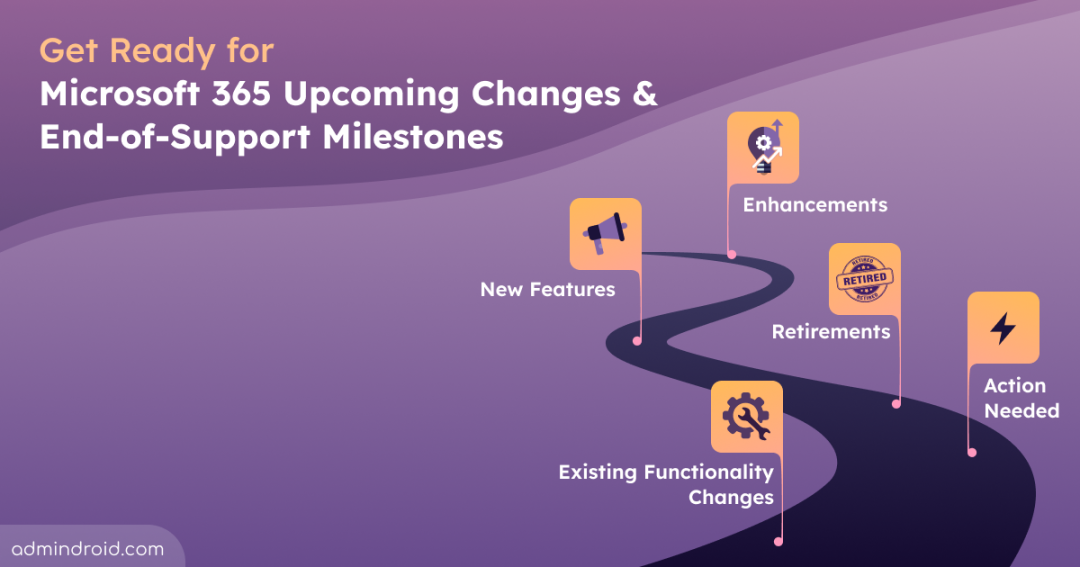
- April 2026 (Retirements: 7, New Features: 12, Enhancements: 6, Existing Functionality Changes: 6, Action Needed: 4)
- May 2026 (Retirements: 5, New Features: 15, Enhancements: 4, Existing Functionality Changes: 1, Action Needed: 1)
- June 2026 (Attention Needed: 10)
- Q3 2026 (Attention Needed: 14)
- Q4 2026 (Attention Needed: 9)
- 2027 (Attention Needed: 6)
April 2026
Retirements: 7 | New Features: 12 | Enhancements: 6 | Existing Functionality Changes : 6 | Action Needed: 4
Retirements
Apr 2026 – Retirement of SharePoint Online Legacy Information Management Features
Starting April 2026, SharePoint Online will retire several legacy compliance and records management features, including Information Management Policies, In-Place Records Management, and deletion-only policies for documents. These features will no longer be supported or accessible through the UI or APIs.
Solution: Organizations should migrate to modern Microsoft Purview capabilities, including Data Lifecycle Management and Purview Records Management.
Ref: https://admin.cloud.microsoft/?#/MessageCenter/:/messages/MC1211579
Apr 02, 2026 – SharePoint 2013 Workflow Retirement
SharePoint 2013 workflows will no longer be supported after April 2, 2026, with no option for extension.
Solution: You can move to Power Automate or other supported solutions.
Ref: https://admin.microsoft.com/?ref=MessageCenter/:/messages/MC542767
Apr 02, 2026 – SharePoint Add-in Retirement
SharePoint Add-Ins will stop working for existing tenants from April 2, 2026.
Solution: Admins can run the Microsoft 365 Assessment tool to scan their tenants for SharePoint Add-In usage. They should transition to SharePoint Framework (SPFx) and coordinate with vendors for updated solutions.
Ref: https://admin.microsoft.com/?ref=MessageCenter/:/messages/MC693865
Apr 02, 2026 – Azure ACS Retirement in Microsoft 365
After April 2, 2026, existing tenants using Azure ACS for custom or third-party app access in SharePoint Online will no longer function due to its retirement.
Solution: Admins can utilize the Microsoft 365 Assessment tool to scan the tenants for any usage of Azure Access Control Service (ACS) and migrate from Azure ACS to Microsoft Entra ID.
Ref: https://learn.microsoft.com/en-us/sharepoint/dev/sp-add-ins/retirement-announcement-for-azure-acs
Apr 02, 2026 – Retirement of Domain Isolated Web Part in SharePoint Framework
From Apr 02, 2026, the domain isolated web part feature will be fully retired. Organizations using this feature will see the web part render and receive an error message.
Solution: Update your domain isolated web parts to regular web parts and redeploy them to ensure continued functionality.
Apr 06, 2026 – Semi-Annual Enterprise Channel Installation Option Retirement for Unmanaged Devices
From April 6 to April 11, 2026, Microsoft will retire the Semi-Annual Enterprise Channel installation option for unmanaged devices in the Microsoft 365 apps admin center. Devices already using this channel will not be impacted, but it will no longer be an option for future selections.
If currently in use, the option will appear grayed out and can’t be reselected once changed. Existing unmanaged devices will continue using it until you update the channel.
Ref: https://admin.cloud.microsoft/#/MessageCenter/:/messages/MC1249427
Apr 15, 2026 – Deprecation of Engage Live Events Powered by Teams Live Events
Viva Engage is retiring live events powered by Teams Live Events on April 15, 2026. After this date, organizers will no longer be able to schedule new live events in Engage using Teams Live Events. Existing events scheduled before the retirement date will continue to be supported until February 28, 2027.
Solution: Migrate to Viva Engage events powered by Teams town halls.
Ref: https://admin.cloud.microsoft/?#/MessageCenter/:/messages/MC1227085
New Features
Early-Apr 2026 – Rule-Based Management for Microsoft 365 Third-Party Apps in Teams
Microsoft is adding a rule-based configuration option in the Teams admin center to simplify app management. With this update, administrators can control Microsoft 365 certified third-party apps in bulk from the Org-wide settings section. Also, app availability can be determined using publisher information and permission scopes.
Ref: https://admin.cloud.microsoft/?#/MessageCenter/:/messages/MC1085133
Early-Apr 2026 – Microsoft Teams Express Voice Enrollment
Microsoft Teams is introducing Express Voice Enrollment, allowing users to quickly register voice profiles through an in-meeting prompt. Voice profiles enable features such as voice isolation, speaker recognition, improved transcripts, and Microsoft 365 Copilot–powered meeting insights.
The feature will be enabled by default for enterprise tenants (excluding EDU). Organizations that previously disabled voice enrollment policies will remain unaffected. Admins can manage enrollment settings using the new CsTeamsAIPolicy PowerShell cmdlet through the PassiveVoiceEnroll setting.
Ref: https://admin.cloud.microsoft/?#/MessageCenter/:/messages/MC1197146
Early-Apr 2026 – Microsoft Teams Introduces Support for Multiple Phone Numbers Per Account
Microsoft Teams Phone will soon support assigning up to 10 phone numbers to a single user. This feature is off by default and requires admin configuration with a Teams Phone license. It allows users to handle calls from multiple numbers across Teams desktop, mobile, and Teams devices within one account.
Ref: https://admin.cloud.microsoft/#/MessageCenter/:/messages/MC1253752
Early-Apr 2026 – Passkeys Supported in Microsoft Entra Registration Campaigns
Microsoft introduces Passkey (FIDO2) support in Microsoft Entra ID registration campaigns as a target authentication method. This allows admins to prompt users to register phishing-resistant passkeys during sign-in instead of relying only on the Microsoft Authenticator app.
In Microsoft-managed tenants, Entra ID may automatically switch the campaign target from Microsoft Authenticator to Passkeys when users are ready for passwordless adoption.
Ref: https://admin.cloud.microsoft/?#/MessageCenter/:/messages/MC1253746
Early-Apr 2026 – Cross-Tenant Intune MAM Support in Microsoft Edge for Business
Microsoft Edge for Business now supports cross-tenant Intune Mobile Application Management (MAM) policies, allowing organizations to protect corporate data in Edge work profiles even when devices are managed by another tenant. This enables secure access in scenarios like contractors, partners, or mergers without requiring additional device enrollment.
The feature is off by default and must be enabled by admins. When configured, MAM policies apply within the Edge work profile, redirecting protected downloads to OneDrive for Business and enforcing controls such as screenshot and DevTools restrictions. Personal browsing and unmanaged profiles remain unaffected.
Ref: https://admin.cloud.microsoft/#/MessageCenter/:/messages/MC1255405
Early-Apr 2026 – Data Security Triage Agent Summaries for DLP Alerts in Microsoft Defender XDR
Microsoft introduces AI-driven summaries and categorization for DLP alerts in Microsoft Defender XDR using the Microsoft Purview Data Security Triage Agent, helping streamline investigation and prioritization. The rollout begins in preview in April 2026.
The agent continues to be managed in Microsoft Purview, with no changes to existing DLP policies or user experience.
Ref: https://www.microsoft.com/en-US/microsoft-365/roadmap?filters=&searchterms=558860
Apr 2026 – Device Health Reporting Dashboard for Endpoint DLP in Microsoft Purview
Microsoft Purview introduces a device health dashboard in preview to monitor endpoint connectivity, ensuring policy readiness and quick remediation for non-compliant devices.
Ref: https://www.microsoft.com/en-in/microsoft-365/roadmap?id=559267
Mid-Apr 2026 – New Protection Reports in Teams Admin Center
Building on existing message reporting and newly introduced call reporting, Microsoft is introducing Protection reports in the Teams admin center. This enables admins to review and export user-reported suspicious messages and calls, provided that user reporting settings are enabled.
Ref: https://admin.cloud.microsoft/?#/MessageCenter/:/messages/MC1227625
Mid-Apr 2026 – New Auto-Labeling Actions for SharePoint and OneDrive in Microsoft Purview
Microsoft is introducing two major auto-labeling actions to refine data classification in SharePoint and OneDrive. These features allow for more dynamic governance of files at rest.
- Override Manual Labels: Policies can now automatically replace manually applied sensitivity labels if a file matches new auto-labeling criteria.
- Automatic Label Removal: Labels will be automatically stripped from files that no longer meet your organization’s classification rules.
This feature is off by default and must be configured by admins in the Microsoft Purview portal. Review existing policies, as file labels may be automatically updated or removed.
Ref: https://admin.cloud.microsoft/#/MessageCenter/:/messages/MC1249431
Apr 20, 2026 – Microsoft Adds Security Copilot to Microsoft 365 E5
Microsoft is adding Security Copilot capabilities to Microsoft 365 E5 through a phased rollout from April 20 to June 30, 2026. Eligible tenants will receive notifications prior to enablement.
- Includes 400 Security Compute Units (SCUs) per month per 1,000 users (up to 10,000 SCUs/month)
- Provides core Security Copilot experiences across Microsoft Entra, Intune, Purview, Defender, and the Copilot portal
- Supports developer tools and APIs for building custom agents and integrations
Ref: https://admin.cloud.microsoft/?#/MessageCenter/:/messages/MC1261596
Late-Apr 2026 – OneDrive Simplified File Transfer for Departing Employees
Microsoft has enhanced OneDrive file management for departing employees, simplifying how managers access, review, and transfer files while preserving existing sharing permissions. These improvements help ensure important organizational content remains accessible during employee offboarding.
The update introduces improved and more visible notifications, enhanced filtering to quickly identify shared or important files, and bulk file transfer capabilities using Move and keep sharing, which retains existing access permissions. Additionally, collaborators receive a single consolidated notification when multiple files are moved, while managers or designated owners automatically gain access to departing users’ OneDrive content.
Ref: https://admin.cloud.microsoft/?#/MessageCenter/:/messages/MC1164381
Late-Apr 2026 – New SharePoint Experience Introduced with Redesigned Navigation and AI Enhancements
Microsoft is introducing a new SharePoint experience with a simplified design and improved navigation to help users discover content, publish information, and build solutions more efficiently. The update also brings AI-assisted capabilities, which require a Microsoft 365 Copilot license.
The experience includes a redesigned SharePoint app bar with Discover, Publish, Build, OneDrive, and Home options, along with refreshed pages, news, libraries, and lists for improved content visibility while preserving existing site branding.
Ref: https://admin.cloud.microsoft/?#/MessageCenter/:/messages/MC1240699
Enhancements
Apr 1, 2026 – Extended Access to Advanced Capabilities in Microsoft Teams and Places
Effective April 1, 2026, Microsoft is updating Teams and Places licensing to bring several high-value features directly into core Teams Enterprise licenses, making collaboration, space management, and large-scale events easier for all users:
- Microsoft Places Explorer and Places Finder for end-users → now included in licenses with Teams/Outlook calendar (E3/E5, Business, Exchange Online, etc.)
- Teams Shared Space license → renamed and expanded; admins get space management + analytics; 4 desks per license.
- Town halls & webinars → advanced features now available for all Teams Enterprise users, up to 3,000 interactive attendees (10,000 view-only)
- New Attendee pack add-ons → extend town hall capacity from 5,000 up to 100,000 participants.
Apr 1, 2026 – Pay-as-you-go Model for Generative AI Apps in Purview Insider Risk Management
Microsoft introduces a pay-as-you-go (PAYG) model for Other AI apps indicators in Insider Risk Management, shifting them from license-based to consumption-based billing starting April 1, 2026.
- Billing is based on the number of user activities processed for these indicators.
- An Azure subscription must be linked to Microsoft Purview to enable usage and billing.
- Existing Copilot-related indicators remain license-based and continue to work without an Azure subscription.
- The “Entering risky prompt in Other AI apps” indicator moves to the PAYG model.
Ref: https://admin.cloud.microsoft/#/MessageCenter/:/messages/MC1242784
Apr 2026 – Jailbreak and Root Detection in Microsoft Authenticator App
Microsoft will enhance the Microsoft Authenticator app with jailbreak and root detection capabilities for Entra credentials on iOS platforms. Once this feature is active, Entra credentials on jailbroken or rooted devices will stop functioning. And any existing ones will be automatically wiped for security reasons.
Ref: https://admin.cloud.microsoft/?#/MessageCenter/:/messages/MC1179154
Apr 2026 – Enhancements to Microsoft Purview Data Security Triage Agent
Microsoft is introducing several enhancements to the Data Security Triage Agent in Microsoft Purview to improve alert investigation and administrative management.
- Metadata-supported custom instructions (DLP): The agent now supports metadata-based instructions in addition to content-based rules, enabling contextual alert analysis—for example, focusing on alerts related to sensitive documents shared by a specific user within the last 20 days.
- Consolidated agent settings: Deployment configuration and trigger settings are unified into a single management view, simplifying administration and updates.
- Support for non-content condition alerts (DLP): Alerts generated from non-content conditions can now be triaged and categorized instead of being marked unsupported.
- Agent identity support: The triage agent can now operate using its own Microsoft Entra identity instead of the configuring user’s identity, improving auditability and operational transparency.
Ref: https://www.microsoft.com/en-in/microsoft-365/roadmap?id=557552
Late-Apr 2026 – Enhanced Group Targeting for Sensitivity Label Policies in Microsoft Purview
Microsoft introduces enhanced targeting options for sensitivity label policies in Microsoft Purview. Admins can now exclude modern Microsoft 365 groups and include dynamic, non-mail-enabled security groups when assigning labels.
Ref: https://www.microsoft.com/en-in/microsoft-365/roadmap?id=558685
Late-Apr 2026 – Cross-tenant Security Group Synchronization
Previously, cross-tenant synchronization supported only users. Microsoft is now extending this capability to security groups in Microsoft Entra, allowing centralized group management and cross-tenant access.
The feature will enter general availability by late-April and requires admin opt-in with configured attribute mappings and access policies.
Ref: https://admin.cloud.microsoft/?#/MessageCenter/:/messages/MC1198077
Existing Functionality Changes
Apr 2026 – Teams Android Device Management Moves to Pro Management Portal
Microsoft is transitioning the management of Teams Rooms on Android, Teams phones, Teams panels, and Teams displays from the Teams Admin Center (TAC) to the Pro Management Portal (PMP). This unifies Teams device management into a single platform, with rollout beginning in Public Preview in April 2026.
As part of this transition, device inventory and health data will automatically appear in PMP, and admins performing management actions in TAC will be redirected to the new portal experience.
Ref: https://admin.cloud.microsoft/?#/MessageCenter/:/messages/MC1227622
Apr 2026 – Customize OneDrive Sync Folder Names on Windows
By default, the local OneDrive sync folder is named “OneDrive – Organization Name,” which can consume available path length for deeply nested files and folders. Microsoft is introducing a new policy that allows administrators to customize the local OneDrive sync root folder name on users’ Windows devices.
This enables shorter sync folder names, improving usability and reducing issues caused by long file paths.
Ref: https://www.microsoft.com/en-in/microsoft-365/roadmap?id=557562
Mid-Apr 2026 – Always-On Diagnostics Enabled by Default for Endpoint DLP
Always-on diagnostics for Endpoint Data Loss Prevention (DLP) will be enabled by default on onboarded Windows devices in Microsoft Purview. Diagnostic data—including policy evaluations, file classification, enforcement actions, and errors—is securely stored locally for up to 90 days.
This simplifies troubleshooting by eliminating the need to reproduce issues and allows admins to securely share diagnostic logs with Microsoft to speed up support investigations and resolution.
- Admins can opt out of Always-on diagnostics in the Microsoft Purview portal until the second week of April 2026.
- If no action is taken, diagnostics will be enabled by default, after which admins can still opt out at any time.
Disabling this feature may reduce visibility into Endpoint DLP activity and make troubleshooting more difficult, potentially increasing investigation time.
Ref: https://admin.cloud.microsoft/#/MessageCenter/:/messages/MC1246001
Mid-Apr 2026 – Microsoft Purview Increases Review Set Limit per Case in eDiscovery Premium
Microsoft Purview is increasing the eDiscovery (Premium) review set limit from 20 to 100 per case. These review sets, which are used for document analysis, tagging, and export, will expand for both new and existing investigations starting mid-April 2026.
Ref: https://www.microsoft.com/en-in/microsoft-365/roadmap?id=558858
Mid-Apr 2026 – Decoupling Policy Tips & Email Notifications for SharePoint and OneDrive DLP
Currently, enabling email notifications in DLP policies for SharePoint and OneDrive also forces policy tips to be enabled, and vice versa. With this capability now generally available, admins can configure policy tips and email notifications independently, providing more flexibility in how alerts are managed.
Ref: https://admin.cloud.microsoft/?#/MessageCenter/:/messages/MC791114
Mid-Apr 2026 – Viva Engage Email Sender Domain Migration
Microsoft is completing the migration of email sender domains from @yammer.com to @engage.mail.microsoft. For organizations in the European region, the sender domain will transition from @eu.yammer.com to @eu.engage.mail.microsoft. This update ensures a consistent brand experience and enhances security by using modern authentication protocols like SPF and DKIM on the new Microsoft-managed domains.
While a coexistence period has been in place since late 2025, the mid-April 2026 deadline marks the final cutoff where all Viva Engage notifications, announcements, and digests will exclusively use the new domain.
Ref: https://admin.cloud.microsoft/#/MessageCenter/:/messages/MC1251200
Action Required
Apr 8, 2026 – Retirement of Reporting Web Service Message Trace Endpoints
Effective April 8, 2026, Microsoft will begin retiring Reporting Web Service message trace endpoints.
Solution: Organizations currently relying on the Reporting Web Service API for Message Trace should begin transitioning to Microsoft Graph API for Message Trace.
Ref: https://admin.cloud.microsoft/?#/MessageCenter/:/messages/MC1221939
Apr 14, 2026 – Outlook for Windows Usage Report Retirement in the Exchange Admin Center
Microsoft is retiring the Outlook for Windows usage report from the Exchange admin center as part of ongoing efforts to streamline and modernize reporting experiences. Starting April 14, 2026, this report will no longer be available, and the change will occur automatically with no opt-out or admin control.
Solution: Administrators can continue accessing Outlook for Windows usage insights from the Microsoft 365 admin center → Reports → Usage → Microsoft 365 Apps → Outlook for Windows.
Ref: https://admin.cloud.microsoft/?#/MessageCenter/:/messages/MC1230889
Apr 30, 2026 – Retirement of Office 365 Connectors in Microsoft Teams
The retirement deadline for Office 365 Connectors in Microsoft Teams has been extended to April 30, 2026, giving organizations additional time to migrate.
Solution: Plan and complete the transition from Office 365 Connectors to Workflows webhooks to avoid disruption.
Apr 30, 2026 – End of Support for Microsoft Defender on iOS 16 Devices
Starting April 30, 2026, Microsoft will retire support for Microsoft Defender for iOS on devices running iOS 16. After this date, these devices will no longer receive updates, security patches, or technical support. Additionally, new installations of Microsoft Defender for iOS will no longer be available on iOS 16 devices once support ends.
Solution: Identify iOS 16 devices using your device management tools and upgrade them to iOS 17 or later, or replace devices that cannot be upgraded to maintain continued protection.
Ref: https://admin.cloud.microsoft/#/MessageCenter/:/messages/MC1245219
May 2026
Retirements
May 1, 2026 – Retirement of IDCRL Authentication in SharePoint and OneDrive
Microsoft is retiring the legacy IDCRL (Identity Client Run Time Library) authentication protocol in SharePoint and OneDrive for Business as part of the Secure Future Initiative. Legacy authentication will be permanently blocked beginning May 1, 2026, with modern OpenID Connect and OAuth protocols taking precedence.
Solution: Organizations should transition to modern authentication as soon as possible.
Ref: https://admin.cloud.microsoft/?#/MessageCenter/:/messages/MC1184649
Early-May 2026 – Retirement of Select IaaS and PaaS Detections in Defender for Cloud Apps
Microsoft is retiring a small set of Infrastructure as a Service (IaaS) and Platform as a Service (PaaS) threat detections within Microsoft Defender for Cloud Apps. This change reflects a refined focus on identity-related threats across Microsoft Entra, on-premises, and SaaS environments.
- Affected alerts and behaviors (e.g., VM creation/deletion, CloudTrail changes, storage deletions) will no longer be generated.
- Related built-in policies will be removed from the Policy management page.
- Existing alerts remain available in Alerts, Incidents, and Advanced Hunting for historical analysis.
- Links to removed policies will indicate they are deleted.
Solution: Review and update any operational processes, playbooks, or documentation that rely on these detections.
Ref: https://admin.cloud.microsoft/#/MessageCenter/:/messages/MC1254554
Early-May 2026 – Microsoft Teams Locks CAPTCHA Policy for Meeting Join
Microsoft Teams will lock the “Require verification by participants (CAPTCHA)” policy starting early May 2026, preventing admins from enabling it. This marks the beginning of CAPTCHA retirement, with a transition to a default-on bot detection capability that requires organizer approval for external bots.
Ref: https://admin.cloud.microsoft/#/MessageCenter/:/messages/MC1262588
May 15, 2026 – Retirement of External Access Tokens for Actionable Messages
External access tokens for actionable messages will be retired on May 15, 2026, and organizations must transition to Microsoft Entra authentication to ensure continued functionality. After this date, any actionable message relying on external tokens will fail. This change strengthens security and aligns with modern identity standards.
Solution: Organizations using actionable messages should review their current implementations and update all integrations to Microsoft Entra authentication before the deadline to avoid disruptions.
Ref: https://admin.cloud.microsoft/#/MessageCenter/:/messages/MC1189663
May 18, 2026 – Microsoft to Block InfoPath Form Publishing in SharePoint Online
In preparation for the full retirement of InfoPath Forms Services on July 14, 2026, Microsoft will prevent the publication of any new or updated InfoPath forms starting May 18, 2026. This change applies to all Microsoft 365 environments, including Government Clouds (GCC, GCC High, and DoD). Existing published forms will remain accessible but cannot be modified or republished.
Solution: Run the Microsoft 365 Assessment tool to identify InfoPath usage and migrate to Power Apps, Power Automate, or Microsoft Forms before the retirement date.
Ref: https://admin.cloud.microsoft/#/MessageCenter/:/messages/MC1255407
New Features
May 1, 2026 – General Availability of Microsoft 365 E7 Frontier Suite
Microsoft has announced the official launch of Microsoft 365 E7, a new premium licensing tier arriving May 1, 2026. Priced at $99 per user per month, the E7 suite is designed for organizations ready to scale autonomous AI agents and advanced security at an enterprise level.
E7 serves as a comprehensive bundle, unifying the existing Microsoft 365 E5 foundation with Microsoft 365 Copilot, the new Agent 365 governance platform, and the full Microsoft Entra Suite. This consolidation offers approximately 15% savings compared to purchasing these components individually.
Ref: https://partner.microsoft.com/en-US/blog/article/agent-365-announcement?wt.mc_id=mxhr8c6r8v
Early May 2026 – Brand Impersonation Protection for Teams Calling
Microsoft is introducing Brand Impersonation Protection for Teams calling. This feature detects and warns users about fraudulent external callers impersonating trusted organizations.
Users will see a warning and can choose to accept, block, or end the call. The feature will be enabled by default and will evaluate incoming VoIP calls from first-time external callers.
Ref: https://admin.cloud.microsoft/?#/MessageCenter/:/messages/MC1219793
Early May 2026 – Private Organizer Chat for Teams Meetings, Webinars, and Town Halls
Microsoft Teams is introducing a private chat experience for organizers, co-organizers, and presenters across structured meetings, webinars, and town halls. This dedicated chat allows event teams to collaborate privately before, during, and after sessions without involving attendees.
The update also standardizes backroom chat behavior in town halls, removing inconsistencies previously caused by streaming chat settings or Teams Premium licensing. Backroom chat will be enabled by default after rollout.
- If admins disable the backroom chat policy, previously scheduled town halls may lose organizer backroom chat access once meeting options are updated.
- Town halls that previously did not have backroom chat enabled may automatically gain access after the rollout.
Ref: https://admin.cloud.microsoft/?#/MessageCenter/:/messages/MC1188222
Early May 2026 – Centralized App and Agent Evaluation Experience in Microsoft Teams
Microsoft Teams is introducing a centralized evaluation experience in the Teams admin center to simplify app and agent approval decisions. Administrators can define organizational trust requirements once, after which Teams will automatically generate evaluation scores and detailed assessment reports for apps and agents based on compliance and security criteria.
The evaluation score settings will be available under Teams admin center → Teams apps, allowing admins to review, sort, and filter apps using trust and compliance insights. This feature is enabled by default and does not change existing app enablement or blocking behavior.
Ref: https://admin.cloud.microsoft/?#/MessageCenter/:/messages/MC1218713
May 2026 – New Agents Usage Report in Microsoft 365 Admin Center
Microsoft introduces a new Agents Usage Report in the Microsoft 365 admin center to help admins track adoption and usage of AI agents across Microsoft 365 Copilot and Copilot Chat. It provides a centralized view of interactions from both licensed and unlicensed users.
Admins can monitor active users and agents, segment data by creator type (organization, Microsoft, or third-party), and view detailed usage across users, agents, and user-agent interactions.
Ref: https://www.microsoft.com/en-in/microsoft-365/roadmap?id=497999
May 2026 – Microsoft Entra ID Account Recovery
Microsoft is introducing Entra ID Account Recovery, a new advanced recovery feature that helps users regain access to organizational accounts if they lose all registered authentication methods. Unlike a standard password reset, this feature securely verifies the user’s identity and re-establishes trust before allowing new authentication methods to be set up.
Ref: https://www.microsoft.com/en-in/microsoft-365/roadmap?filters=&searchterms=529856
May 2026 – Sensitivity Label Inheritance for Teams Meeting Recordings
Microsoft Teams meeting recordings will automatically inherit the meeting’s sensitivity label when label inheritance is enabled. This ensures that access controls, data protection policies, and agent responses based on meeting transcript respect the meeting’s sensitivity classification end to end.
Ref: https://www.microsoft.com/en-in/microsoft-365/roadmap?id=557178
May 2026 – Conditional Access for Microsoft Entra Account Recovery
Microsoft Entra ID has introduced Account Recovery to help users regain access when all registered authentication methods are unavailable. The recovery flow is secured with Conditional Access policies and will be available in public preview in March.
Ref: https://www.microsoft.com/en-in/microsoft-365/roadmap?id=529855
May 2026 – Chat With Anyone in Teams Using an Email Address
Teams will soon allow users to chat with external contacts using their email addresses, even if those contacts do not have a Teams account. External users will receive an invitation to join as guests. This experience, which will be in General availability follows your organization’s B2B Guest policy and will be enabled by default.
Admins can disable chat with anyone using an email address by setting UseB2BInvitesToAddExternalUsers as false in Set-CsTeamsMessagingPolicy cmdlet.
Ref: https://admin.cloud.microsoft/?ref=MessageCenter/:/messages/MC1182004
May 2026 – Integration of Viva Engage Communities in Microsoft Teams
Microsoft is integrating Viva Engage communities into Microsoft Teams, enabling discoverable conversations, unified navigation, synced memberships, and enhanced admin controls. The feature is enabled by default, and administrators can disable it if required.
It is available to all Microsoft Teams customers with a standard Microsoft 365 and Teams license, with no additional licensing required.
Ref: https://admin.cloud.microsoft/?#/MessageCenter/:/messages/MC1218423
May 2026 – Automatically Set Work Location by Connecting to a Wi-Fi Network
Microsoft Teams will introduce a feature that automatically sets users’ work locations when they connect to the organization’s Wi-Fi or certain peripherals. This helps deliver location-based experiences without manual input. The feature will be disabled by default. Tenant admins will have the option to enable it and will require end-user consent to proceed.
Ref: https://www.microsoft.com/en-US/microsoft-365/roadmap?filters=&searchterms=488800
Mid-May 2026 – New Exchange Online PowerShell Cmdlet to Change Meeting Organizer
Beginning mid-May 2026, Exchange Online introduces a new PowerShell cmdlet to change meeting organizer for single meetings or recurring series. This helps maintain continuity during offboarding or role changes, without requiring attendees to respond again to the meeting.
Once transferred, the new organizer gains full control of the event, including recurrence, description, and attendees. Meetings for internal attendees are updated silently, while external attendees receive updated invites and must accept again.
The feature is enabled by default, preserves meeting history, and future support is planned in Outlook and Teams interfaces.
Ref: https://admin.cloud.microsoft/#/MessageCenter/:/messages/MC1227623
Mid-May 2026 – New External Domain Anomalies Report in Teams Admin Center
Microsoft Teams will roll out a new External Domain Anomalies report in mid-May 2026. The report helps admins detect unusual or risky external interactions by flagging spikes, new domains, and abnormal communication patterns. This provides early visibility into potential data sharing and security risks.
Ref: https://www.microsoft.com/en-in/microsoft-365/roadmap?id=536572
Mid-May 2026 – Automatic Detection and Labeling of External Bots in Microsoft Teams Meetings
Starting mid-May 2026, Microsoft Teams will automatically detect and label third-party bots joining Teams meetings. Organizers will see them marked as unverified and can choose to Admit, Deny, or Remove them from the meeting lobby.
Ref: https://admin.cloud.microsoft/#/MessageCenter/:/messages/MC1251206
Late-May 2026 – Data Security Posture Agent in Microsoft Purview
Microsoft Purview will introduce the Data Security Posture Agent to continuously discover sensitive data and assess data risks across the environment.
The agent uses AI to analyze content intent and meaning, delivering clearer insights and summaries that help security teams quickly identify risks and take corrective actions. It will be out for general availability by late-May 2026.
Ref: https://admin.cloud.microsoft/?#/MessageCenter/:/messages/MC1217155
Enhancements
May 2026 – Retention Based on “Last Accessed” for OneDrive and SharePoint
Previously, retention policies could delete content based on conditions such as ‘When items were created’ or ‘When items were last modified’. Microsoft is now enhancing Data Lifecycle Management by introducing a new “When items were last accessed” condition for retention policies.
This feature allows admins to manage and automatically clean up OneDrive and SharePoint content based on access history. It improves storage hygiene and helps optimize Microsoft 365 Copilot responses.
Ref: https://admin.microsoft.com/Adminportal/Home#/MessageCenter/:/messages/MC999442
May 2026 – Insider Risk Management for AI Agents
As AI agents become more common in Microsoft 365, associated risks also continue to rise. Microsoft will extend Insider Risk Management to cover AI agents, enabling admins to define policies specifically for agent-driven activities. This enhancement helps detect, flag, or block risky behaviors when AI agents access sensitive data or perform high-risk actions across platforms like Copilot Studio, Azure AI Foundry, and Agent 365.
Ref: https://www.microsoft.com/en-in/microsoft-365/roadmap?filters=&searchterms=516032
May 2026 – Hard Delete Configuration for SharePoint and OneDrive in Purview Priority Cleanup Policies
Microsoft Purview will allow admins to configure hard deletion in priority cleanup policies for SharePoint and OneDrive content, enabling items to bypass recycle bins during cleanup.
Ref: https://www.microsoft.com/en-in/microsoft-365/roadmap?id=558343
Mid-May 2026 – Microsoft Planner Tab Support for Shared and Private Channels
Microsoft is expanding Planner integration within Teams by enabling Planner tabs in both Shared and Private channels. Starting mid-May 2026, users can add new or existing plans directly to these environments, allowing for seamless task management within the channel. The feature is enabled by default.
Users can add Planner via the “+” tab experience, with plans inheriting channel permissions and Microsoft 365 compliance controls. Existing Planner behavior remains unchanged, and all data continues to follow current storage and retention policies.
Ref: https://admin.cloud.microsoft/#/MessageCenter/:/messages/MC1262590
Existing Functionality Changes
May 2026 – Windows Autopatch to Enable Hotpatch Updates by Default for Supported Intune Devices
Starting May 2026, Windows Autopatch will enable hotpatch updates by default for eligible Intune devices, delivering security updates without requiring restarts. Devices must meet prerequisites like enabling Virtualization-based Security (VBS). Restarts will occur only during baseline months, and admins can opt out using settings available from April 2026.
Ref: https://admin.cloud.microsoft/#/MessageCenter/:/messages/MC1248388
Action Required
May 15, 2026 – Update Browsers for Microsoft Teams Web Access
Microsoft Teams on the web will require support for modern browser standards, including ECMAScript 2022 (ES2022). Users accessing Teams through unsupported browsers will see reminder banners until May 14, 2026, after which access will be blocked starting May 15, 2026.
This change is enabled by default and does not impact Teams desktop or mobile clients. Unsupported browsers may cause sign-in interruptions due to Conditional Access policy enforcement.
Solution: Ensure users access Microsoft Teams on the web using browser versions that support ECMAScript 2022 (ES2022).
Ref: https://admin.cloud.microsoft/?#/MessageCenter/:/messages/MC1230888
June 2026 (Attention Needed: 10)
Early June 2026 – New Data Security Posture Management Experience in Microsoft Purview
Starting early June 2026, Microsoft Purview introduces a new Data Security Posture Management (DSPM) experience, unifying visibility across traditional and AI-driven data with guided workflows to prioritize risks and accelerate remediation. It also adds AI observability, enhanced reporting, and Security Copilot agents to automate tasks like triage and policy management.
The new experience is available alongside DSPM (classic) and DSPM for AI (classic), with no default policy changes and existing onboarding configurations carried over.
Ref: https://admin.cloud.microsoft/#/MessageCenter/:/messages/MC1191257
June 2026 – New Secure Workflow to Bypass Legal Holds and Retention Policies in Microsoft Purview
Admins will have the ability to permanently delete sensitive Exchange mailbox content, bypassing retention policies and eDiscovery holds. This will be possible through the “Priority Cleanup Administrator” role, which grants authorized users’ permission to initiate Priority Cleanup for Exchange, allowing exceptions to standard retention and legal hold policies.
Since this process is irreversible and overrides existing policies, Microsoft has built-in approvals and special auditing for security.
Ref: https://www.microsoft.com/en-in/microsoft-365/roadmap?filters=&searchterms=392838
June 1, 2026 – Retirement of the Sway Windows Desktop App
Microsoft is retiring the Sway Windows desktop app to streamline app management and focus on a single, fully supported web platform.
Solution: Users should switch to the web version at sway.cloud.microsoft, which provides the same features, preserves all content, and offers improved accessibility and updates.
Ref: https://admin.cloud.microsoft/?#/MessageCenter/:/messages/MC1213784
June 1, 2026 – End of Sale of Standalone SharePoint and OneDrive Plans
Microsoft is ending the sale of standalone SharePoint Online Plan 1 and Plan 2 and OneDrive for Business Plan 1 and Plan 2. Starting June 1, 2026, new customers will no longer be able to purchase these standalone plans.
Solution: Move to Microsoft 365 suite offerings such as Business Basic, Business Standard, Business Premium, E1, E3, or E5 for continued service availability.
June 1, 2026 – Microsoft Teams Disables Email Notifications for Meeting Recording Expiration
Starting June 1, 2026, Microsoft will disable email notifications for expiring Teams meeting recordings. This change aims to reduce notification fatigue and improve relevance based on customer feedback. While email notifications are removed, the underlying recording expiration and deletion policies remain unchanged.
Ref: https://admin.cloud.microsoft/#/MessageCenter/:/messages/MC1245635
Late-June 2026 – Integration of Adaptive Protection with Data Lifecycle Management
Microsoft plans to make the Adaptive Protection and Data Lifecycle Management (DLM) integration generally available by late June 2026. This integration allows administrators to retain or restore items deleted by high-risk users, providing better safeguards against insider threats and accidental data loss.
Ref: https://admin.microsoft.com/Adminportal/Home#/MessageCenter/:/messages/MC791110
End of June 2026 – Unified Management of Teams Apps Across Microsoft 365
Microsoft is finalizing the rollout of Unified App Management for Teams, Outlook, and the Microsoft 365 app. This update simplifies app management by consolidating the separate admin experiences into a single, centralized management interface. The unified experience will be fully available to all organizations by the end of June 2026.
Ref: https://admin.microsoft.com/Adminportal/Home#/MessageCenter/:/messages/MC796790
June 29, 2026 – Deprecation of Teams Live Events
Microsoft is retiring Teams Live Events and related Microsoft Graph APIs on June 30, 2026. Existing live events will continue to function until February 28, 2027, but customers will no longer be able to schedule new Teams Live Events, including through Dynamics 365, after the retirement date. The isBroadcast property in the onlineMeeting Graph resource will remain available only until June 30, 2026.
Solution: Migrate to Teams town halls and updated Teams meeting Graph APIs, and update workflows or applications that depend on the isBroadcast property by June 29, 2026.
Ref: https://admin.cloud.microsoft/?#/MessageCenter/:/messages/MC1226495
June 30, 2026 – Retirement of Assignments and Courses ACEs in Viva Connections and SharePoint
To modernize Viva Connections, Microsoft will retire the Assignments and Courses adaptive card extensions (ACEs) and their SharePoint dashboard web parts for Education tenants. These SPFx components currently surface assignment and course information on the dashboard, and their removal aims to reduce redundancy and streamline the user experience. Also, the existing components will reach the end of support on June 30, 2026.
Ref: https://admin.cloud.microsoft/?#/MessageCenter/:/messages/MC1184647
June 30, 2026 – Exchange Web Services Will Be Blocked for Kiosk and Frontline Licenses
Microsoft will block Exchange Web Services access for mailboxes that do not include EWS usage rights starting June 30, 2026. After enforcement, requests made without a supported license will return an HTTP 403 error. Impacted licenses include Exchange Online Kiosk, Microsoft 365/Office 365 F1, and F3.
Solution: To continue using EWS, assign a license that includes EWS access, such as Exchange Online Plan 1 or 2 or Microsoft 365 E3/E5.
Q3 2026 (Attention Needed: 14)
July 01, 2026 – Microsoft 365 Price Increase
Starting July 1, 2026, Microsoft will implement a global price increase across all Microsoft 365 plans. Prices will increase by 5% to 33%, depending on the SKU. The increase reflects ongoing investments in AI capabilities, security enhancements, and advanced management features.
Alongside the price increase, Microsoft is adding value to select plans:
- Microsoft 365 Business Premium will receive an additional 50 GB of email storage at no extra cost.
- Advanced Microsoft Intune capabilities will be included with Microsoft 365 E3 and E5 subscriptions.
- Microsoft will include Security Copilot in E5 subscriptions at no additional cost.
July 1, 2026 – DNS Provisioning Change for Accepted Domains
Microsoft is updating DNS provisioning for new Accepted Domains to support DNSSEC adoption. Starting July 1, 2026, A records for newly added Accepted Domains will be created under mx.microsoft subdomains instead of mail.protection.outlook.com.
Organizations using automation or workflows that rely on mail.protection.outlook.com for MX record configuration may experience mail flow issues unless updated. Going forward, the List serviceConfigurationRecords Microsoft Graph API will become the authoritative source for retrieving MX record values.
Solution: Update domain provisioning or MX record automation to use the List serviceConfigurationRecords Graph API instead of relying on mail.protection.outlook.com before July 1, 2026.
Ref: https://admin.cloud.microsoft/?#/MessageCenter/:/messages/MC1048624
July 14, 2026- InfoPath 2013 Client and InfoPath Forms Services in SharePoint Online will be Retired
InfoPath Client 2013 will reach the end of its extended support period on July 14, 2026, and to keep an aligned experience across Microsoft products, InfoPath Forms Service will be retired from SharePoint Online.
Solution: To understand the usage of InfoPath within your organization, you can utilize the Microsoft 365 Assessment tool to scan your tenant and analyze InfoPath usage. If you are currently using InfoPath, you can initiate the migration process to modern alternatives such as Power Apps, Power Automate, or Forms.
July 14, 2026 – End of Support for SharePoint Designer 2013
Microsoft will retire SharePoint Designer 2013 in accordance with the Microsoft Fixed Lifecycle Policy to support the transition toward modern workflow automation and customization experiences. After July 14, 2026, Microsoft will no longer provide technical support, security updates, or product fixes, and no extensions or exceptions will be available.
Solution: Use SharePoint Migration Tool (SPMT) 4.1 to assess existing workflows and migrate them to Power Automate by July 13, 2026.
Ref: https://admin.cloud.microsoft/?#/MessageCenter/:/messages/MC1230891
July 2026 – SharePoint Alerts will be Fully Retired
Microsoft will discontinue support for SharePoint Alerts. Existing alerts can no longer be modified and will eventually stop functioning.
Solution: Microsoft recommends migrating SharePoint Alerts to Power Automate or SharePoint Rules. Use the Microsoft 365 Assessment tool to review alerts and plan the move.
July 2026 – SharePoint File-Level Archiving Coming to Microsoft 365 Archive
Microsoft 365 Archive will support file-level archiving in SharePoint, enabling more granular retention and storage control. This feature will reach general availability in July 2026.
Ref: https://www.microsoft.com/en-in/microsoft-365/roadmap?id=477371
July 2026 – SharePoint One-Time Passcode Retirement for External Sharing
Starting July 2026, Microsoft will retire SharePoint’s One-Time Passcode (OTP) authentication and transition all external sharing to Microsoft Entra B2B. External users who previously accessed content using OTP will receive access denied unless a corresponding guest account exists.
- All external access shifts to Microsoft Entra B2B, enforcing Conditional Access, Identity Protection, and centralized guest governance.
- Authentication, invitations, and audit tracking move from SharePoint OTP to Entra B2B and its audit logs.
- Existing “specific people” links may fail for users without a corresponding guest account.
Solution: Create a guest account in Entra B2B or have an internal user re-share content to automatically provision the guest account and restore access.
Ref: https://admin.cloud.microsoft/#/MessageCenter/:/messages/MC1243549
July 2026 – Credential Parameter Retirement in Exchange Online PowerShell
Exchange Online PowerShell is deprecating the -Credential parameter as it relies on the legacy ROPC authentication flow that does not support MFA or Conditional Access. This change applies to both the Connect-ExchangeOnline and Connect-IppsSession cmdlets.
Solution: Move to secure authentication methods such as interactive sign-in, app-only authentication, or managed identity authentication when connecting to Exchange Online PowerShell.
Aug 1, 2026 – Microsoft Defender Threat Intelligence to Merge with Defender and Sentinel
Microsoft Defender Threat Intelligence will merge with Microsoft Defender and Microsoft Sentinel by August 1, 2026, bringing threat intelligence directly into the SecOps workflow. After the transition, threat insights will be available through the Microsoft Defender portal, with enhanced Threat Analytics that include:
- Indicators of Compromise (IoCs) integrated into reports
- MITRE ATT&CK mappings for tactics and techniques
- Insights into threat actors and targeted industries
- IoCs linked to cases for Microsoft Sentinel customers
After August 1, 2026, accessing MDTI capabilities will require an active Microsoft Defender or Microsoft Sentinel license.
Solution: Plan your transition to Microsoft Defender or Microsoft Sentinel before the deadline and review licensing to ensure uninterrupted access to MDTI capabilities.
Ref: https://admin.cloud.microsoft/?#/MessageCenter/:/messages/MC1192257
Sep 2026 – Update PowerPoint Client Versions to Access Captions & Subtitles
Microsoft is upgrading the backend service that supports Captions & Subtitles in PowerPoint. As a result, users running Microsoft 365 PowerPoint app versions earlier than 16.0.19426.20218 (Windows) or 16.103.1207.4 (macOS) will lose access to caption and subtitle features after the update.
Solution: Update PowerPoint clients to Windows (Win32) 16.0.19426.20218 or macOS 16.103.1207.4 or later.
Ref: https://admin.cloud.microsoft/?#/MessageCenter/:/messages/MC1231437
Sep 2026 – Update Office Apps to Keep Read Aloud, Transcription, and Dictation Features
Read Aloud, Transcription, and Dictation features in Microsoft 365 Office apps will stop working on versions earlier than 16.0.18827.20202 because of backend upgrades. This change takes effect after September 2026 for Worldwide tenants and November 2026 for GCC, GCC High, and DoD environments.
Solution: Update all Office apps to 16.0.18827.20202 or later before the deadline.
Ref: https://admin.cloud.microsoft/?#/MessageCenter/:/messages/MC1127222
Sep 17, 2026 – Retirement of Legacy Education LTI Tools
Microsoft is retiring legacy Education LTI tools (Teams Assignments, OneDrive, OneNote Class Notebook, Reflect) on September 17, 2026, replacing them with a unified Microsoft 365 LTI tool. Users and admins will need to transition to the Microsoft 365 LTI unified tool.
Ref: https://admin.microsoft.com/Adminportal/Home#/MessageCenter/:/messages/MC1160188
Sep 30, 2026 – Deprecation of Custom Controls in Microsoft Entra Conditional Access
Microsoft is officially retiring Conditional Access Custom Controls on September 30, 2026. This legacy preview feature is being replaced by External MFA, a more robust and integrated framework for third-party MFA providers.
Solution: Admins should migrate to External MFA before the retirement date to avoid disruption.
Late-Sep 2026 – Teams Channel Whiteboard Storage Moves to SharePoint
Microsoft is updating the default storage location for whiteboards created in Teams Channel tabs. Starting in late Sep 2026, these files will be stored in the channel’s associated SharePoint site instead of the creator’s OneDrive. Enabled by default, this change prevents access issues caused by sharing settings, Information Barriers, and Conditional Access policies.
With this update, Whiteboards inherit SharePoint-based Microsoft Purview controls such as DLP, sensitivity labels, retention, eDiscovery, and audit logging, while also improving centralized compliance monitoring and reporting.
Ref: https://admin.cloud.microsoft/#/MessageCenter/:/messages/MC1253753
Q4 2026 (Attention Needed: 9)
Oct 2026 – Just in Time Protection on SharePoint in DLP
Microsoft is introducing Just-in-Time protection for SharePoint in Microsoft Purview Data Loss Prevention in preview.
With this feature, organizations can automatically apply DLP restrictions to unclassified files when they are accessed or shared externally. Instead of restricting files in advance, JIT protection enforces security measures only when there is a risk of data leaving the organization.
Ref: https://www.microsoft.com/en-us/microsoft-365/roadmap?searchterms=139457
Oct 01, 2026- Retirement of Exchange Web Services in Exchange Online
October 1, 2026, Microsoft will start blocking EWS requests from non-Microsoft apps to Exchange Online. The changes in Exchange Online do not affect Outlook for Windows or Mac, Teams, or any other Microsoft product.
Solution: Migrate your applications to Microsoft Graph to access Exchange Online data and gain access to the latest features and functionality.
Oct 01, 2026- Sign-in Risk Policy and User Risk Policy Retirement from Entra ID Protection
User risk policy or Sign-in risk policy UX in Entra ID Protection (formerly Identity Protection) will be retired on October 1, 2026.
Solution: Migrate Sign-in risk and User risk policies to Conditional Access.
Oct 13, 2026- Retirement of Microsoft Publisher
In October 2026, Microsoft will discontinue Publisher in Microsoft 365, with on-premises suite support ending. While support lasts, they’re exploring modern alternatives across Word, PowerPoint, and Designer for common Publisher tasks, with updates forthcoming.
Ref: https://admin.microsoft.com/?ref=MessageCenter/:/messages/MC716267
Mid-Oct 2026 – Content Security Policy for Entra ID Sign-in Experience
Microsoft Entra ID is enforcing a stricter Content Security Policy (CSP) for sign-ins starting mid-October 2026. Only trusted Microsoft scripts will be allowed, blocking injected code to reduce XSS risks. This applies to browser-based sign-ins on login.microsoftonline.com and does not affect Entra External ID tenants.
Solution: If you use tools or extensions that inject code, switch to non-injecting alternatives and test sign-in flows before CSP enforcement begins.
Ref: https://admin.cloud.microsoft/?#/MessageCenter/:/messages/MC1191924
Oct 28, 2026 – Retirement of Microsoft Entra PIM Iteration 2 (Beta) APIs
Microsoft will retire Microsoft Entra Privileged Identity Management Iteration 2 (beta) APIs on October 28, 2026. After this date, applications and scripts using these APIs will fail because the endpoints will no longer return data.
Solution: Migrate to the Iteration 3 (GA) APIs, which are fully supported and more reliable. Stop new development on Iteration 2 APIs and begin migration planning.
Ref: https://admin.cloud.microsoft/?#/MessageCenter/:/messages/MC1181281
Dec 2026 – Custom Retention for Message Trace Logs in Exchange Online
Starting in December 2026, organizations will be able to select how long Message Trace data is retained by choosing from a set of predefined retention periods. This enhancement gives admins greater flexibility to align log retention with their compliance, audit, and operational requirements.
Ref: https://www.microsoft.com/en-in/microsoft-365/roadmap?id=542929
End of Dec 2026 – Disable SMTP Auth for Basic Authentication
SMTP AUTH Basic Authentication will be disabled by default for existing tenants by Dec end, though admins can enable it if required.
Solution:
- Migrate applications and devices to OAuth-based authentication.
- Use alternatives such as High-Volume Email for Microsoft 365, Azure Communication Services for Email, or an on-premises Exchange.
Dec 31, 2026 – End of Support for Dynamics 365 Guides and Remote Assist
Dynamics 365 Guides and Dynamics 365 Remote Assist will retire on December 31, 2026. After this date, the products will no longer receive security updates, bug fixes, or technical support.
Solution: Customers should plan their transition early by identifying dependent users and scenarios. Explore alternative mixed reality solutions available in the Microsoft Marketplace, and consider Microsoft Teams Mobile with spatial annotation for certain remote collaboration use cases.
2027 (Attention Needed: 6)
Jan 2027 – Retirement of Basic Authentication for Client Submission in Exchange Online
Microsoft will disable Basic Authentication with Client Submission (SMTP AUTH) by default starting January 2027. OAuth will be the supported authentication method.
Proactive Steps:
- Move applications and devices to OAuth-based authentication for SMTP AUTH.
- If Basic Authentication is still needed, consider alternatives such as High-Volume Email for Microsoft 365, Azure Communication Services for Email, or an on-premises Exchange Server in a hybrid setup.
Jan 31, 2027 – Retirement of MDE and XDR Advanced Hunting APIs
To unify the interface across Microsoft Defender products, Microsoft will retire the Microsoft Defender for Endpoint (MDE) Advanced Hunting API and Microsoft Defender XDR Advanced Hunting API.
Solution: Move to Microsoft Graph Security API for broader data coverage, improved consistency, and better scalability for automation and security workflows.
Ref: https://admin.cloud.microsoft/?#/MessageCenter/:/messages/MC1220762
March 01, 2027 – Automatic Migration to New Outlook for Windows
Microsoft 365 Enterprise users will automatically switch to the new Outlook for Windows, gaining access to modern features like Copilot, theming, and time-saving options such as Pinning and Snoozing emails. A toggle will be available for users to revert to the classic Outlook. Admins can prevent this automatic migration via cloud policy.
The opt-out phase originally scheduled for April 2026 has been postponed to March 1, 2027, providing organizations with additional time to prepare.
Ref: https://admin.microsoft.com/#/MessageCenter/:/messages/MC949965
March 2027 – Retirement of Security Questions in Microsoft Entra Self-Service Password Reset
Microsoft will retire security questions as an authentication method for Self-Service Password Reset (SSPR) in Microsoft Entra ID starting March 2027, due to security vulnerabilities and low verification reliability.
After this retirement, users will no longer be able to verify their identity using security questions during password reset. Organizations that continue relying on this method may experience failed password reset attempts, user lockouts, and increased help desk support requests.
Solution: Ensure users are registered with supported authentication methods before March 2027 to avoid Self-Service Password Reset failures.
Oct 2027 – Removal of Passcode Option from Create Meeting API
In October 2027, Microsoft will remove the option to create meetings without passcodes. This means all online meetings created through the Microsoft Graph API will automatically require a passcode, and the isPasscodeRequired property on the joinMeetingIdSettings resource will be removed. This change ensures that every meeting is consistently secured with a passcode, simplifying meeting creation, and improving security.
Ref: https://admin.cloud.microsoft/#/MessageCenter/:/messages/MC985483
Oct 14, 2027 – Retirement of Duplicative Properties in Passkey (FIDO2) Authentication Methods Policy
To align with the updated passkey policy API schema that supports group-based passkey profiles, Microsoft will retire isAttestationEnforced and keyRestrictions from the fido2AuthenticationMethodConfiguration API. During the transition, these properties will sync with attestationEnforcement and keyRestrictions in the Default passkey profile.
Solution: Admins should update configurations, automations, and integrations to use the new schema.
Ref: https://admin.cloud.microsoft/?#/MessageCenter/:/messages/MC1188230
In conclusion, navigating the ever-evolving landscape of Microsoft 365 requires staying informed about the changes 🔍. By proactively adapting to these changes, you can optimize your Microsoft 365 experience, maximize productivity, and effectively plan for the future. 💪
Don’t miss out on the latest buzz in Microsoft 365! 🐝We’re committed to keeping this blog fresh with the most current information. Stay tuned for the latest updates!
End of Support Resources for Microsoft 365:
- 2026 End-of-Support Milestone in Microsoft 365
- 2025 end-of-support milestones in Microsoft 365
- 2024 end-of-support milestones in Microsoft 365
- 2023 end-of-support milestones in Microsoft 365
- 2022 end-of-support milestones in Microsoft 365
- 2021 end-of-support milestones in Microsoft 365
- 2020 end-of-support milestones in Microsoft 365