Last updated: October 2026
Join us in this blog as we explore the dynamic world of Microsoft 365. 🌟 We’ll shed light on the features and products that are undergoing transformations or bidding farewell. Whether you’re a system administrator 🧑💻 managing the Microsoft 365 environment or an avid user 🙋♂️ staying ahead of the curve, this blog will provide invaluable insights and actionable recommendations.
🚀Discover the key changes, deprecations, and end-of-support scenarios that require your attention. From deprecated features to configuration modifications and essential upgrade plans, we’ve got you covered! Make informed decisions and ensure a smooth transition.⚡️
Note: Interested in exploring past month’s features and deprecations? Look no further! You can find a comprehensive history of all the changes in our GitHub repository.
Microsoft 365 Upcoming Changes and Deprecations List:
Here is a list of changes categorized by month and year:
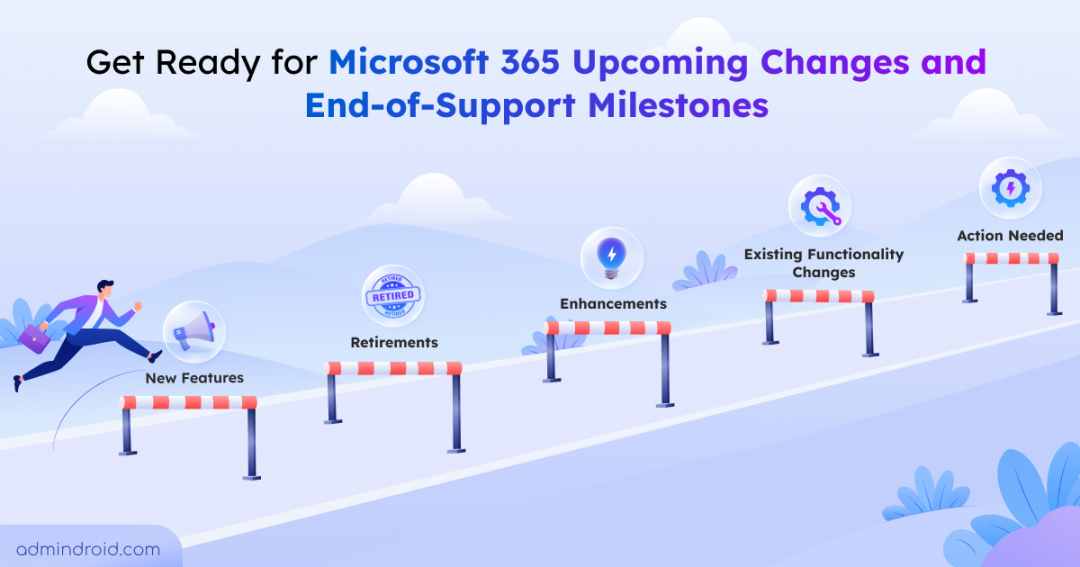
- October 2026 (Retirements: 8, New Features: 12, Enhancements: 7, Existing Functionality Changes: 5, Action Needed: 4, Live: 1)
- November 2026 (Retirements: 3, New Features: 6, Enhancements: 2, Existing Functionality Changes: 2, Action Needed: 1)
- December 2026 (Attention Needed: 8)
- Q1 2027 (Attention Needed: 11)
- Q2 2027 (Attention Needed: 3)
- Q3 2027 (Attention Needed: 1)
- Q4 2027 (Attention Needed: 2)
October 2026
Retirements: 8 | New Features: 12 | Enhancements: 7| Existing Functionality Changes: 5 | Action Needed: 4 | Live Now: 1
Retirements
October 01, 2026- Retirement of Exchange Web Services in Exchange Online
Starting October 1, 2026, Microsoft will start blocking EWS requests from non-Microsoft apps to Exchange Online. The changes in Exchange Online do not affect Outlook for Windows or Mac, Teams, or any other Microsoft product.
Solution: Upgrade your applications to Microsoft Graph to access Exchange Online data and take advantage of the latest capabilities.
October 01, 2026- Sign-in Risk Policy and User Risk Policy Retirement from Entra ID Protection
User risk policy or Sign-in risk policy UX in Entra ID Protection (formerly Identity Protection) will be retired on October 1, 2026.
Solution: Migrate Sign-in risk and User risk policies to Conditional Access.
October 2026 – Retirement of SharePoint One-Time Passcode for External Sharing
Microsoft will retire SharePoint One-Time Passcode authentication for external sharing beginning in October 2026. As part of this change, external sharing authentication in OneDrive and SharePoint will transition to Microsoft Entra B2B. External users who previously accessed content using OTP will receive access denied unless a corresponding guest account exists.
- All external access shifts to Microsoft Entra B2B, enforcing Conditional Access, Identity Protection, and centralized guest governance.
- Authentication, invitations, and audit tracking move from SharePoint OTP to Entra B2B and its audit logs.
- Existing “specific people” links may fail for users without a corresponding guest account.
Solution: Create a guest account in Entra B2B or have an internal user re-share content to automatically provision the guest account and restore access.
Ref: https://admin.cloud.microsoft/#/MessageCenter/:/messages/MC1243549
October 5, 2026 – Microsoft Teams Live Chat Retirement
Microsoft Teams Live Chat will no longer be supported starting October 5, 2026. The Live Chat widget will stop relaying incoming customer messages from websites to Teams. New customers have already been unable to set up the feature since August 6, 2026, while existing integrations will stop functioning in October. Historical chat content stored in Teams will remain available.
Solution: Remove the Microsoft Teams live chat widget from all websites, notify affected users, and implement an alternative customer engagement solution.
Ref: https://admin.cloud.microsoft/?source=applauncher&ref=MessageCenter/:/messages/MC1449174
October 13, 2026- Retirement of Microsoft Publisher
On October 13, 2026, Microsoft will discontinue Publisher in Microsoft 365, with on-premises suite support ending.
Solution: Identify Publisher-dependent workflows and transition them to suitable alternatives such as Word, PowerPoint, or Designer.
Ref: https://admin.microsoft.com/?ref=MessageCenter/:/messages/MC716267
October 13, 2026 – End of Support for Office LTSC 2021 And Additional Apps
Microsoft will retire Office LTSC 2021, Visio LTSC 2021, Microsoft Project LTSC 2021, and a few other products on October 13, 2026.
Solution: Upgrade to a Microsoft 365 or Office 365 plan that includes Microsoft 365 Apps. For fully offline deployments, upgrade to Office LTSC 2024.
Ref: https://admin.cloud.microsoft/?#/MessageCenter/:/messages/MC1278920
Mid-Oct 2026 – Retirement of SharePoint Page Agent (Frontier)
The SharePoint Page Agent (Frontier) helps users turn content from Microsoft 365 Copilot conversations into draft SharePoint pages and news posts. Microsoft is retiring this agent as similar AI-powered page and news authoring capabilities are now available directly in SharePoint through Copilot in SharePoint.
After the retirement, users will no longer be able to create SharePoint pages or news posts using the SharePoint Page Agent.
Solution: Users can create and refine SharePoint pages and news posts directly using Copilot in SharePoint.
Ref: https://admin.cloud.microsoft/#/MessageCenter/:/messages/MC1481325
Oct 16, 2026 – Retirement of Standalone Microsoft Whiteboard Apps
Microsoft will retire the standalone Whiteboard apps for Windows, iOS, and Android on October 16, 2026. After this date, the standalone apps will no longer be supported for work or school accounts or personal Microsoft accounts.
Solution: Users can continue using Whiteboard through Microsoft Teams or supported web experiences.
Ref: https://support.microsoft.com/en-us/whiteboard/retirement-standalone-microsoft-whiteboard-apps
New Features
Early-October 2026 – Microsoft Entra ID Adds Passkey Support for B2B Users
Microsoft Entra ID is expanding passkey support to business-to-business (B2B) collaboration users, enabling eligible external users to authenticate with passkeys when accessing resources in a partner organization. This strengthens phishing-resistant authentication for guest and external users while providing a more secure and convenient sign-in experience.
Ref: https://admin.cloud.microsoft/?source=applauncher&ref=MessageCenter/:/messages/MC1459133
Early-Oct 2026 – Archive SharePoint Files Under Retention Policies in Microsoft Purview
Admins can now configure retention policies in Data Lifecycle Management to automatically move inactive OneDrive and SharePoint files to Microsoft 365 Archive. Archived content is excluded from Copilot indexing. This feature is turned off by default and helps admins manage storage costs effectively.
Ref: https://admin.cloud.microsoft/#/MessageCenter/:/messages/MC1472601
Early-Oct 2026 – Microsoft Defender for Office 365 Adds Prompt Injection Protection for Email
Microsoft Defender for Office 365 is introducing prompt injection protection to detect and block malicious email content designed to manipulate AI assistants and agents. Emails identified as prompt injection attacks will be classified as High Confidence Phish and automatically quarantined. The feature is enabled by default for organizations with Microsoft Defender for Office 365 Plan 2 or Microsoft 365 E5.
Ref: https://admin.cloud.microsoft/?ref=MessageCenter/:/messages/MC1422060
Early-Oct 2026 – Auto-labeling Per-policy Coverage in Microsoft Purview
Microsoft Purview is introducing a new report called the Auto-labeling Policy Coverage Report. Admins can use this report to track policy enforcement progress. It provides a centralized view of files that were successfully labeled, files that are still being processed, and files that require attention. The report is expected to be generally available by early October 2026.
Ref: https://admin.cloud.microsoft/#/MessageCenter/:/messages/MC1456609
Early-Oct 2026 – Microsoft Teams Enables Users to Report Security Concerns in Group Calls
Microsoft Teams will allow users to report security concerns directly during Teams meetings. This gives participants a way to flag potentially suspicious or problematic activity, helping organizations identify threats such as impersonation, phishing, scams, and other suspicious behavior.
Ref: https://admin.cloud.microsoft/#/MessageCenter/:/messages/MC1466296
Early-Oct 2026 – Centralized Notification Settings for Teams Channels
A new centralized location will allow admins to manage notification settings for Teams channels in one place instead of configuring them individually for each channel. This feature is enabled by default and is expected to reach General Availability by early October 2026.
Ref: https://admin.cloud.microsoft/#/MessageCenter/:/messages/MC1466307
Early-Oct 2026 – Temporarily Pause All Notifications in Microsoft Teams
To help users reduce interruptions and stay focused, Microsoft Teams is introducing a feature that allows users to pause all notifications for a specific period. The feature will be available on desktop, web, and mobile, with General Availability planned for early October 2026.
Ref: https://admin.cloud.microsoft/#/MessageCenter/:/messages/MC1465768
Oct 2026 – Malicious URL Protection for Teams Chats and Channels in Government Cloud
To strengthen protection against malware attacks in Government Cloud environments, Microsoft is introducing a feature that detects and warns users about malicious URLs shared in Teams chats and channels.
Ref: https://www.microsoft.com/en-us/microsoft-365/roadmap?id=569421
October 2026 – Microsoft Teams Automatically Blocks External AI Bots in Meetings
Microsoft Teams is introducing automatic blocking of external AI bots in meetings to help organizations prevent unauthorized AI assistants from joining and capturing meeting content. This provides administrators with greater control over the use of external AI services during Teams meetings.
Ref: https://admin.cloud.microsoft/?source=applauncher&ref=MessageCenter/:/messages/MC1459141
Oct 2026 – Just in Time Protection on SharePoint in DLP
Microsoft is introducing Just-in-Time protection for SharePoint in Microsoft Purview Data Loss Prevention in preview.
With this feature, organizations can automatically apply DLP restrictions to unclassified files when they are accessed or shared externally. Instead of restricting files in advance, JIT protection enforces security measures only when there is a risk of data leaving the organization.
Ref: https://www.microsoft.com/en-us/microsoft-365/roadmap?searchterms=139457
Mid-Oct 2026 – Data Loss Prevention for Microsoft Cowork in Microsoft Purview
Microsoft Purview Data Loss Prevention (DLP) is expanding support to Microsoft Cowork. This enhancement enables organizations to apply DLP protections consistently across Microsoft 365 Copilot and Microsoft Cowork, helping prevent the exposure of sensitive information and supporting enterprise-ready AI experiences.
Ref: https://admin.cloud.microsoft/#/MessageCenter/:/messages/MC1477182
Late-Oct 2026 – Change the Organizer of Meetings in Microsoft Outlook
Microsoft is introducing “Change organizer” for eligible Outlook meetings and recurring meeting series. Users can ask another person in their organization to become the organizer, and the selected person must accept before the ownership changes. This helps maintain meeting continuity during role changes, leave, and offboarding. The feature will roll out to the GCC environment by late October 2026.
Ref: https://admin.cloud.microsoft/#/MessageCenter/:/messages/MC1472028
Enhancements
Early-October 2026 – Microsoft Teams Brings More Granular Controls for Channel Notifications
Microsoft Teams is introducing more granular channel notification options, including presets such as All new messages, Mentions and replies, and Mute. Within each option, users can further customize notifications for thread follows, tag mentions, channel mentions, and Teams mentions.
The feature is enabled by default for all users, providing greater control over how channel activity is surfaced.
Ref: https://admin.cloud.microsoft/?#/MessageCenter/:/messages/MC1388719
Early-October 2026 – Microsoft Entra Makes Windows Hello for Business and macOS Platform SSO Standalone MFA Factors
Microsoft Entra will recognize Windows Hello for Business (WHfB) and macOS Platform Single Sign-On (PSSO) as standalone multifactor authentication factors in supported authentication scenarios. Users will be able to satisfy supported MFA requirements without registering an additional passkey.
The credentials will also appear in My Security Info as auto-registered passkeys, helping organizations expand the use of phishing-resistant authentication methods.
Ref: https://admin.cloud.microsoft/?source=applauncher&ref=MessageCenter/:/messages/MC1450134
Mid-October 2026 – Microsoft Purview Adds Lifecycle Controls to Adaptive Scopes
Microsoft Purview is introducing lifecycle status evaluation controls for adaptive scopes, allowing administrators to configure whether recipients and site owners should be evaluated based on their lifecycle status. This provides greater control over how adaptive scopes dynamically identify users and sites for compliance and data governance policies. It will be rolled out in general availability by mid-oct 2026.
Ref: https://admin.cloud.microsoft/?source=applauncher&ref=MessageCenter/:/messages/MC1450128
Oct 2026 – OneDrive Raises the macOS Sync Limit to 1 Million Items
OneDrive will increase its supported sync limit on macOS from 300,000 to 1 million items. This makes it easier to work with large SharePoint libraries and shared content on Mac devices.
The preview is available through the Insiders ring and requires devices to meet Microsoft’s hardware and configuration requirements. Devices that do not meet the requirements will continue to use the existing 300,000-item limit.
Ref: https://www.microsoft.com/en-us/microsoft-365/roadmap?id=570448
October 2026 – Microsoft Purview Increases Auto-Labeling Scale for SharePoint and OneDrive
Microsoft Purview is increasing the daily auto-labeling limit for SharePoint and OneDrive from 100,000 to 500,000 files per tenant. This enables organizations to automatically apply sensitivity labels to larger volumes of content and improves coverage for large Microsoft 365 environments.
Ref: https://admin.cloud.microsoft/?source=applauncher&ref=MessageCenter/:/messages/MC1461154
Mid-Oct 2026 – Choose Detection Sources for Microsoft Defender XDR Alert Tuning Rules
Microsoft Defender XDR is adding detection-source controls to alert tuning rules. Admins will be able to specify which detection sources a rule should cover, giving them more control over which alerts are affected by each tuning configuration. The feature is expected to enter Public Preview in mid-October 2026.
Ref: https://admin.cloud.microsoft/#/MessageCenter/:/messages/MC1481318
Late-Oct 2026 – File Sharing in External Teams Chats Will Be Enabled by Default
Microsoft is changing the default behavior for file sharing in Teams external chats. Users will be able to share files with external participants without admins having to enable the capability first.
Teams will automatically assign the necessary permissions when a file is shared in an external chat. Admins can still control this behavior through the available settings and PowerShell configuration.
Ref: https://admin.cloud.microsoft/#/MessageCenter/:/messages/MC1479514
Existing Functionality Changes
Oct 1, 2026 – Update EWSAllowedAppIDs Before EWS Access Changes
Microsoft is changing how the EWSAllowedAppIDs setting will be applied as part of the final phase of Exchange Web Services (EWS) retirement. Starting October 1, 2026, tenants with EWSEnabled set to True will require an AppID allow list for EWS access.
If you still have applications that require EWS, review your EWS usage and configure EWSAllowedAppIDs with only the applications that need access. Once you configure the list yourself, Microsoft will not overwrite, modify, or automatically update it.
If you don’t configure the list yourself, Microsoft may automatically populate it based on EWS usage from the previous 60 days. This may include applications you no longer want to allow or miss applications that are used infrequently.
Oct 2026– Microsoft Expands Archive Mailbox Capacity Beyond 1.5 TB
Currently, auto-expanding archive mailboxes are limited to 1.5 TB, after which they stop working. This limit has now been removed, allowing archive mailboxes to grow upto 3 TB automatically to support ongoing retention needs.
Ref: https://www.microsoft.com/en-US/microsoft-365/roadmap?filters=&searchterms=560820#Roadmap
October 5, 2026 – OneDrive Adds Default Exclusion for .db-wal Files
Microsoft OneDrive will add the .db-wal file type to its default exclusion list starting October 5, 2026. Newly created .db-wal files will no longer sync to OneDrive by default, reducing unnecessary synchronization of temporary database files that frequently change and are generally useful only with their associated database. Existing .db-wal files that are already syncing will not be affected.
Ref: https://admin.cloud.microsoft/?source=applauncher&ref=MessageCenter/:/messages/MC1457838
Late-Oct 2026 – Teams Retention Policies Will No Longer Cover Copilot Interactions
Microsoft is changing how legacy Teams retention policies handle Copilot data. From late October 2026, these policies will retain only Teams content and will no longer apply to Microsoft 365 Copilot interactions. Organizations that need to retain Copilot data must configure separate retention settings for the Copilot workload.
Ref: https://admin.cloud.microsoft/#/MessageCenter/:/messages/MC1481313
Late-Oct 2026 – Teams User Reporting Becomes the Default in Microsoft Defender for Office 365
Microsoft Defender for Office 365 will turn on Teams user reporting by default, giving users a built-in way to flag suspicious activity in Teams. Users can report potentially harmful messages, calls, and meetings, helping security teams investigate threats such as phishing, spam, impersonation, and malicious content.
The feature is available with Microsoft Defender for Office 365 Plan 1 or Plan 2, Microsoft 365 E5, and Office 365 E5.
Ref: https://admin.cloud.microsoft/#/MessageCenter/:/messages/MC1478463
Action Needed
Early-October 2026 – Microsoft 365 Copilot App Requires Access to copilot.cloud.microsoft
Microsoft is moving the Microsoft 365 Copilot web app from m365.cloud.microsoft to copilot.cloud.microsoft. Organizations that block copilot.cloud.microsoft may experience disruption when users are automatically redirected to the new Copilot URL.
Solution: Allow the *.cloud.microsoft domain in network configurations and validate connectivity to copilot.cloud.microsoft before the redirect.
Ref: https://admin.cloud.microsoft/?source=applauncher&ref=MessageCenter/:/messages/MC1462915
Oct 1, 2026 – Project Online Essentials Reaches End of Life
Project Online Essentials will reach its end of life on October 1, 2026.
Solution: Organizations using this license should move affected users to supported licensing options, such as Project and Planner Plan 1 or Plan 3, to continue accessing the required Project and Planner capabilities.
Ref: https://admin.cloud.microsoft/#/MessageCenter/:/messages/MC1466302
Oct 19, 2026 – Microsoft Entra ID to Block External Script Injection During Sign-in
Microsoft is strengthening the Microsoft Entra ID authentication experience by introducing additional Content Security Policy (CSP) protections. These controls will restrict sign-in pages to trusted Microsoft-hosted scripts and help prevent unauthorized script injection, including cross-site scripting (XSS) attacks.
Action required: Admins should check whether any browser extensions, tools, or custom solutions inject scripts into Microsoft Entra sign-in pages. Any solutions that depend on this behavior may need to be updated.
Ref: https://admin.cloud.microsoft/#/MessageCenter/:/messages/MC1481309
October 31, 2026 – Retirement of Microsoft Defender for Endpoint on Amazon Linux 2 (ARM64)
From October 31, 2026, Microsoft will retire support for Microsoft Defender for Endpoint on Amazon Linux (ARM64). Linux versions beyond 101.25122.0004 will no longer install on AL2 environments, and affected devices will miss security enhancements and feature updates.
Solution: Organizations should migrate to a supported Linux distribution for Microsoft Defender for Endpoint before October 31, 2026, to ensure continued security updates and feature support.
Ref: https://admin.cloud.microsoft/?#/MessageCenter/:/messages/MC1392568
Live
Pay-As-You-Go Billing for Extra Microsoft SharePoint Storage
Previously, organizations had to purchase the Office 365 Extra File Storage add-on for additional SharePoint storage, which is billed in 1-GB increments and could result in paying for capacity that remained unused.
Microsoft 365 SharePoint Storage is now generally available worldwide with pay-as-you-go billing. Storage is measured based on actual consumption above the tenant’s included storage quota, allowing organizations to pay only for the additional storage they use.
Ref: https://admin.cloud.microsoft/#/MessageCenter/:/messages/MC1330893
November 2026
Retirements
Nov 2026 – Retirement of Four Microsoft Graph Endpoints
Microsoft is planning to retire four Microsoft Graph endpoints in November: /drive/recent, /drive/sharedWithMe, /insights/used, and /insights/shared.
Ref:
- /drive/recent – https://learn.microsoft.com/en-us/graph/api/drive-recent?view=graph-rest-1.0&tabs=http
- /drive/sharedWithMe – https://learn.microsoft.com/en-us/graph/api/drive-sharedwithme?view=graph-rest-1.0&tabs=http
- /insights/used – https://learn.microsoft.com/en-us/graph/api/insights-list-used?view=graph-rest-1.0&tabs=http
- /insights/shared – https://learn.microsoft.com/en-us/graph/api/insights-list-shared?view=graph-rest-1.0&tabs=http
Note: Microsoft has not provided any alternative endpoints or workaround options for these retirements.
November 2, 2026 – Outlook for Windows Report Retirement in the Exchange Admin Center
Microsoft is retiring the Outlook for Windows report in the Exchange admin center. Administrators will no longer be able to access the report through the existing Exchange admin center experience after the retirement.
Ref: https://admin.cloud.microsoft/?source=applauncher&ref=MessageCenter/:/messages/MC1230889
Late-Nov 2026 – Retirement of Classic DSPM and DSPM for AI Experiences
Microsoft is consolidating its Microsoft Purview Data Security Posture Management capabilities into a unified DSPM experience. As part of this change, the classic DSPM and DSPM for AI experiences will be retired.
The unified experience will provide a central place for organizations to discover, protect, and investigate data security risks across traditional data sources as well as AI applications and agents.
Ref:
https://admin.cloud.microsoft/#/MessageCenter/:/messages/MC1481315
New Features
November 2026 – Pay-as-You-Go Consumption-Based Billing for Extra OneDrive Storage
Microsoft is introducing a pay-as-you-go billing model for OneDrive storage based on consumption. When storage usage exceeds the allocated quota, additional capacity is automatically made available and billed based on actual consumption.
The model enables organizations to scale storage flexibly and pay only for the additional capacity consumed, reducing the need to purchase fixed storage add-ons.
Ref: https://www.microsoft.com/en-in/microsoft-365/roadmap?id=562352
Nov 2026 – Microsoft Teams Introduces Separate Attendance Report Policy for Events
Microsoft Teams is introducing a dedicated attendance and engagement report policy for Teams events, such as webinars and town halls, separating their controls from Teams meetings. This allows administrators to grant event organizers access to event attendance and engagement reports while separately controlling access to Teams meeting reports.
Ref: https://www.microsoft.com/en-in/microsoft-365/roadmap?id=567466
Nov 2026 – Share Local Word, Excel, and PowerPoint Files in New Outlook for Windows
New Outlook for Windows will make it easier to attach files stored locally on a user’s device. Users will be able to select local Word, Excel, and PowerPoint files directly when composing an email and send them as attachments. The capability will be enabled by default.
Ref: https://admin.cloud.microsoft/#/MessageCenter/:/messages/MC1245222
Nov 2026 – Personal Message Reminders for Teams Chats and Channels
Teams now lets users set and manage reminders directly on chat and channel messages. Users can create, update, complete, and delete reminders, track them in a dedicated Reminders view, and receive notifications when they are due. Reminders are private to each user and include the original message context, making it easier to revisit and act on important messages.
Ref: https://www.microsoft.com/en-us/microsoft-365/roadmap?id=565869
Early-Nov 2026 – Microsoft Teams Introduces AI Meeting Archive Files
Microsoft Teams introduces AI meeting archive files that capture AI-generated meeting insights to improve responses from Microsoft 365 Copilot and Facilitator. The archive contains structured AI-generated meeting information instead of raw meeting content and is stored in a tenant-owned SharePoint Embedded container.
The feature is enabled by default, with administrator controls to manage archive generation and retention. Only meeting participants can access AI responses based on the meeting archive.
Ref: https://admin.cloud.microsoft/?ref=MessageCenter/:/messages/MC1429018
Late-Nov 2026 – Purview Integrates Adaptive Protection with Data Lifecycle Management
Microsoft Purview is making its Adaptive Protection integration with Data Lifecycle Management (DLM) generally available in late Nov 2026. The integration automatically retains content deleted by elevated-risk users for 120 days across SharePoint, OneDrive, and Exchange, helping protect against potential data sabotage.
Admins can enable the integration from the Microsoft Purview compliance portal, while Microsoft automatically creates and manages the required retention label and policy.
Ref: https://admin.cloud.microsoft/?ref=MessageCenter/:/messages/MC791110
Enhancements
Nov 2026 – Two Presenters Can Share Screens Simultaneously in Microsoft Teams Meetings
Microsoft Teams is expanding meeting screen-sharing capabilities to support two presenters at the same time. Instead of limiting meetings to a single shared screen or window, two presenters will be able to share their content simultaneously, allowing participants to view both streams during the meeting.
Ref: https://www.microsoft.com/en-us/microsoft-365/roadmap?id=80239
Mid-Nov 2026 – Improved Memory and Personalization in Microsoft 365 Copilot
Microsoft 365 Copilot is getting updates to its memory and personalization capabilities. Copilot will use relevant chat history to provide responses that are more tailored to the user’s context and previous interactions.
Microsoft is also refreshing the Copilot settings experience, making it easier for users to review and manage their saved memories. These improvements will be available to Copilot Chat users.
Ref:https://admin.cloud.microsoft/?#/MessageCenter/:/messages/MC1158329
Existing Functionality Changes
November 2026 – Microsoft Purview Reduces DLP Policy Sync Time from 2 Hours to 30 Minutes
Microsoft Purview is reducing the expected synchronization time for Data Loss Prevention (DLP) policy changes from approximately two hours to 30 minutes. This enhancement allows administrators to see newly created or modified DLP policies take effect more quickly across supported workloads.
Ref: https://admin.cloud.microsoft/?source=applauncher&ref=MessageCenter/:/messages/MC1317834
November 9, 2026 – Microsoft Entra ID SSPR Requires Registered Authentication Methods
Microsoft Entra ID Self-Service Password Reset (SSPR) will require users to verify their identity using authentication methods explicitly registered for authentication. Directory-stored contact information that has not been registered as an authentication method will no longer be accepted for SSPR verification.
Ref: https://admin.cloud.microsoft/?source=applauncher&ref=MessageCenter/:/messages/MC1325414
Action Required
November 3, 2026 – Microsoft Entra ID Retires MemberOf Rule Operator
Microsoft Entra ID will retire the MemberOf rule operator for dynamic groups and dynamic administrative units.
Solution: Organizations using this operator in dynamic membership rules will need to update those rules to supported alternatives before the retirement date.
December 2026 (Attention Needed: 8)
Early-Dec 2026 – Retirement of Data Risk Graph in Insider Risk Management
Microsoft is retiring the Data Risk Graph in Insider Risk Management and shifting investigations toward other built-in investigation experiences. The Data Risk Graph currently provides a visual view of relationships between users, data, alerts, and related activities.
After its retirement, admins can use Activity Explorer, Content Explorer, and User Activity experiences to investigate risk indicators and related activities in greater detail.
Ref: https://admin.cloud.microsoft/#/MessageCenter/:/messages/MC1481317
December 2026 – Credential Parameter Retirement in Exchange Online PowerShell
Exchange Online PowerShell is deprecating the -Credential parameter as it relies on the legacy ROPC authentication flow that does not support MFA or Conditional Access. This change applies to both the Connect-ExchangeOnline and Connect-IppsSession cmdlets.
Solution: Move to secure authentication methods such as interactive sign-in, app-only authentication, or managed identity authentication when connecting to Exchange Online PowerShell.
December 2026 – Custom Retention for Message Trace Logs in Exchange Online
Starting in December 2026, organizations will be able to select how long Message Trace data is retained by choosing from a set of predefined retention periods. This enhancement gives admins greater flexibility to align log retention with their compliance, audit, and operational requirements.
Ref: https://www.microsoft.com/en-in/microsoft-365/roadmap?id=542929
End of December 2026 – Disable SMTP Auth for Basic Authentication
SMTP AUTH Basic Authentication will be disabled by default for existing tenants by Dec end, though admins can enable it if required.
Solution:
- Migrate applications and devices to OAuth-based authentication.
- Use alternatives such as High-Volume Email for Microsoft 365, Azure Communication Services for Email, or an on-premises Exchange.
Mid-Dec 2026 – Endpoint DLP Introduces a Curated File Extension List
Microsoft Purview Endpoint DLP is introducing a predefined list of supported file extensions for policy configuration. Admins will no longer be able to enter file extensions manually, helping ensure that only supported file types are included in DLP policies.
Existing policies will continue to work as configured, but admins may need to remove unsupported extensions when making future changes.
Ref: https://admin.cloud.microsoft/#/MessageCenter/:/messages/MC1384415
Dec 16, 2026 – Microsoft 365 Companion Apps Will Reach End of Life
Microsoft is retiring the Microsoft 365 companion apps for Calendar, People, and Files. These taskbar-integrated apps will no longer be supported or functional after December 16, 2026.
Microsoft has already stopped providing updates and fixes, including security updates, and is phasing out their automatic installation.
Action required: Admins should remove the companion apps from organizational devices before the retirement date.
Ref: https://admin.cloud.microsoft/#/MessageCenter/:/messages/MC1474111
End of December 2026 – Retirement of Power BI Q&A
Microsoft is retiring the Power BI Q&A experience by the end of December 2026. Existing Q&A visuals and experiences will stop working, and Q&A Setup tools will also be retired. Organizations should transition Q&A experiences to Copilot in Power BI and use Prep Data for AI as an alternative to Q&A Setup tools.
Ref: https://admin.cloud.microsoft/?source=applauncher&ref=MessageCenter/:/messages/MC1218421
December 31, 2026 – End of Support for Dynamics 365 Guides and Remote Assist
Dynamics 365 Guides and Dynamics 365 Remote Assist will retire on December 31, 2026. After this date, the products will no longer receive security updates, bug fixes, or technical support.
Solution: Customers should plan their transition early by identifying dependent users and scenarios. Explore alternative mixed reality solutions available in the Microsoft Marketplace, and consider Microsoft Teams Mobile with spatial annotation for certain remote collaboration use cases.
Q1 2027 (Attention Needed: 11)
January 06, 2027 – Microsoft Purview Retires the Instances Policy Location for DLP
Microsoft Purview will retire the Instances policy location for Data Loss Prevention (DLP) on January 6, 2027. Dedicated application locations are being introduced for supported non-Microsoft applications, replacing the existing instance locations.
Solution: Review existing DLP and auto-labeling policies that use the Instances location and recreate them using the corresponding dedicated application locations before January 6, 2027.
Ref: https://admin.cloud.microsoft/?ref=MessageCenter/:/messages/MC1429010
January 2027 – Retirement of Basic Authentication for Client Submission in Exchange Online
Microsoft will disable Basic Authentication with Client Submission (SMTP AUTH) by default starting January 2027. OAuth will be the supported authentication method.
Proactive Steps:
- Move applications and devices to OAuth-based authentication for SMTP AUTH.
- If Basic Authentication is still needed, consider alternatives such as High-Volume Email for Microsoft 365, Azure Communication Services for Email, or an on-premises Exchange Server in a hybrid setup.
January 2027 – End of Life of Standalone SharePoint Online and OneDrive for Business Plans
Microsoft is ending the lifecycle of standalone SharePoint Online Plan 1 and Plan 2 and OneDrive for Business Plan 1 and Plan 2. New customers are no longer able to purchase these standalone plans. From Jan 2027, renewals will no longer be permitted, although existing subscriptions will continue until their expiration.
Solution: Move to Microsoft 365 suite offerings such as Business Basic, Business Standard, Business Premium, E1, E3, or E5 for continued service availability.
Late-January 2027 – Microsoft Extends DLP to Restrict Processing of External Emails in Copilot
Microsoft is extending Data Loss Prevention (DLP) support for Microsoft 365 Copilot and Copilot Chat by introducing a new capability to exclude emails from external or untrusted domains. These emails will not be used for summarization, responses, or grounding data in Copilot experiences.
The feature is available as an opt-in option. Once enabled, emails from trusted internal sources will continue to be used for Copilot responses, while content from external untrusted domains will be restricted.
Ref: https://admin.cloud.microsoft/?#/MessageCenter/:/messages/MC1301714
January 31, 2027 – Retirement of MDE and XDR Advanced Hunting APIs
To unify the interface across Microsoft Defender products, Microsoft will retire the Microsoft Defender for Endpoint (MDE) Advanced Hunting API and Microsoft Defender XDR Advanced Hunting API.
Solution: Move to Microsoft Graph Security API for broader data coverage, improved consistency, and better scalability for automation and security workflows.
Ref: https://admin.cloud.microsoft/?#/MessageCenter/:/messages/MC1220762
January 31,2027 – Full Retirement of Restricted SharePoint Search
Microsoft will fully retire Restricted SharePoint Search (RSS), which limits how SharePoint content appears in Microsoft Search and Microsoft 365 Copilot, by January 31, 2027. Existing Restricted SharePoint Search configurations will not be automatically migrated to Restricted Content Discovery (RCD).
Solution: Organizations should migrate from Restricted SharePoint Search to Restricted Content Discovery (RCD) or adopt another appropriate control for managing content discoverability before the retirement date.
Ref: https://admin.cloud.microsoft/?#/MessageCenter/:/messages/MC1395311
February 1, 2027 – Retirement of Built-in SMS and Voice MFA in Microsoft Entra
Microsoft is retiring its built-in SMS and voice authentication service in Microsoft Entra on February 1, 2027. Organizations that continue using SMS or voice MFA must configure a supported telecom provider, as Microsoft will no longer provide these services.
Passkeys become the recommended authentication method, starting September 1, 2026. Tenants that continue relying only on Microsoft’s built-in SMS or voice authentication may experience sign-in disruptions after February 1, 2027.
Ref: https://admin.cloud.microsoft/?#/MessageCenter/:/messages/MC1426371
March 01, 2027 – Automatic Migration to New Outlook for Windows
Microsoft 365 Enterprise users will automatically switch to the new Outlook for Windows, gaining access to modern features like Copilot, theming, and time-saving options such as pinning and snoozing emails. A toggle will be available for users to revert to the classic Outlook. Admins can prevent this automatic migration via cloud policy.
The opt-out phase originally scheduled for April 2026 has been postponed to March 1, 2027, providing organizations with additional time to prepare.
Ref: https://admin.microsoft.com/#/MessageCenter/:/messages/MC949965
Mar 2027 – Classic SharePoint Publishing Site and Page Creation Will Be Disabled
Microsoft is phasing out classic SharePoint publishing capabilities as part of the transition to modern SharePoint experiences.
Starting March 1, 2027, existing tenants will no longer be able to create classic publishing sites or activate publishing features. New tenants will also have restrictions on creating classic pages and making changes that depend on custom scripts.
From October 1, 2028, existing classic user-created pages will become read-only, and custom scripting restrictions will apply across all tenants.
Ref: https://admin.cloud.microsoft/#/MessageCenter/:/messages/MC1464926
March 2027 – Retirement of Security Questions in Microsoft Entra Self-Service Password Reset
Microsoft will retire security questions as an authentication method for Self-Service Password Reset (SSPR) in Microsoft Entra ID starting March 2027, due to security vulnerabilities and low verification reliability.
After this retirement, users will no longer be able to verify their identity using security questions during password reset. Organizations that continue relying on this method may experience failed password reset attempts, user lockouts, and increased help desk support requests.
Solution: Ensure users are registered with supported authentication methods before March 2027 to avoid Self-Service Password Reset failures.
March 31, 2027 – Microsoft Sentinel Retirement in Azure Portal
Microsoft is migrating Microsoft Sentinel from the Azure portal to the Microsoft Defender portal. After March 31, 2027, Microsoft Sentinel will no longer be supported in the Azure portal, and must be accessed through the Microsoft Defender portal.
The Microsoft Defender portal will become the primary management experience for Microsoft Sentinel and can be used even without Microsoft Defender XDR or a Microsoft 365 E5 license.
Q2 2027 (Attention Needed : 3)
April 1, 2027 – Exchange Online EWS Fully Retired
Exchange Web Services (EWS) in Exchange Online will be fully and permanently retired on April 1, 2027. Microsoft will progressively disable EWS beginning October 1, 2026, with the final shutdown removing the ability to use EWS in Exchange Online. Organizations should identify remaining EWS dependencies and migrate supported integrations to Microsoft Graph.
Ref: https://admin.cloud.microsoft/?source=applauncher&ref=MessageCenter/:/messages/MC1447678
April 2027 – Excel Power Query Retires the Microsoft Exchange Connector
Microsoft is retiring the existing Microsoft Exchange connector in Excel Power Query in April 2027. It will be replaced by new Exchange Mail and Exchange Calendar connectors. Existing workbooks will not automatically migrate, so workbook owners using the current connector will need to reconnect their Exchange data using the new connectors. The new connectors require Microsoft 365 Apps or Office 2024.
Ref: https://admin.cloud.microsoft/?source=applauncher&ref=MessageCenter/:/messages/MC1461158
May 2027 – Microsoft Entra Conditional Access Custom Controls Fully Retire
Microsoft Entra ID will fully retire Custom Controls in Conditional Access by May 2027, replacing them with External MFA for third-party MFA integrations. Custom Controls will stop being evaluated by the Conditional Access engine after the final retirement. Microsoft has already planned an earlier September 2026 milestone when administrators will no longer be able to create or modify Custom Controls.
Ref: https://admin.cloud.microsoft/?source=applauncher&ref=MessageCenter/:/messages/MC1422061
Q3 2027 (Action Needed: 1)
July 1, 2027 – Retirement of SharePoint Online Remote Event Receivers
Microsoft is retiring Remote Event Receivers (RERs) in SharePoint Online as part of its platform modernization. Azure ACS-registered RERs stopped working on April 2, 2026, while Microsoft Entra ID-registered RERs will continue to function until July 1, 2027, after which all RERs will stop working.
Solution: Organizations should migrate to SharePoint webhooks or Microsoft Graph change notifications before the retirement date, as no extensions will be provided.
Ref: https://admin.cloud.microsoft/?ref=MessageCenter/:/messages/MC1411726
Q4 2027 (Action Needed: 2)
October 2027 – Removal of Passcode Option from Create Meeting API
In October 2027, Microsoft will remove the option to create meetings without passcodes. This means all online meetings created through the Microsoft Graph API will automatically require a passcode, and the isPasscodeRequired property on the joinMeetingIdSettings resource will be removed. This change ensures that every meeting is consistently secured with a passcode, simplifying meeting creation, and improving security.
Ref: https://admin.cloud.microsoft/#/MessageCenter/:/messages/MC985483
October 14, 2027 – Retirement of Duplicative Properties in Passkey (FIDO2) Authentication Methods Policy
To align with the updated passkey policy API schema that supports group-based passkey profiles, Microsoft will retire isAttestationEnforced and keyRestrictions from the fido2AuthenticationMethodConfiguration API. During the transition, these properties will sync with attestationEnforcement and keyRestrictions in the Default passkey profile.
Solution: Admins should update configurations, automations, and integrations to use the new schema.
Ref: https://admin.cloud.microsoft/?#/MessageCenter/:/messages/MC1188230
In conclusion, navigating the ever-evolving landscape of Microsoft 365 requires staying informed about the changes 🔍. By proactively adapting to these changes, you can optimize your Microsoft 365 experience, maximize productivity, and effectively plan for the future. 💪
Don’t miss out on the latest buzz in Microsoft 365! 🐝We’re committed to keeping this blog fresh with the most current information. Stay tuned for the latest updates!
End of Support Resources for Microsoft 365:
- 2026 End-of-Support Milestone in Microsoft 365
- 2025 end-of-support milestones in Microsoft 365
- 2024 end-of-support milestones in Microsoft 365
- 2023 end-of-support milestones in Microsoft 365
- 2022 end-of-support milestones in Microsoft 365
- 2021 end-of-support milestones in Microsoft 365
- 2020 end-of-support milestones in Microsoft 365